

An AWS disaster recovery plan is a documented set of strategies and procedures that restores workloads and data across AWS Regions after a catastrophic failure. The AWS Well-Architected Framework defines two metrics that anchor every DR decision: Recovery Time Objective (RTO), the maximum acceptable downtime before restoration, and Recovery Point Objective (RPO), the maximum acceptable data loss measured in time. Every architectural choice you make flows from those two numbers.
What AWS disaster recovery strategies are available, and how do they compare?
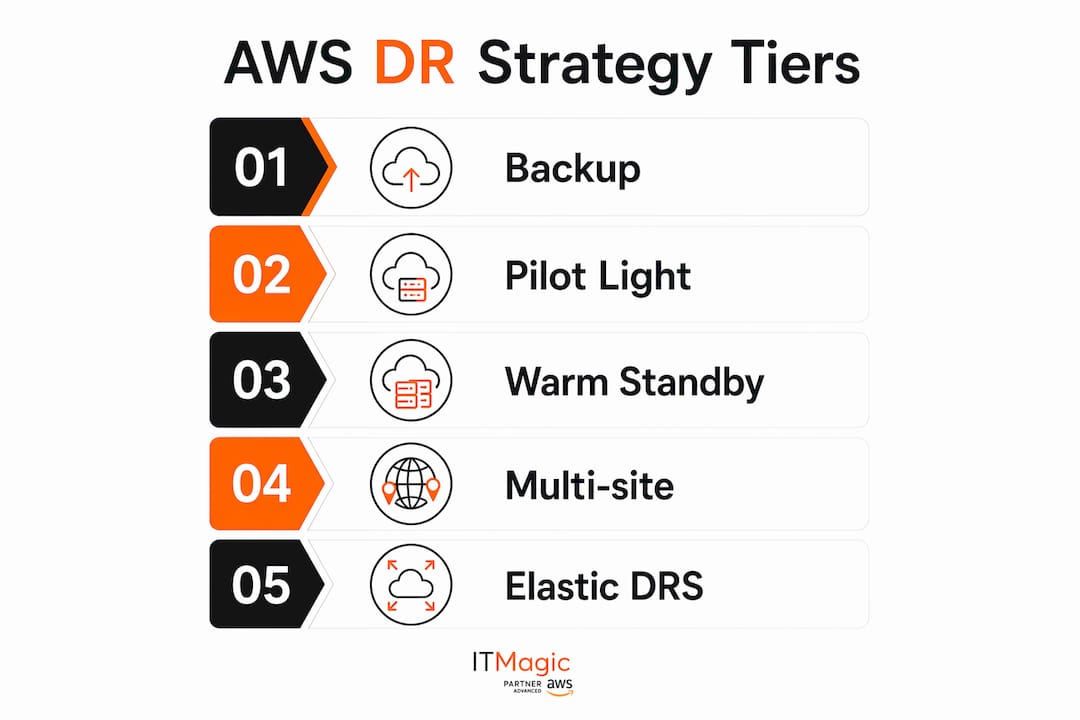
AWS offers four core DR strategies, arranged from lowest cost and highest RTO/RPO to highest cost and near-zero RTO/RPO:
- Backup and Restore: RPO in hours, RTO up to 24 hours. Lowest cost and complexity. Suitable for workloads that can tolerate extended downtime.
- Pilot Light: RPO in minutes, RTO in tens of minutes. Core infrastructure pre-provisioned in the recovery Region; compute is off until needed.
- Warm Standby: RPO in seconds, RTO in minutes. A scaled-down but fully running copy of your production environment sits ready in a second Region.
- Multi-site Active/Active: RPO near zero, RTO potentially zero. Workloads actively serve traffic from multiple Regions simultaneously.
AWS Elastic Disaster Recovery (AWS DRS) cuts across these tiers by enabling RPOs of seconds and RTOs of minutes through continuous replication to a low-cost staging area. Choosing the right tier means matching your workload’s criticality to a strategy your budget can actually sustain. A fintech payment processor and an internal reporting tool do not belong in the same DR tier.
How does backup and restore work as an AWS DR strategy?
Running this on your own AWS setup? IT-Magic is an AWS Advanced Tier Partner — we audit, fix, or fully manage it for you.
Get a free consultation
Backup and Restore is the starting point for any cloud disaster recovery program. It protects against data loss or corruption and can cover regional disasters by replicating data to a second AWS Region. The tradeoff is time: restoring from backups and redeploying infrastructure takes hours, so this approach fits workloads where extended downtime is acceptable.

Backup frequency directly controls your achievable RPO. Continuous backups with point-in-time recovery (PITR) can bring RPO as low as five minutes for some services. AWS services supporting PITR include Amazon DynamoDB, Amazon RDS, and Amazon Aurora.
Infrastructure as Code is non-negotiable here. Without AWS CloudFormation or AWS CDK templates, rebuilding an environment in a recovery Region under pressure introduces errors and blows past your RTO. You also need to back up Amazon Machine Images (AMIs), application code via AWS CodePipeline, and configuration alongside your data.
Security and compliance requirements apply to backup storage too. AWS backup best practices include centralized backup management through AWS Organizations, role-based access controls via AWS IAM Identity Center, immutable backup vaults, and encryption using AWS Key Management Service (AWS KMS). AWS Backup Audit Manager handles centralized monitoring and compliance reporting across accounts.
Key implementation steps for Backup and Restore:
- Define backup frequency and retention periods aligned to your RPO target.
- Deploy IaC templates (CloudFormation or AWS CDK) to the recovery Region before a disaster occurs.
- Store AMIs, application code, and configuration in cross-Region S3 buckets.
- Encrypt all backup data with a centralized AWS KMS key.
- Test restoration procedures quarterly to confirm actual RTO matches your target.
How does the pilot light approach reduce recovery time on AWS?
Pilot Light keeps your most critical infrastructure running continuously in the recovery Region while leaving compute resources switched off until needed. Think of it as a gas pilot flame: the ignition is always there, but the full burner only fires when you need it.
Data replication runs continuously. Databases and object storage in the DR Region stay live at all times, which is what drives the lower RPO compared to pure backup strategies. Application servers are pre-configured with code and settings but not deployed. When a disaster triggers failover, IaC templates spin them up and scale them out.
That deployment symmetry is the operational challenge. Every infrastructure change to your primary Region must be mirrored to the DR Region simultaneously. Automating deployments with IaC and using separate AWS accounts per Region provides the highest level of resource and security isolation. AWS recommends a different account per Region to contain blast radius if compromised credentials are part of your threat model.
Pilot Light considerations:
- Use continuous, cross-Region asynchronous replication for databases (Amazon RDS read replicas, Aurora Global Database, DynamoDB global tables).
- Keep application server launch configurations current and version-controlled.
- Automate failover with AWS Systems Manager runbooks or AWS Step Functions.
- Schedule regular failover drills that actually spin up compute and validate traffic routing.
- Cost stays low during normal operations because idle compute is not running.
What makes warm standby faster than pilot light?
Warm Standby runs a scaled-down but fully functional copy of your production environment in the recovery Region at all times. The distinction from Pilot Light is precise: Pilot Light requires you to “turn on” servers and possibly deploy additional infrastructure before it can handle traffic. Warm Standby is already running and can accept traffic immediately, just at reduced capacity.
When a disaster occurs, the only action needed is scaling up. Auto Scaling groups expand the fleet to handle production load, and Amazon Route 53 or Amazon Application Recovery Controller reroutes traffic. Because everything is already deployed and running, RTO drops to minutes and RPO reaches seconds through live data replication.
The cost is higher than Pilot Light because you are paying for continuously running compute in two Regions. For business-critical workflows where an hour of downtime costs more than the ongoing infrastructure bill, that math usually works out. Continuous testing is also easier with Warm Standby since the environment is always live, which means you can run load tests and chaos engineering exercises against the DR Region without disrupting production.
Warm Standby implementation points:
- Size the DR fleet at a fraction of production capacity.
- Configure Auto Scaling policies to reach full production capacity within your RTO window.
- Replicate data continuously using Aurora Global Database or DynamoDB global tables.
- Use Amazon Route 53 health checks to detect failures and trigger DNS failover automatically.
- Run monthly traffic-routing tests to confirm the DR Region handles production load correctly.
How does multi-site active/active DR achieve near-zero downtime?
Multi-site Active/Active is the most complex and costly DR architecture AWS supports. Your workload runs simultaneously in multiple Regions and actively serves user traffic from all of them. There is no traditional failover event: when one Region degrades, traffic management simply stops routing to it.
Amazon Route 53 latency-based or geolocation routing distributes requests across Regions under normal conditions. Amazon Application Recovery Controller provides a highly available data plane API for manual or automated traffic rerouting. The architectural challenge is data synchronization: writes happening in two Regions simultaneously create conflict risks that require careful handling at the application layer.
Data corruption is the one scenario where even Active/Active cannot guarantee zero RPO. Corrupted data replicates across Regions before anyone detects it. Point-in-time recovery backups remain mandatory, and recovery from a data corruption event will always involve some data loss. AWS is explicit about this: recovery times for data corruption will always be greater than zero.
Active/Active considerations:
- Use DynamoDB global tables or Aurora Global Database for multi-Region write support.
- Implement conflict resolution logic at the application layer for concurrent writes.
- Test Region loss by actually blocking traffic to one Region and confirming the others absorb the load.
- Maintain point-in-time backups even in Active/Active to protect against data corruption.
- Evaluate whether Hot Standby (active/passive with a full second environment) meets your needs at lower operational complexity.
What does AWS Elastic Disaster Recovery actually do?
AWS Elastic Disaster Recovery (AWS DRS) is a managed service that continuously replicates source servers to a staging area in your target AWS Region. The staging area uses affordable storage and minimal compute, which keeps ongoing costs low. When you need to recover, AWS DRS launches full recovery instances within minutes using either the most current server state or a previous point in time.
The service covers three scenarios: on-premises to AWS, cloud to AWS (converting workloads to run natively on AWS), and AWS Region to AWS Region for cross-Region resilience. A unified process handles testing, recovery, and failback without requiring specialized skills for each phase. Non-disruptive drills run in isolated subnets so production is never touched.
AWS DRS enables RPOs of seconds and RTOs of minutes by maintaining continuous block-level replication. Monitoring integrates with Amazon CloudWatch, and the service can automate post-launch actions like configuring environments or activating monitoring tools on recovered instances.
| Capability | AWS Elastic Disaster Recovery | Traditional DR Strategies |
|---|---|---|
| RPO | Seconds | Minutes to hours |
| RTO | Minutes | Tens of minutes to 24+ hours |
| Ongoing compute cost | Minimal (staging area only) | Varies by strategy tier |
| Failback support | Automated orchestration | Manual or custom scripted |
| Non-disruptive testing | Built-in isolated drills | Requires separate test environment |
| Skill requirement | Unified process, no specialization | Strategy-specific expertise |
For retail workloads where uptime directly affects revenue, AWS Elastic Disaster Recovery provides the combination of low ongoing cost and fast recovery that most other approaches cannot match simultaneously.
What are the key elements of an AWS disaster recovery plan?
A DR plan is not a runbook. It is a governance document that defines who acts, when they act, and what they do. The AWS Well-Architected Framework is clear: a DR plan activates when a workload fails to meet its business objectives, using predefined RTO and RPO as the trigger criteria.
Defining those objectives requires a business impact analysis. RTO and RPO for each workload depend on service level agreements, regulatory requirements, and the revenue or operational impact of downtime. A payment processing service and a batch analytics job will have very different numbers.
Decision authority is the element most plans get wrong. Delays in declaring a disaster cause more downtime than technical failures. Assign specific individuals the authority to declare a disaster and initiate the DR plan. Document that authority explicitly, not as a committee decision.
Key elements every AWS DR plan must include:
- RTO and RPO per workload, derived from business impact analysis and risk assessment.
- Named decision authority with clear criteria for declaring a disaster and activating the plan.
- Communication plan with escalation paths, dedicated channels, and stakeholder contact lists including vendors and key customers.
- Action response procedure detailing how recovery services start, how traffic reroutes, and what verification confirms success.
- Monitoring and alerting using Amazon CloudWatch alarms and AWS Health Dashboard to detect when workloads stop meeting objectives.
- Failback plan documented as a scheduled maintenance operation, not an emergency response.
- Integration with Business Continuity Planning (BCP) so DR objectives align with broader organizational recovery goals.
What are the best practices and common mistakes in AWS DR planning?
The most common and costly mistake in DR planning is over-provisioning beyond business requirements. Choosing Multi-site Active/Active for a workload whose business objectives are satisfied by Warm Standby wastes budget and adds operational complexity with no return. Match the strategy to the RTO and RPO, not to an aspirational standard.
Testing is where most plans fail in practice. A DR plan that has never been tested is a plan that will fail during an actual disaster. Teams lose procedural clarity, confidence drops, and real failovers become error-prone. Schedule non-disruptive drills at regular intervals. With AWS DRS, drills run in isolated subnets without touching production. For other strategies, use AWS Fault Injection Service to simulate failures in controlled conditions.
Documentation must stay current. Configuration drift between your DR documentation and your actual environment is silent and dangerous. Every infrastructure change should trigger a documentation update. Keep hard copies of critical runbooks accessible outside your primary systems.
Common mistakes to avoid:
- Treating failback as an afterthought. Failback to the primary Region is complex and must be planned, tested, and executed as scheduled maintenance.
- Skipping IaC for DR environments. Manual rebuilds under pressure exceed RTO targets and introduce configuration errors.
- Relying on automatic failover without understanding false-alarm costs. Unnecessary failovers cause data loss and availability gaps.
- Neglecting human factors. Define escalation paths and communication channels before a disaster, not during one.
- Failing to test data restoration separately from infrastructure failover. Both must work independently.
Pro Tip: Plan failback as a scheduled maintenance window with a tested playbook, not as a reactive operation. Teams that treat failback as routine execute it in a fraction of the time and with far fewer errors than those who improvise it under post-disaster pressure.
For e-commerce teams managing AWS DR drills at scale, automating drill scheduling and cleanup through AWS Systems Manager reduces the operational burden enough that quarterly drills become genuinely sustainable.
If you want an expert review of your current DR architecture, IT-Magic’s AWS infrastructure audit covers DR strategy assessment, RTO/RPO gap analysis, and IaC readiness across your AWS environment. IT-Magic has delivered 700+ projects for 300+ clients as an AWS Advanced Tier Services Partner, building on AWS since 2010.

Key Takeaways
Aligning your AWS DR strategy to actual RTO and RPO targets, rather than aspirational standards, is the single most effective way to control cost and complexity simultaneously.
| Point | Details |
|---|---|
| Four DR strategy tiers | Backup and Restore, Pilot Light, Warm Standby, and Multi-site Active/Active trade cost against RTO and RPO. |
| AWS DRS for fast recovery | AWS Elastic Disaster Recovery delivers RPOs of seconds and RTOs of minutes with minimal ongoing compute cost. |
| IaC is mandatory | Without CloudFormation or AWS CDK, manual rebuilds exceed RTO targets and introduce configuration errors. |
| Test or fail | Untested DR plans fail during real disasters; non-disruptive drills build the procedural clarity teams need. |
| Decision authority matters | Assigning named individuals to declare disasters reduces downtime more than most technical optimizations. |
FAQ
When should you activate an AWS disaster recovery plan?
Activate your DR plan when a workload fails to meet its predefined business objectives, using RTO and RPO thresholds as the trigger criteria. Named decision-makers should have authority to declare a disaster without waiting for committee approval, since delays in that decision extend downtime beyond technical recovery time.
What are the five steps of disaster recovery planning?
The five steps are risk assessment, plan development, backup and replication, testing, and execution with restoration. Risk assessment identifies threats and business impact; plan development documents roles, RTO, RPO, and procedures; backup and replication protect data; testing validates readiness; and execution restores systems after an incident.
How do you implement disaster recovery in AWS?
Choose a DR strategy (Backup and Restore, Pilot Light, Warm Standby, or Multi-site Active/Active) based on your RTO and RPO requirements, then deploy IaC templates to your recovery Region, configure data replication, set up traffic routing with Amazon Route 53 or Amazon Application Recovery Controller, and run regular non-disruptive drills to validate the plan.
How much does AWS disaster recovery cost?
Cost scales with the strategy tier. Backup and Restore is the least expensive since you pay only for storage. Pilot Light adds minimal compute for always-on databases. Warm Standby adds continuously running scaled-down compute in a second Region. Multi-site Active/Active roughly doubles your infrastructure spend. AWS Elastic Disaster Recovery reduces ongoing cost by using a low-cost staging area instead of full standby compute.
Alexander founded IT-Magic, an AWS Advanced Tier Services Partner delivering DevOps, cloud architecture, and managed services since 2010. He holds:
- AWS Certified Solutions Architect – Professional
- AWS Certified DevOps Engineer – Professional
- AWS Certified Security – Specialty
- AWS Certified Advanced Networking – Specialty
Talk to a certified AWS team trusted by INTERTOP, Foxtrot, Pandora, and J.Hilburn.
Get a free consultation


