

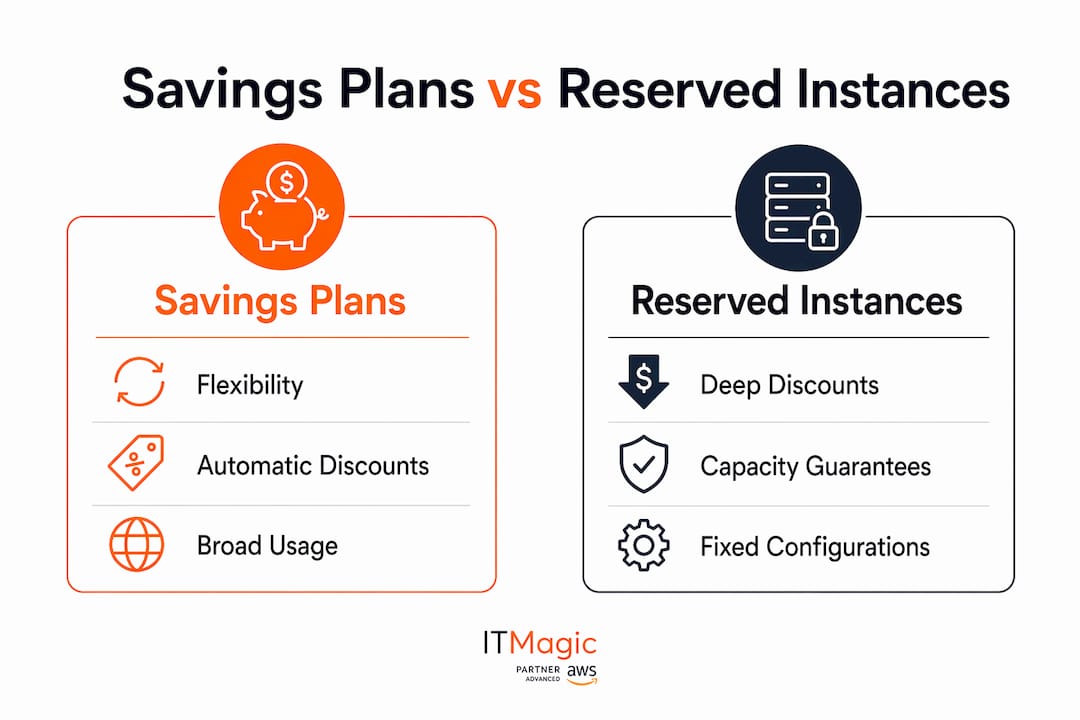
AWS Savings Plans and Reserved Instances both cut your compute bill compared to On-Demand pricing, but they work in fundamentally different ways. Savings Plans commit you to a consistent hourly spend (measured in $/hour) and automatically apply discounts across EC2, Lambda, and Fargate with up to 66–72% savings. Reserved Instances commit you to a specific instance configuration and can deliver up to 75% off On-Demand rates, with the added option of guaranteed capacity in a specific Availability Zone.
The quick decision framework:
- Choose Savings Plans when your workloads shift across instance types, regions, or compute services
- Choose Reserved Instances when you run stable, predictable workloads and need capacity guarantees or marketplace resale options
- Both support All Upfront, Partial Upfront, and No Upfront payment options on 1-year or 3-year terms
Neither can be canceled once purchased, so getting the choice right before you commit matters.
How do AWS Savings Plans and Reserved Instances actually compare?
The core difference comes down to what you’re committing to. Savings Plans lock in a dollar-per-hour spend rate. Reserved Instances lock in a specific instance configuration. That single distinction drives every other difference in the table below.

| Dimension | Savings Plans | Reserved Instances |
|---|---|---|
| Flexibility | High (Compute SP) to Moderate (EC2 Instance SP) | Low (Standard) to Moderate (Convertible) |
| Max discount vs On-Demand | Up to 72% (EC2 Instance SP) | Up to 75% (Standard RI) |
| Commitment basis | Hourly spend ($/hour) | Specific instance configuration |
| Services covered | EC2, Lambda, Fargate, SageMaker, databases | EC2, RDS, ElastiCache, Redshift, OpenSearch, DynamoDB, MemoryDB |
| Capacity reservation | No (pair with On-Demand Capacity Reservations) | Yes, Zonal RIs only |
| Term length | 1-year or 3-year | 1-year or 3-year |
| Geographic scope | Region-wide or global (Compute SP) | Regional or Zonal |
| Resale option | No | Yes, Standard RIs via AWS Marketplace |
| Cancellation | Not allowed | Not allowed |
How discounts apply in practice
Savings Plans automatically apply discounts to all qualifying usage without any manual matching. Reserved Instances require your running instances to match specific attributes: instance type, region, tenancy, and OS. Miss one attribute and the RI discount does not apply, leaving you paying On-Demand rates while still paying for the commitment.
Billing and cost reporting impact
Both models show up in AWS Cost Explorer as amortized costs, but they report differently. Savings Plans appear as a single hourly commitment line. Reserved Instances show per-instance reservation charges. For teams using AWS Cost Optimization Hub, Savings Plans tend to produce cleaner utilization reports because the automatic application reduces the chance of partial coverage gaps.
Renewal and modification policies
Neither RIs nor Savings Plans can be canceled once purchased. Reserved Instances do not renew automatically; when they expire, your instances revert to On-Demand rates immediately. Savings Plans also do not auto-renew, but AWS recommends purchasing a renewal before the current plan expires to avoid coverage gaps. Standard RIs can be modified (instance size within the same family) but not exchanged. Convertible RIs can be exchanged for a different Convertible RI with different attributes, though you must perform that exchange manually.

When should you use Savings Plans versus Reserved Instances?
Running this on your own AWS setup? IT-Magic is an AWS Advanced Tier Partner — we audit, fix, or fully manage it for you.
Get a free consultationThe answer depends on two variables: how predictable your workload is, and whether you need guaranteed capacity.
Savings Plans fit best when:
- Your team runs workloads across multiple instance families or regions and those configurations change over time
- You use a mix of EC2, Lambda, and Fargate and want a single commitment to cover all of them
- You want automatic discount application without managing per-instance attribute matching
- You’re newer to commitment-based pricing and want the flexibility to course-correct within a 1-year term
Reserved Instances fit best when:
- You run a steady-state workload on a fixed instance type in a known region for 12+ months
- You need guaranteed capacity in a specific Availability Zone (only Zonal RIs provide this)
- You want the option to sell unused commitments on the AWS Marketplace if your needs change
- You’re running specific database engines or Redshift clusters where RI discounts can exceed Savings Plan rates
Pro Tip: Mix both models. Use Reserved Instances for your most stable, capacity-sensitive workloads and layer Compute Savings Plans on top for everything else. AWS Cost Explorer’s recommendation engine accounts for existing RIs when suggesting Savings Plan commitment levels, so the two models work together rather than against each other.
Managing commitment risk
Overcommitment is the most common and costly mistake. If you commit to $10/hour under a Savings Plan but your actual usage drops to $7/hour, you pay for the unused $3/hour regardless. AWS Cost Optimization Hub surfaces utilization data and flags underused commitments before they become a recurring waste line. Pair it with AWS Budgets alerts set at 80%, 90%, and 100% of your monthly commitment spend to catch drift early.
For expiring RIs, the cleanest transition strategy is to let them expire naturally, then evaluate whether a Savings Plan covers the same workload more efficiently. Running both in parallel during a transition period is perfectly valid and often the lowest-risk path.
What are the specific types of Savings Plans and Reserved Instances?
Savings Plans types
Compute Savings Plans offer up to 66% off On-Demand rates and apply automatically across any EC2 instance family, size, OS, tenancy, or region, plus Fargate and Lambda. This is the most flexible option and the one AWS officially recommends for most workloads.
EC2 Instance Savings Plans offer significant discounts and commit to a specific instance family within a chosen region. You can still change instance size and OS within that family, but you cannot shift to a different family or region without losing the discount.
SageMaker Savings Plans cover SageMaker usage with up to 64% savings and apply across instance families, sizes, and regions for ML workloads.
Database Savings Plans, launched in December 2025, cover 10 AWS database services including Amazon Aurora, Amazon RDS, Amazon DynamoDB, Amazon ElastiCache, Amazon DocumentDB, Amazon Neptune, Amazon Keyspaces, Amazon Timestream, AWS Database Migration Service, and Amazon OpenSearch Service. They offer up to 35% savings and apply regardless of engine, instance family, or region. One important constraint: they only apply to Gen 7+ instances and cannot be combined with Database Reserved Instances on the same workload.
Reserved Instances types
Standard Reserved Instances deliver the deepest discount off On-Demand rates but lock you into a fixed instance family, size, region, OS, and tenancy. They can be modified within the same family but not exchanged. Standard RIs are the only RI type you can sell on the AWS Marketplace if your needs change.
Convertible Reserved Instances offer substantial discounts and allow you to exchange one Convertible RI for another with different attributes, including instance family, OS, and tenancy. The trade-off for that flexibility is a lower ceiling on savings. Convertible RIs cannot be sold on the Marketplace.
For capacity guarantees, only Zonal Reserved Instances reserve actual EC2 capacity in a specific Availability Zone. Regional RIs provide billing discounts across all AZs in a region but do not reserve capacity. If your workload is critical and must have resources available during peak demand, a Zonal RI is the only commitment model that delivers that guarantee.
IT-Magic’s certified AWS engineers help cloud teams right-size commitments, model Savings Plan versus RI scenarios against real usage data, and avoid the overcommitment traps that quietly inflate bills. For a practical assessment of your current AWS spend, explore IT-Magic’s AWS cost optimization services.

Key Takeaways
Savings Plans offer more flexibility while Reserved Instances deliver deeper discounts and capacity guarantees, making the right choice dependent on workload stability and operational requirements.
| Point | Details |
|---|---|
| Savings Plans flexibility | Compute Savings Plans apply automatically across EC2, Lambda, and Fargate with up to 66% savings. EC2 Instance Savings Plans offer up to 72% savings within a specific instance family and region. |
| Reserved Instances depth | Standard RIs deliver up to 75% off On-Demand but require a fixed instance configuration. |
| Capacity reservation | Only Zonal Reserved Instances guarantee capacity in a specific Availability Zone. |
| Resale exit option | Standard RIs can be sold on the AWS Marketplace; Savings Plans have no resale or transfer option. |
| Commitment management | Use AWS Cost Optimization Hub and AWS Budgets to track utilization and prevent overcommitment waste. |
FAQ
When should you use Reserved Instances instead of Savings Plans?
Use Reserved Instances when your workload runs on a fixed instance type in a known region for 12+ months, when you need guaranteed capacity in a specific Availability Zone, or when you want the option to resell unused commitments on the AWS Marketplace.
What is the difference between a capacity reservation and a Savings Plan?
A capacity reservation guarantees that EC2 resources will be available in a specific Availability Zone; only Zonal Reserved Instances provide this. Savings Plans are billing discounts only and do not reserve capacity, though you can pair them with On-Demand Capacity Reservations.
What are the two main types of AWS Savings Plans?
AWS offers Compute Savings Plans (up to 66% savings, broadest coverage across EC2, Lambda, and Fargate) and EC2 Instance Savings Plans (up to 72% savings, scoped to a specific instance family and region). SageMaker and Database Savings Plans cover specialized workloads.
What is the difference between Compute Savings Plans and EC2 Instance Savings Plans?
Compute Savings Plans apply automatically across any instance family, region, OS, tenancy, Fargate, and Lambda. EC2 Instance Savings Plans commit to a specific instance family in one region but allow size and OS changes within that family, offering a higher discount ceiling of up to 72%.
Recommended
- AWS cost reduction strategies: proven steps for cloud savings
- GPU Instances AWS Cost Optimization: 2026 Guide
- Cut AWS Costs by 90% Using EC2 Spot Instances
- AWS AI Infrastructure: A 2026 Guide for IT Teams
Alexander founded IT-Magic, an AWS Advanced Tier Services Partner delivering DevOps, cloud architecture, and managed services since 2010. He holds:
- AWS Certified Solutions Architect – Professional
- AWS Certified DevOps Engineer – Professional
- AWS Certified Security – Specialty
- AWS Certified Advanced Networking – Specialty
Talk to a certified AWS team trusted by INTERTOP, Foxtrot, Pandora, and J.Hilburn.
Get a free consultation


