


TL;DR:
- Effective AWS cost management requires full resource visibility, tagging, and continuous FinOps discipline.
- Rightsize resources, automate scaling, and leverage committed pricing models like Savings Plans and Spot Instances.
- Regularly audit hidden costs such as IPv4 addresses and data transfer to prevent budget overruns.
AWS bills have a way of growing faster than your engineering team expects. Hidden data transfer fees, AI and GPU instance inflation, and the new $3.65 per month IPv4 address charge are quietly reshaping cloud budgets in 2026. For CTOs and engineering leaders, the challenge is not just cutting costs but doing it without slowing down product delivery or introducing operational risk. The AWS Well-Architected Framework Cost Optimization Pillar offers a structured starting point, but translating those principles into real savings requires a layered, deliberate approach. This guide walks you through exactly that.
Table of Contents
- Establish visibility and accountability: tagging, budgets, and FinOps foundations
- Rightsize resources and automate: EC2, RDS, and Compute Optimizer
- Leverage commitment-based pricing: Savings Plans, Reserved Instances, and Spot
- Identify and eliminate hidden costs: IPv4, data egress, and unused storage
- Why most AWS cost reduction strategies fail without FinOps discipline
- Unlock deeper AWS savings with expert support
- Frequently asked questions
Key Takeaways
Running this on your own AWS setup? IT-Magic is an AWS Advanced Tier Partner — we audit, fix, or fully manage it for you.
Get a free consultation| Point | Details |
|---|---|
| Visibility is critical | Tagging and budgets lay the foundation for effective AWS cost reduction. |
| Automation unlocks savings | Rightsize resources with tools like Compute Optimizer to eliminate waste quickly. |
| Smart pricing matters | Layer Savings Plans, Reserved Instances, and Spot for maximized savings. |
| Hidden costs add up | Regularly audit IPv4, egress, and storage to avoid unexpected overages. |
| FinOps drives success | Sustained cost reduction requires organization-wide financial discipline. |
Establish visibility and accountability: tagging, budgets, and FinOps foundations
You cannot optimize what you cannot see. Before touching a single instance type or pricing tier, your team needs full resource visibility. That starts with a consistent, cross-team tagging strategy.
Every resource in your AWS environment should carry at minimum three tags: environment (prod, staging, dev), team (the owning squad), and project (the business initiative it supports). Without these, Cost Explorer becomes a wall of numbers with no story behind it. With them, you can trace every dollar to a team and a decision.
The AWS Well-Architected cost optimization pillar specifically calls out Cloud Financial Management (CFM) as a foundational practice, covering cost ownership, tagging for visibility, and proactive budget monitoring. These are not optional extras. They are the operating system for everything else in this guide.
Once tagging is in place, set up AWS Budgets with real thresholds and alert routing. Not just for the overall account, but per team and per project. Pair this with Cost Explorer anomaly detection so you catch unexpected spikes before they compound. Here is a practical checklist to get started:
- Define a company-wide tagging policy and enforce it via AWS Config rules
- Create budget alerts at 50%, 80%, and 100% of monthly targets
- Schedule weekly cost review meetings with engineering leads
- Use Cost Explorer to identify top five spend categories each month
- Assign a FinOps champion per team to own cost accountability
“Cost optimization is not a one-time project. It is a continuous practice that requires shared ownership across every team that touches infrastructure.”
Adopting FinOps principles means treating cloud spend as a shared engineering and finance responsibility. When teams own their budgets, they make smarter architectural decisions. For a deeper look at how this plays out in practice, the AWS cost optimization best practices guide covers the full lifecycle from tagging to governance.
Pro Tip: Make tagging and budget alerts a hard gate in your CI/CD pipeline. If a resource launches without required tags, fail the deployment. This sounds strict, but it eliminates the backlog of untagged resources that haunts every cost audit.
For a broader strategic view, the cost optimization for CIOs guide is worth reviewing alongside your FinOps rollout.
Rightsize resources and automate: EC2, RDS, and Compute Optimizer
Once tagging and budgeting are established, the next phase is optimizing your resource footprint. Overprovisioning is the most common and most expensive mistake in cloud infrastructure. Teams spin up large instances during a performance crunch, then forget to scale them back down.
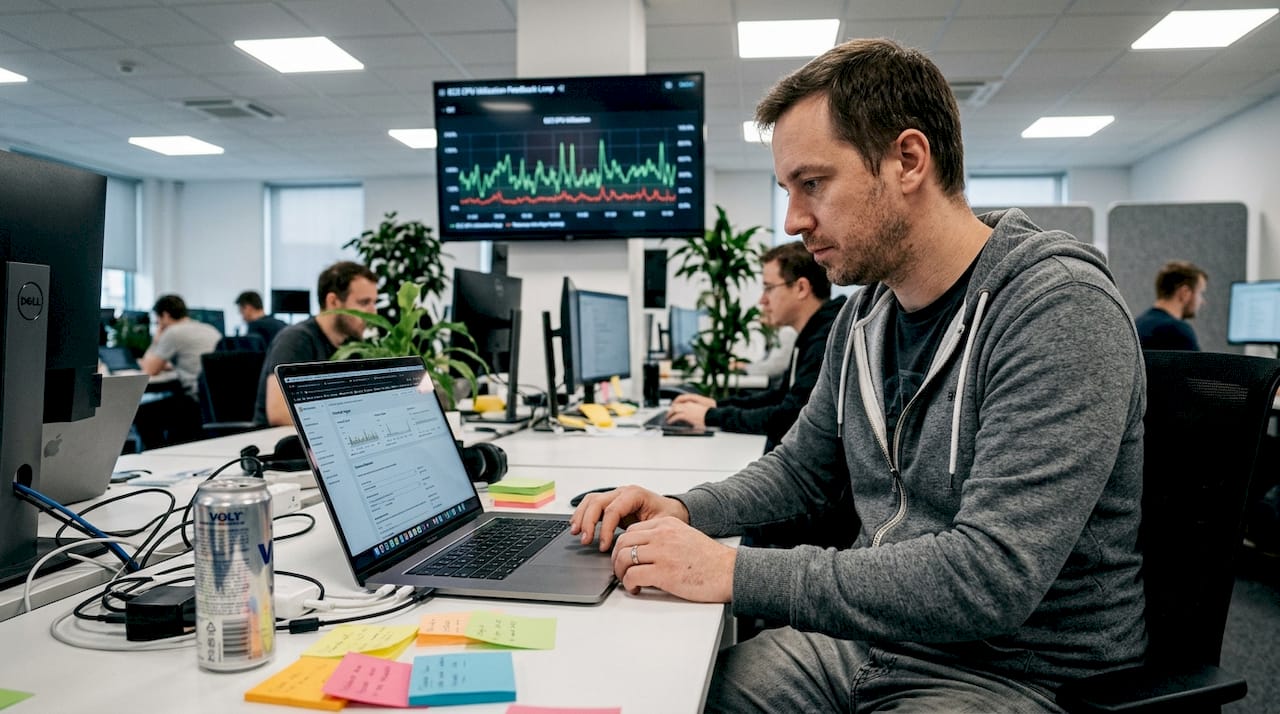
AWS Compute Optimizer solves this by analyzing actual utilization metrics over a 14-day window and recommending the right instance type and size. It covers EC2, RDS, Lambda, and ECS. As AI and GPU spend has climbed 62% across cloud workloads, manual rightsizing is no longer viable at scale. Compute Optimizer gives you data-driven recommendations without the guesswork.
Here is a practical rightsizing workflow:
- Enable Compute Optimizer across all accounts in your AWS Organization
- Export recommendations to S3 and review weekly
- Apply low-risk recommendations (same family, smaller size) immediately
- Test higher-risk changes (family switches) in staging before production
- Schedule non-production EC2 and RDS instances to shut down outside business hours using AWS Instance Scheduler
- Use Lambda for event-driven workloads instead of always-on EC2
For AWS rightsizing tools and automation patterns, the key is building a feedback loop. Rightsize, monitor, adjust. Not a one-time cleanup.
AI and GPU instances deserve special attention. A single p3.8xlarge running idle overnight costs more than most teams realize. Audit GPU utilization weekly and consider using EC2 Spot Instances for training workloads that can tolerate interruption.
Pro Tip: Run a monthly automated script that flags any EC2 or RDS instance with under 10% average CPU utilization over the past 30 days. Send the report directly to team leads. Visibility drives action faster than any policy document.
Rightsizing is not about running the smallest possible instance. It is about matching capacity to actual demand, which sometimes means scaling up, not just down.
Leverage commitment-based pricing: Savings Plans, Reserved Instances, and Spot
With resource efficiency in place, let’s explore advanced pricing tactics for further savings. AWS offers three major commitment-based pricing models, and the right mix depends entirely on your workload patterns.
| Pricing model | Best for | Savings potential | Commitment required |
|---|---|---|---|
| Spot Instances | Batch jobs, CI/CD, ML training | Up to 90% vs. on-demand | None (interruptible) |
| Savings Plans | Steady compute workloads | 20 to 66% vs. on-demand | 1 or 3 years |
| Reserved Instances | Mission-critical, predictable apps | Up to 72% vs. on-demand | 1 or 3 years |
The real power comes from layering these models. Layered commitments using 1-year no-upfront Savings Plans combined with Spot deliver 30 to 50% average savings across a typical AWS environment. That is not a theoretical number. It is what engineering teams achieve when they apply the right model to the right workload.
Here is how to approach the selection:
- Spot Instances work for anything that can restart gracefully. Batch processing, integration tests, data pipelines, and ML training are ideal candidates. Explore EC2 Spot savings for implementation patterns.
- Compute Savings Plans are the most flexible commitment. They apply across EC2, Fargate, and Lambda, regardless of instance family or region.
- Reserved Instances make sense for databases and long-running services where you know the instance type and region will not change for 12 to 36 months.
A common mistake is buying Reserved Instances for workloads that will migrate to containers within a year. Always check your 12-month roadmap before committing. For a broader view of AWS cost optimization strategies, including how to blend these models, the linked guide covers enterprise-scale scenarios in detail.
One more angle worth noting: convertible Reserved Instances let you exchange instance types during the commitment period. They offer slightly less savings than standard RIs but far more flexibility for teams in active migration.
Identify and eliminate hidden costs: IPv4, data egress, and unused storage
Even with optimized pricing, some AWS costs remain unseen until closely examined. These hidden charges accumulate quietly and often represent 15 to 25% of total monthly spend for teams that have not audited them.
| Hidden cost category | Typical monthly impact | Quick action |
|---|---|---|
| Unused IPv4 addresses | $3.65 per IP per month | Audit and release monthly |
| S3 data egress | Varies, often $50 to $500+ | Enable S3 Transfer Acceleration only when needed |
| Cross-region data transfer | $0.02 per GB | Consolidate workloads to fewer regions |
| Orphaned EBS volumes | $0.10 per GB per month | Automate deletion after instance termination |
| Old EBS snapshots | Accumulates over months | Set lifecycle policies to expire old snapshots |
IPv4 address charges are now a material line item. IPv4 costs at $3.65 per IP per month add up fast for teams with dozens of load balancers and NAT gateways. Audit your Elastic IP allocations monthly and release anything not actively in use.
Data transfer and egress fees are the sneakiest charges on any AWS bill. S3 requests, cross-region replication, and CloudFront origin pulls all carry transfer costs that rarely appear in initial architecture reviews. Check your eliminating hidden AWS costs checklist and map every data flow that crosses a region or service boundary.
For storage, the fix is automation. Set EBS volume deletion on instance termination. Create S3 lifecycle policies to move infrequently accessed data to Glacier. Schedule monthly Lambda functions to identify and delete snapshots older than 90 days.
Pro Tip: Run AWS Trusted Advisor weekly and pipe its findings into a Slack channel. The Low Utilization Amazon EC2 Instances and Underutilized Amazon EBS Volumes checks alone often surface hundreds of dollars in monthly savings. Review AWS best practices for a full Trusted Advisor integration guide.
Why most AWS cost reduction strategies fail without FinOps discipline
Here is the uncomfortable truth: most engineering teams implement every tool in this guide and still see costs creep back up within six months. The reason is not technical. It is organizational.
Tagging policies get bypassed under deadline pressure. Budget alerts get ignored because no one owns the response. Rightsizing recommendations sit in a spreadsheet waiting for a sprint that never comes. The tools work. The discipline does not stick.
The AWS Well-Architected Framework is explicit on this point: financial ownership must extend beyond IT. When only the infrastructure team cares about cloud costs, the savings are temporary. When product managers, developers, and finance leads all see their team’s spend and feel accountable for it, the savings compound.
We have seen this pattern across hundreds of engagements. The teams that sustain 30 to 40% cost reductions year over year are not the ones with the most sophisticated tooling. They are the ones where a FinOps culture is baked into sprint planning, architecture reviews, and hiring decisions. FinOps in AWS cost reduction is not a phase. It is an operating model.
The CTO’s role here is to make cost visibility a first-class engineering metric, right alongside uptime and deployment frequency.
Unlock deeper AWS savings with expert support
Implementing these strategies at scale requires more than documentation. It requires experienced hands who have done it across dozens of environments.

At IT-Magic, we have delivered AWS cost optimization services for 300+ clients since 2010, combining automated rightsizing, FinOps governance, and architecture reviews into measurable savings. Our AWS infrastructure support team handles ongoing cost management so your engineers stay focused on product. We also offer structured AWS Well-Architected reviews that identify cost, security, and reliability gaps in a single engagement. If your team is ready to move from ad hoc cost cutting to sustained savings, we can help you build the system that makes it stick.
Frequently asked questions
What’s the fastest way to reduce AWS costs for a startup?
Clean up idle resources, enforce tagging, and rightsize EC2 and RDS instances immediately. Actionable startup steps like shutting down non-production environments overnight and moving to Savings Plans can deliver visible savings within the first billing cycle.
How do I spot hidden AWS costs?
Review data transfer logs, audit unused Elastic IP addresses, and check for orphaned EBS volumes monthly. IPv4 and egress charges are the most commonly overlooked line items on AWS bills.
Is manual rightsizing still necessary for AWS instances?
Manual rightsizing is largely obsolete now that AWS Compute Optimizer provides utilization-based recommendations automatically. Use it across your entire organization for consistent, data-driven sizing decisions.
What are the best AWS pricing strategies for enterprises?
Layer Compute Savings Plans for steady workloads, Reserved Instances for mission-critical databases, and Spot for batch and ephemeral tasks. Layered commitments consistently deliver 30 to 50% savings when applied to the right workload types.
Recommended
- AWS Cost Optimization: Best Practices, Principles, and Tools
- Cloud cost optimization strategies for CIOs: a practical guide
- Case Study: AWS Migration and Cost Reduction for Foxtrot | IT-Magic
Alexander founded IT-Magic, an AWS Advanced Tier Services Partner delivering DevOps, cloud architecture, and managed services since 2010. He holds:
- AWS Certified Solutions Architect – Professional
- AWS Certified DevOps Engineer – Professional
- AWS Certified Security – Specialty
- AWS Certified Advanced Networking – Specialty
Talk to a certified AWS team trusted by INTERTOP, Foxtrot, Pandora, and J.Hilburn.
Get a free consultation


