


TL;DR:
- Cloud security relies heavily on correct configuration and continuous operational discipline.
- AWS’s shared responsibility model places most security controls on the customer, not AWS.
- Automation and identity management are critical for defending against fast, AI-driven attacks.
Most enterprises assume AWS is secure by default. It is not that simple. Misconfigurations, not platform flaws, are the leading cause of cloud breaches, and the gap between what AWS protects and what your team must protect is where attackers consistently find their way in. This article breaks down the real risks, the shared responsibility model, core security frameworks, and the defensive layers that keep enterprise AWS environments compliant and resilient. If you are a CIO or IT manager responsible for cloud security at scale, this is the practical clarity you need.
Key Takeaways
| Point | Details |
|---|---|
| Misconfiguration risk | Most breaches in AWS result from user missteps, not platform flaws, emphasizing the need for tight configuration controls. |
| Shared responsibility | AWS secures infrastructure, but your team must secure data, access, and configurations for true compliance. |
| Defensive frameworks | Layered preventative, detective, and responsive controls provide robust security and continuous monitoring. |
| Identity first | Prioritizing IAM and automation greatly reduces the blast radius and speeds threat response in cloud environments. |
| Multi-cloud nuance | Cloud-agnostic security tools help avoid lock-in and keep defenses consistent across multiple cloud providers. |
The real risks: Why securing your cloud matters
Running this on your own AWS setup? IT-Magic is an AWS Advanced Tier Partner — we audit, fix, or fully manage it for you.
Get a free consultationThe threat landscape for enterprise cloud environments has shifted dramatically. Attackers are no longer probing for platform vulnerabilities in AWS itself. They are exploiting the gaps your team creates: overpermissioned IAM roles, publicly exposed S3 buckets, and misconfigured security groups. The AWS CAF Security Perspective confirms that enterprises secure AWS primarily to protect against data breaches, ensure regulatory compliance, mitigate misconfigurations, and enable scalable operations amid rising threats like AI-driven attacks.
AI-powered attack tooling has compressed the window between initial access and data exfiltration. Where attackers once needed days to move laterally through a network, automated exploit chains now complete the same work in under two hours. Your security posture cannot rely on human response speed alone.
Regulatory pressure adds another layer of urgency. GDPR, HIPAA, and PCI DSS all require documented controls, audit trails, and demonstrable data protection. Non-compliance is not just a legal risk; it is a business continuity risk. A single breach can trigger regulatory fines, customer churn, and reputational damage that takes years to recover from.
Here is what enterprises consistently face as their primary cloud security drivers:
- Misconfiguration exposure: Incorrectly configured IAM policies, open security groups, and unencrypted storage remain the top attack vectors.
- Identity-based attacks: Credential theft and privilege escalation through compromised service accounts are rising sharply.
- AI-accelerated threats: Automated scanning and exploitation tools reduce attacker dwell time, as seen in AI-driven fraud patterns across industries.
- Compliance mandates: GDPR, HIPAA, and PCI DSS require continuous monitoring and documented controls, not point-in-time audits.
- Scalability risks: As workloads grow, security debt compounds unless controls are automated and enforced programmatically.
“The question is no longer whether your cloud will be targeted, but whether your configurations will give attackers an easy path in.”
Scalable growth depends on maintaining customer trust. Enterprises that treat security as a one-time project rather than a continuous operational discipline consistently find themselves exposed when their environments evolve.
AWS’s shared responsibility model: What you secure vs. what AWS secures
One of the most persistent sources of cloud security risk is a misunderstanding of who is responsible for what. AWS operates under a shared responsibility model: AWS secures the underlying cloud infrastructure, while customers are responsible for managing data, IAM, OS configurations, network settings, and applications.

AWS handles physical data center security, hardware maintenance, the hypervisor layer, and the infrastructure powering managed services like RDS and Lambda. That is a significant baseline. But it stops at the infrastructure boundary. Everything above that layer is yours to secure.
Here is how the split looks in practice:
| Security area | AWS responsibility | Customer responsibility |
|---|---|---|
| Physical infrastructure | Yes | No |
| Hypervisor and hardware | Yes | No |
| Managed service patching | Yes | No |
| IAM policies and roles | No | Yes |
| Data encryption | No (tools provided) | Yes |
| OS and application patching | No | Yes |
| Network configuration (VPC) | No | Yes |
| Audit logging and monitoring | No | Yes |
The danger zone is the middle. Enterprises often assume that because AWS manages a service, AWS also manages its security configuration. That assumption is wrong. An RDS instance with a publicly accessible endpoint is a customer configuration failure, not an AWS platform failure. Reviewing network security in AWS is a good starting point for understanding where your VPC controls begin.
Pro Tip: Document ownership for every control area, especially IAM and audit logging. When a security incident occurs, unclear ownership creates response delays. Assign named teams to each row in a responsibility matrix and review it quarterly.
Core pillars of AWS cloud security: Methodologies and tools
With responsibilities mapped, the next step is building a systematic security architecture. The AWS Well-Architected Security Pillar defines the core methodology: implement security foundations through a multi-account strategy, enforce IAM least privilege, activate detective controls via GuardDuty and Config, protect data with encryption and classification, and segment infrastructure using VPC boundaries and vulnerability scanning.
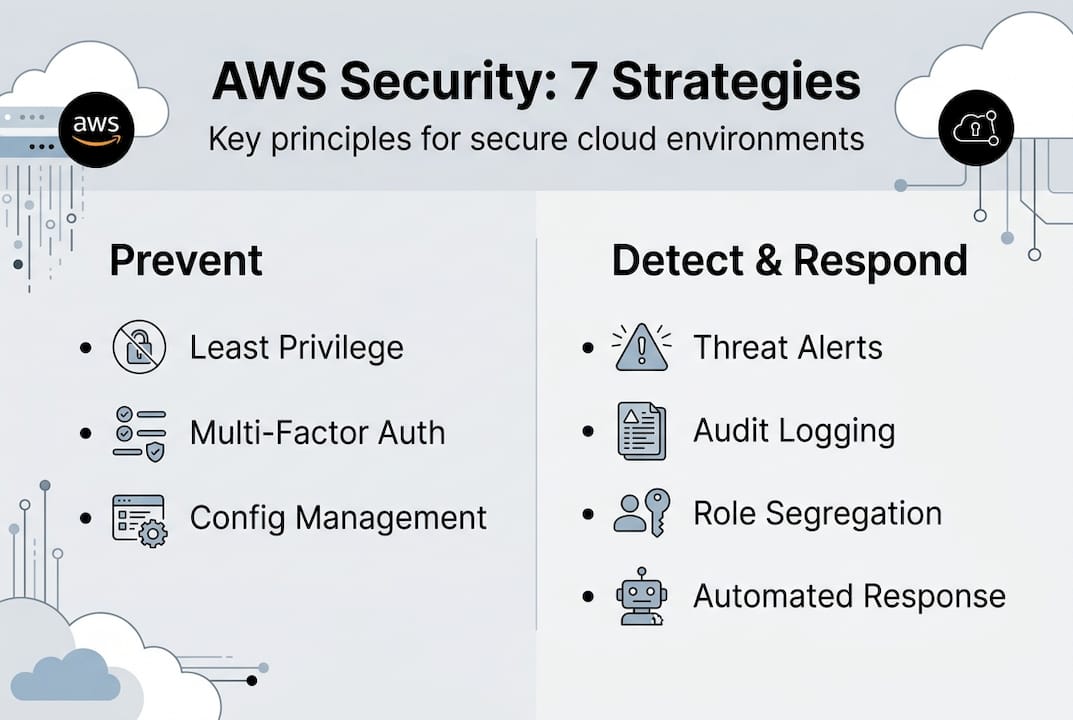
Leading enterprises structure this around seven operational areas:
- Security foundations: Multi-account isolation using AWS Organizations, root user protection, and baseline SCPs.
- Identity and access management: Least privilege IAM roles, MFA enforcement, and regular access reviews.
- Detection: Continuous monitoring with GuardDuty and Inspector for threat detection and vulnerability assessment.
- Infrastructure protection: VPC segmentation, security groups, network ACLs, and WAF for public-facing workloads.
- Data protection: Encryption at rest and in transit, S3 bucket policies, and data classification tagging.
- Application security: Secure CI/CD pipelines, container image scanning, and dependency vulnerability checks.
- Incident response: Automated playbooks, pre-defined runbooks, and regular tabletop exercises.
Multi-account isolation deserves special attention. When a single AWS account hosts all workloads, a compromised role can potentially access everything. Separating production, staging, and development into distinct accounts limits the blast radius of any single compromise. Organizations running AWS for retail or fintech workloads especially benefit from this structure because of the sensitivity of transactional data.
Pro Tip: Treat IAM as your real security perimeter. Overly permissive roles are more dangerous than a misconfigured firewall. Audit your IAM policies monthly using AWS IAM Access Analyzer and eliminate any wildcard permissions in production environments.
Preventative, detective, and responsive cloud controls
Frameworks are only useful when translated into operational controls. Security controls in AWS fall into three categories, and all three must work together to provide meaningful protection.
Preventative controls stop incidents before they happen. SCPs, IAM boundaries, and detective controls via AWS Config and Security Hub form the backbone of continuous compliance. SCPs applied at the AWS Organizations level can prevent any account from disabling CloudTrail, creating public S3 buckets, or launching resources in unauthorized regions. These controls enforce policy without relying on human judgment in the moment.
Detective controls identify threats and anomalies in real time. GuardDuty analyzes VPC flow logs, DNS logs, and CloudTrail events to surface suspicious behavior automatically. Inspector continuously scans EC2 instances and container images for known vulnerabilities. The combination of GuardDuty and Inspector gives your security team visibility without requiring manual log review at scale.
Responsive controls automate remediation when threats are detected. AWS Config rules can flag non-compliant resources and trigger Lambda functions to auto-remediate. Security Hub aggregates findings from GuardDuty, Inspector, Macie, and third-party tools into a single compliance dashboard.
Key capabilities to layer across all three control types:
- SCPs and permission boundaries to enforce organizational policy at the account level.
- GuardDuty for continuous behavioral threat detection across all accounts.
- AWS Inspector for automated vulnerability scanning on compute and containers.
- AWS Config for configuration compliance tracking and drift detection.
- Security Hub for centralized findings aggregation and compliance scoring.
- Automated remediation via Lambda to reduce human response latency.
Automation with AI reduces response time to under 90 minutes for critical exploits, a threshold that matters when attackers can exfiltrate data in 72 minutes or less. Manual processes simply cannot compete with that speed.
What most cloud security strategies miss: Identity, automation, and the multi-cloud trap
After working with hundreds of enterprise AWS environments, a pattern emerges. Most security investments go into network controls: firewalls, VPCs, and perimeter monitoring. Those controls matter, but they are not where most breaches originate. The real perimeter in AWS is identity, and most teams underinvest in IAM governance relative to its actual risk weight.
Compliance is another area where enterprises consistently fall short. Manual compliance processes, spreadsheet-based audits, and quarterly reviews cannot keep pace with the rate of change in cloud environments. Compliance must be managed as code: automated, version-controlled, and continuously enforced. The teams that do this well treat their network security in AWS configurations the same way they treat application code: reviewed, tested, and deployed through pipelines.
The multi-cloud trap is real. Enterprises that commit entirely to AWS-native security tooling gain depth but lose portability. When a second cloud provider enters the picture, the security model breaks. Multi-cloud security approaches that use cloud-agnostic controls and policy frameworks maintain consistency across providers without creating blind spots. Build for flexibility from the start, even if you are AWS-only today.
Take your AWS security to the next level with IT-Magic
Building and maintaining a mature AWS security posture requires more than tools. It requires expertise, operational discipline, and continuous improvement.

At IT-Magic, our certified AWS security engineers have secured large-scale environments across fintech, retail, and enterprise for over 15 years. Whether you need a structured AWS security consulting engagement to close critical gaps, a formal AWS Well-Architected review to benchmark your current posture, or ongoing AWS DevOps services to automate compliance and operations, we deliver results grounded in real-world AWS deployments. Schedule a consultation and get a clear picture of where your environment stands today.
Frequently asked questions
What is the biggest risk in cloud security for enterprises?
Misconfigurations caused by unclear responsibilities are the top risk. The AWS platform itself is rarely the source of breaches; human configuration errors are.
Why isn’t AWS automatically responsible for all security in the cloud?
AWS secures the physical infrastructure and managed service layers, but the shared responsibility model places data, IAM, OS, network configuration, and application security squarely on the customer.
How does automation help improve AWS security?
Automation detects and remediates threats faster than any manual process, and AI-accelerated exploits that complete exfiltration in 72 minutes make automated response non-negotiable for enterprise environments.
Do multi-cloud environments need special security strategies?
Yes. Diverse cloud environments demand cloud-agnostic tools and policies to prevent security gaps and avoid vendor lock-in that limits your ability to respond to incidents consistently.
Which AWS services are essential for compliance and threat detection?
GuardDuty, Security Hub, and Config provide the automated, continuous monitoring backbone for enterprise compliance. Security Hub benchmarks against AWS Foundational Security Best Practices give you a measurable compliance score across all accounts.
Alexander founded IT-Magic, an AWS Advanced Tier Services Partner delivering DevOps, cloud architecture, and managed services since 2010. He holds:
- AWS Certified Solutions Architect – Professional
- AWS Certified DevOps Engineer – Professional
- AWS Certified Security – Specialty
- AWS Certified Advanced Networking – Specialty
Talk to a certified AWS team trusted by INTERTOP, Foxtrot, Pandora, and J.Hilburn.
Get a free consultation


