

TL;DR:
- Most startups treat cloud scaling reactively, risking wasteful over-provisioning or site outages.
- A planned, stage-specific approach using AWS, Kubernetes, and autoscaling policies helps match resources to demand efficiently.
The startup cloud scaling process is the structured practice of expanding cloud resources in deliberate stages to match user demand without wasting money or breaking production systems. Most founders treat scaling as a reactive emergency. The ones who get it right treat it as a planned sequence, using AWS, Kubernetes, and autoscaling policies as tools within a defined architecture rather than emergency levers. Getting this sequence wrong costs real money: over-provisioned infrastructure burns runway, and under-provisioned systems lose customers at the worst possible moment.
What are the stages of startup cloud scaling?
Scaling follows predictable stages, each with its own bottlenecks and infrastructure requirements. Knowing which stage you are in prevents you from solving tomorrow’s problem with today’s budget.
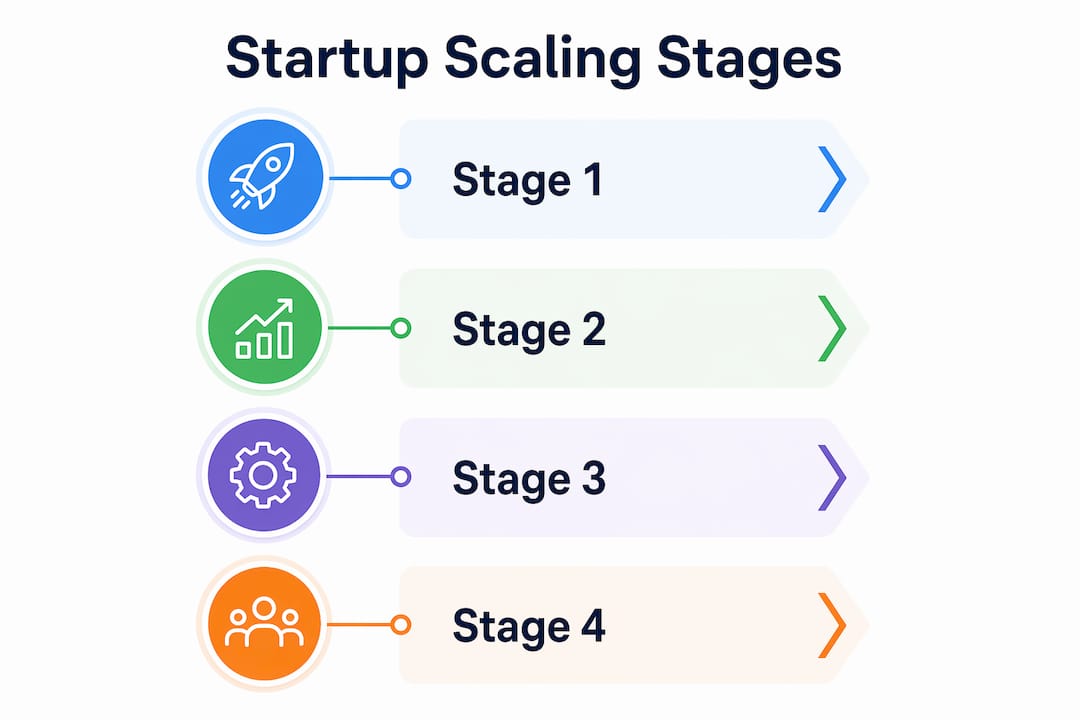
Stage 1: 0 to 10,000 users. A single EC2 instance or a small Fargate task handles this load comfortably. Your database is a single RDS instance. Your deployment pipeline is basic. The biggest mistake here is over-engineering: Aurora clusters and large Kubernetes setups are overkill before 50,000 active users, and basic RDS or small EC2 instances outperform complex architectures at this stage in both cost and operational simplicity.
Stage 2: 10,000 to 100,000 users. Traffic spikes become real. You add a load balancer, move to 3 to 4 t3.large instances, and introduce a read replica on your database. A CDN like Amazon CloudFront handles static assets. CI/CD pipelines via GitHub Actions or AWS CodePipeline become necessary to deploy safely at this pace.

Stage 3: 100,000 to 1,000,000 users. This is where database bottlenecks hit before compute bottlenecks do. Read replicas, connection pooling via pgBouncer, and caching layers with ElastiCache become non-negotiable. Autoscaling groups replace manual instance management.
Stage 4: 1,000,000+ users. Monolith splitting becomes necessary, but only after the database layer is optimized. Kubernetes on Amazon EKS manages containerized workloads. Multi-region deployments and event-driven architectures with SQS and Lambda handle traffic distribution.
| Stage | User range | Scaling focus | Common fix |
|---|---|---|---|
| Early | 0 to 10K | Single instance, basic RDS | Avoid over-engineering |
| Growth | 10K to 100K | Load balancing, read replicas | Add CloudFront, t3.large fleet |
| Scale | 100K to 1M | Database optimization, autoscaling | pgBouncer, ElastiCache |
| Hyperscale | 1M+ | Monolith splitting, multi-region | EKS, SQS, Lambda |
Pro Tip: Do not split your monolith until you have fixed your database layer. Premature microservices splitting with a shared database bottleneck makes performance worse, not better.
How do autoscaling policies work for startups?
Running this on your own AWS setup? IT-Magic is an AWS Advanced Tier Partner — we audit, fix, or fully manage it for you.
Get a free consultationAutoscaling is the mechanism that adds or removes compute resources automatically based on defined metrics. The three types each serve a different operational need, and most mature startup architectures use all three in combination.
- Reactive autoscaling triggers on real-time metrics: CPU utilization above 70% triggers a scale-up; below 30% triggers scale-down. This is the default for unpredictable traffic and works well for most API workloads.
- Scheduled autoscaling pre-warms capacity before known traffic events. If your SaaS product sees a spike every Monday morning at 9 AM, you schedule additional instances to be ready at 8:45 AM. This eliminates the latency gap that reactive scaling cannot avoid.
- Predictive autoscaling uses historical patterns to forecast demand and provision capacity ahead of time. AWS Auto Scaling’s predictive mode analyzes past 14 days of data to project future load. Cloud providers offer predictive models that improve scaling speed and efficiency beyond what reactive policies alone can achieve.
Scaling latency matters significantly. Lambda scales in seconds. Container scaling on ECS or EKS takes tens of seconds to minutes. EC2 instance provisioning takes 2 to 5 minutes. This means your autoscaling thresholds need to account for the lag: set your scale-up trigger earlier than you think you need to.
In Kubernetes, autoscaling operates at two levels. The Kubernetes Horizontal Pod Autoscaler scales pods based on CPU or custom metrics, while the Cluster Autoscaler manages the underlying nodes. Both must be coordinated. Scaling pods without scaling nodes leads to resource starvation; scaling nodes without scaling pods wastes capacity.
Pro Tip: Pair every autoscaling policy with a CloudWatch budget alert. Runaway scaling events are rare but expensive. A $500 alert threshold takes five minutes to set up and has saved more than one startup from a surprise AWS bill.
What cloud resource management practices reduce costs during scaling?
Cloud resource management during scaling is where most startups lose money quietly. The bill grows, nobody notices until the end of the month, and by then the waste is baked into the architecture.
Over-provisioning is the most common failure mode. A startup running m5.2xlarge instances because “we might need the headroom” is paying for capacity that sits idle 80% of the time. Right-sizing means matching instance types to actual workload profiles: compute-optimized C6i instances for CPU-heavy tasks, memory-optimized R6g instances for in-memory databases, and general-purpose T3 instances for variable workloads.
Database optimization delivers the fastest cost-per-performance improvement at the scaling stage. Adding read replicas cuts CPU load 50 to 70% on the primary instance overnight, at a cost of roughly $100 to $200 per month. That is cheaper than refactoring your application or upgrading to a larger instance class. Connection pooling via pgBouncer reduces the number of active database connections, which directly reduces the instance size you need to run.
Storage costs compound silently. S3 lifecycle policies and tiered storage using S3 Infrequent Access and Glacier save more than 50% on storage costs for data that is accessed rarely. Pair this with CloudFront for static asset delivery and you reduce both egress costs and origin load simultaneously. For a deeper look at avoiding over-provisioning traps, the IT-Magic guide on cloud cost optimization covers architectural patterns that apply directly to startup scaling scenarios.
Pro Tip: Use AWS Compute Optimizer and Cost Explorer together. Compute Optimizer identifies right-sizing opportunities; Cost Explorer shows where the money is actually going. Running both monthly takes 30 minutes and typically surfaces 20 to 30% in addressable waste.
| Approach | Common practice | Optimized practice |
|---|---|---|
| Compute sizing | Fixed large instances | Right-sized with Compute Optimizer |
| Database load | Single primary instance | Primary plus read replicas |
| Connections | Direct DB connections | pgBouncer connection pooling |
| Storage | Single S3 tier | Lifecycle policies with IA and Glacier |
| Static assets | Origin server delivery | CloudFront CDN distribution |
Vertical vs. horizontal scaling: which fits your startup?
Vertical scaling means upgrading a single server to a larger instance type. Horizontal scaling means adding more instances behind a load balancer. Both have legitimate use cases, and the right choice depends on your workload type and application architecture.
Vertical scaling fits memory-intensive workloads and legacy applications that cannot be distributed. A PostgreSQL primary instance running complex analytical queries benefits from a larger instance with more RAM before you invest in architectural changes. The ceiling is real: AWS instance types top out, and vertical scaling creates a single point of failure.
Horizontal scaling excels for stateless services and high-availability requirements. When your application does not store session state locally, you can run ten identical instances behind an Application Load Balancer and scale out or in based on demand. This is the architecture that makes autoscaling effective and cost-efficient.
The prerequisite for horizontal scaling is stateless application design. Sessions must live in ElastiCache or DynamoDB, not in server memory. File uploads must go to S3, not local disk. Configuration must come from environment variables or AWS Systems Manager Parameter Store, not hardcoded paths. Prioritizing stateless design early is the single architectural decision that most expands your scaling options later. For a structured comparison of both approaches in practice, the IT-Magic breakdown of horizontal vs. vertical scaling covers the trade-offs with concrete infrastructure examples.
Pro Tip: Start with vertical scaling for your database and horizontal scaling for your application tier. This combination handles most startup growth up to 500,000 users without requiring a full architectural overhaul.
What mistakes do startups most often make when scaling cloud infrastructure?
The most expensive scaling mistakes are not technical failures. They are sequencing failures: solving the wrong problem at the wrong stage.
- Over-scaling too early. Spinning up a full Kubernetes cluster with 10 nodes for a product with 2,000 users burns engineering time and AWS budget. Managed services like ECS Fargate or Elastic Beanstalk handle early-stage traffic with far less operational overhead.
- Ignoring database bottlenecks. Compute scales easily. Databases do not. Most startups hit database limits before they hit application server limits, and the fix is read replicas and connection pooling, not more application instances.
- Splitting the monolith too soon. Premature microservices splitting with a shared database bottleneck increases latency and operational complexity without solving the underlying performance problem. Fix the data layer first.
- No cache warm-up strategy. Cold cache after a deployment or scaling event causes a traffic spike to hit the database directly. Pre-warming ElastiCache or using lazy loading with a TTL prevents this.
- Missing observability. Scaling without CloudWatch dashboards, distributed tracing via AWS X-Ray, and structured logging means you are flying blind. You cannot optimize what you cannot measure.
The most reliable signal that you are scaling at the right time is database query latency rising, not CPU utilization on your application servers. Watch the database first.
Key takeaways
The startup cloud scaling process works best when you match infrastructure complexity to your actual user stage, fix database bottlenecks before splitting services, and pair autoscaling policies with cost monitoring from day one.
| Point | Details |
|---|---|
| Scale in stages | Match infrastructure complexity to user count; avoid over-engineering before 50K users. |
| Fix databases first | Read replicas and pgBouncer deliver faster gains than application refactoring at most stages. |
| Layer autoscaling policies | Combine reactive, scheduled, and predictive autoscaling for full coverage across workload types. |
| Design for statelessness | Stateless apps unlock horizontal scaling, which is cheaper and more resilient than vertical scaling alone. |
| Monitor costs continuously | Use AWS Compute Optimizer and Cost Explorer monthly to catch waste before it compounds. |
What I have learned from watching startups scale on AWS
The pattern I see most often at IT-Magic is a startup that built something that works, grew faster than expected, and then tried to solve a scaling crisis with architectural complexity. They split the monolith, added Kubernetes, and rewrote services, all while the real bottleneck was a single PostgreSQL instance with no read replicas and no connection pooling.
The counterintuitive truth about cloud infrastructure scaling is that the right move is almost always simpler than founders expect. A $150 read replica and pgBouncer will outperform a three-week microservices migration for a product under 500,000 users. Managed services like RDS, ElastiCache, and ECS Fargate exist precisely so that early-stage teams do not have to become infrastructure engineers to ship product.
What separates the startups that scale well from those that do not is not technical sophistication. It is discipline: the discipline to resist over-engineering, to instrument everything before scaling anything, and to treat infrastructure as code from the beginning. When autoscaling policies are defined in Terraform or AWS CloudFormation rather than clicked through the console, policy enforcement becomes reproducible and operational incidents drop significantly.
My honest recommendation: spend the first year making your application stateless and your database observable. Those two investments unlock every scaling strategy that comes after them.
— Oleksandr
How IT-Magic helps startups scale on AWS and Kubernetes

IT-Magic has delivered 700+ infrastructure projects since 2010, and a significant portion of that work is helping startups move from a single instance to a production-grade, autoscaling AWS environment without burning runway on over-engineering. As an AWS Advanced Tier Services Partner, IT-Magic designs and operates the exact infrastructure patterns described in this article: right-sized EC2 and Fargate deployments, EKS and ECS container orchestration, autoscaling policies, and cost optimization frameworks.
If your startup is hitting database limits, seeing unpredictable AWS bills, or preparing for a traffic inflection point, IT-Magic’s AWS infrastructure support and Kubernetes scaling services give you certified AWS engineers without the overhead of building an in-house DevOps team.
FAQ
What is the startup cloud scaling process?
The startup cloud scaling process is the staged practice of expanding cloud infrastructure in alignment with user growth, using tools like AWS autoscaling, Kubernetes, and managed database services to handle increasing demand without over-provisioning.
When should a startup move from vertical to horizontal scaling?
Move to horizontal scaling once your application is stateless and you need high availability. Vertical scaling remains appropriate for database instances and memory-intensive workloads where distribution adds complexity without proportional benefit.
How do read replicas help with database scaling?
Read replicas reduce CPU load on the primary database instance by 50 to 70%, at a cost of roughly $100 to $200 per month. They are the fastest and cheapest fix for database bottlenecks before microservices splitting becomes necessary.
What autoscaling metrics should startups track?
Track CPU utilization, request rate, and queue depth as primary autoscaling triggers. Set scale-up thresholds at 70% CPU and scale-down at 30%, and account for provisioning latency: EC2 takes 2 to 5 minutes, containers take seconds to minutes, and Lambda scales in seconds.
How can startups avoid surprise AWS bills during scaling?
Pair every autoscaling policy with a CloudWatch budget alert and run AWS Compute Optimizer monthly to identify right-sizing opportunities. Lifecycle policies on S3 storage and reserved instance pricing for predictable workloads reduce costs by 30 to 50% compared to on-demand pricing alone.
Recommended
- Why Choose Cloud Scaling for Your Business in 2026
- AWS scalability explained: Optimize your cloud for growth
- AWS Cloud Performance Optimization: A Proven Process
- Why choose AWS for startups: scale, save, and succeed fast
Alexander founded IT-Magic, an AWS Advanced Tier Services Partner delivering DevOps, cloud architecture, and managed services since 2010. He holds:
- AWS Certified Solutions Architect – Professional
- AWS Certified DevOps Engineer – Professional
- AWS Certified Security – Specialty
- AWS Certified Advanced Networking – Specialty
Talk to a certified AWS team trusted by INTERTOP, Foxtrot, Pandora, and J.Hilburn.
Get a free consultation


