


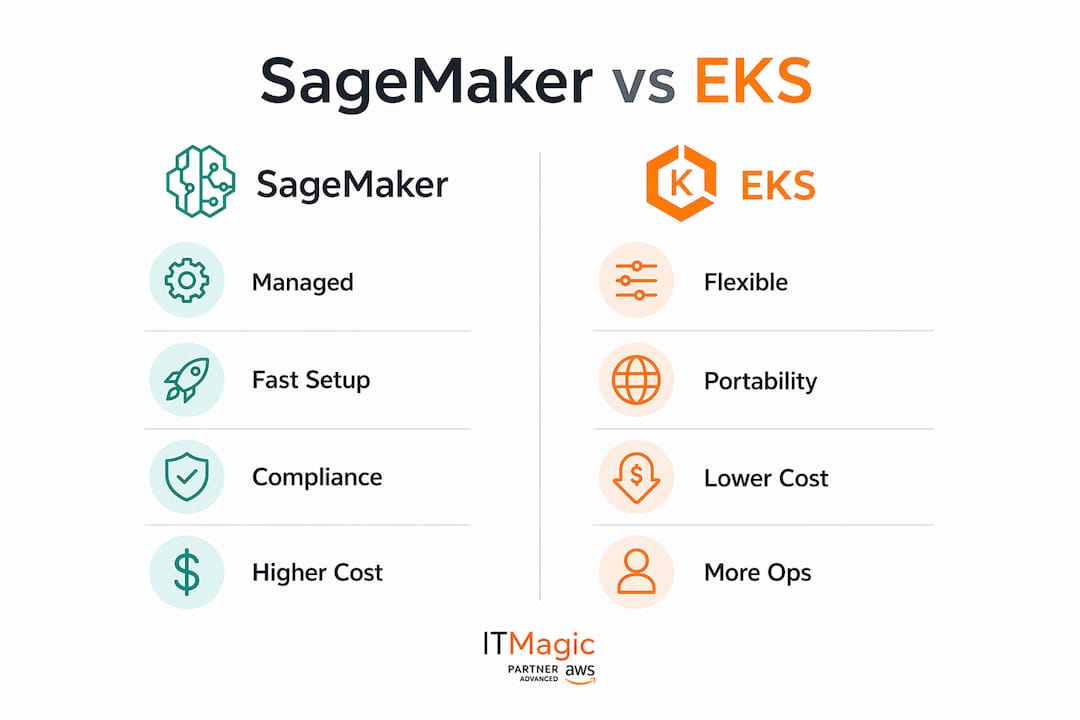
If your team needs to ship models fast with minimal ops overhead, choose Amazon SageMaker. If you need portability, custom inference runtimes, or hybrid/on-prem deployment, Amazon EKS is the right call. For most small-to-medium data science teams, SageMaker wins on time-to-production. For platform engineering teams with strict portability or multi-cloud requirements, EKS gives you the control SageMaker cannot.
Start here: Build a single-model POC on your preferred platform. Measure latency, cost per inference, and deployment time over two weeks. That data makes the final call obvious.
Cases that flip the default recommendation:
- Your models must run on-premises or across multiple clouds
- You need custom GPU scheduling or a specialized inference runtime (e.g., Triton Inference Server with custom backends)
- Your platform team already operates Kubernetes at scale and has the bandwidth to own the stack
- A published practitioner analysis found significant annual savings by moving inference to EKS, but it required several months of engineering time to reach production-grade safety
Table of Contents
- When does SageMaker make sense for your team?
- When does EKS give you the edge?
- How do you decide? A 15-minute evaluation checklist
- What does the real TCO look like?
- How long does implementation actually take?
- How do SageMaker features map to EKS equivalents?
- Who owns what on EKS versus SageMaker?
- How IT-Magic approaches these decisions in practice
- Key Takeaways
- The case for treating this as a spectrum, not a binary
- IT-Magic helps you pick the right platform and build it right
- Useful sources
- FAQ
When does SageMaker make sense for your team?
Running this on your own AWS setup? IT-Magic is an AWS Advanced Tier Partner — we audit, fix, or fully manage it for you.
Get a free consultationSageMaker earns its place when data-science velocity matters more than infrastructure control. The managed training clusters, built-in SageMaker Pipelines, model registry, and SageMaker Studio give a small team capability that would take months to assemble on Kubernetes.
Primary strengths:
- Managed training clusters with automatic provisioning and teardown
- SageMaker Pipelines for end-to-end ML workflow orchestration without YAML sprawl
- Built-in model registry with approval workflows and lineage tracking
- SageMaker Studio as a unified IDE for experimentation, training, and deployment
- Automated distributed training with minimal configuration
Best-fit scenarios:
- Teams of 2–15 data scientists who need to iterate quickly without a dedicated platform engineer
- Regulated industries (healthcare, fintech) where managed compliance controls reduce audit burden
- Organizations that want automated hyperparameter tuning without building a custom scheduler
Tradeoffs to call out: SageMaker’s managed fees add a layer on top of raw compute costs. AWS TCO analysis indicates SageMaker can deliver substantially lower three-year TCO versus self-managed options for small and medium teams, but that figure assumes you account for engineering time honestly. Vendor lock-in is real: SageMaker’s proprietary APIs, training job formats, and endpoint constructs make migration non-trivial if your strategy shifts.
Pro Tip: If your team spends a significant portion of its sprint capacity on infrastructure tickets rather than model work, that is a strong signal SageMaker’s managed layer will pay for itself quickly.

When does EKS give you the edge?
EKS for machine learning makes sense when portability, custom runtimes, or data locality requirements are non-negotiable. The tradeoff is real operational overhead, but AWS has done meaningful work to reduce the blank-slate complexity that historically made Kubernetes painful for ML teams.
Primary strengths:
- Full portability: workloads can run on-prem, on other clouds, or in hybrid configurations
- Custom inference stacks: deploy Triton Inference Server, vLLM, or any runtime without SageMaker’s constraints
- Multi-framework deployments with fine-grained control over resource allocation
- Native Kubernetes tooling for networking, secrets, and policy management
The AI on EKS initiative from AWS addresses the biggest historical objection to EKS for ML: the blank-slate problem. It provides deployment-ready blueprints, Terraform IaC templates, Karpenter integration for GPU node management, and curated observability patterns. EKS Auto Mode goes further by automating node lifecycle, scaling, and GPU driver management, removing a significant chunk of the ops burden that used to require a dedicated platform engineer.
The practical hybrid path: Industry practitioners consistently recommend pairing SageMaker’s managed training and model governance with EKS-based inference. You get SageMaker’s velocity for the expensive, complex training phase and EKS’s cost and latency control for the high-frequency inference phase. This is not a compromise — it is often the optimal architecture for teams that have outgrown a pure-managed approach.
Best-fit scenarios:
- Large platform teams (5+ engineers) that already operate Kubernetes and can absorb the overhead
- Workloads with strict data locality requirements or on-prem inference mandates
- Custom GPU scheduling needs or specialized inference runtimes that SageMaker’s hosted endpoints cannot support
How do you decide? A 15-minute evaluation checklist
Run through these questions in your next planning meeting. Weight the answers as shown to get a fast directional recommendation.
Decision questions:
- Team skills: Does your team have active Kubernetes expertise, or would EKS require a significant ramp? (EKS requires it; SageMaker does not)
- Time-to-market: Do you need a model in production within 4–6 weeks? (SageMaker wins on speed)
- Model size and GPU needs: Are you running large distributed training jobs that need custom GPU scheduling? (EKS or hybrid)
- Portability: Must workloads run on-prem, in another cloud, or in a regulated data center outside AWS? (EKS required; see AWS distributed training guidance)
- Compliance and SLAs: Does your compliance posture require managed controls, or do you have the staff to own them? (SageMaker reduces burden)
- Long-term TCO tolerance: Can your team sustain 1–2 dedicated platform engineers for ongoing EKS operations?
Quick heuristic:
- Mostly SageMaker answers (1, 2, 5): start with SageMaker, revisit EKS for inference at scale
- Mostly EKS answers (3, 4, 6): invest in EKS with AI on EKS blueprints to reduce ramp time
- Mixed answers: design a hybrid architecture from day one
Recommended POC scope based on outcome:
- SageMaker POC: One training pipeline in SageMaker Pipelines, one real-time endpoint, measured over two weeks for latency and cost per inference
- EKS POC: One KServe deployment on an EKS cluster provisioned via AI on EKS Terraform templates, with Prometheus/Grafana observability, measured over three weeks
What does the real TCO look like?
Sticker price comparisons between SageMaker and EKS almost always undercount the EKS side. The line items that matter:
- Managed service fees: SageMaker charges a premium over raw EC2/GPU hours for its managed layer
- Instance and GPU hours: Both platforms use the same underlying compute; the difference is who manages it
- Engineering implementation time: The most underestimated line item. Four months of senior engineering time to reach production-grade EKS is not unusual
- Ongoing platform maintenance: Node patching, GPU driver updates, cluster upgrades, and security hardening on EKS require continuous effort
- Security and compliance effort: SageMaker covers significant compliance surface area; EKS teams own it
- Storage and data transfer: S3 access patterns, model artifact distribution, and cross-AZ traffic add up on both platforms
- Spot and savings plan strategies: Both platforms support spot instances; EKS gives more flexibility but requires more configuration
The Cloud Playbook practitioner case is the most concrete public data point available: $237,000 in annual savings from moving inference to EKS, offset by four months of engineering time to implement safely. At a fully-loaded senior engineer cost, that four-month program can consume a substantial portion of the first year’s savings.
TCO modeling guidance: Use a three-year horizon. Model two scenarios: one where your team stays at current headcount and one where EKS requires an additional platform engineer. The second scenario often closes the gap between SageMaker’s managed fees and EKS’s apparent compute savings.
AWS’s own analysis puts SageMaker’s three-year TCO advantage at a substantial level for small and medium teams versus self-managed infrastructure. That figure holds when engineering time is priced honestly.
How long does implementation actually take?
SageMaker implementation phases
- Prototype (weeks 1–2): Connect data sources, run first training job, deploy a test endpoint via SageMaker Studio
- Secure (weeks 3–4): Configure VPC endpoints, IAM roles, encryption, and model registry approval workflows
- Scale (weeks 5–8): Add SageMaker Pipelines for CI/CD, enable autoscaling on endpoints, integrate CloudWatch monitoring
EKS implementation phases
- Prototype (weeks 1–3): Provision cluster via AI on EKS Terraform templates, deploy KServe, run first inference workload
- Secure (weeks 4–6): Implement network policies, secrets management (AWS Secrets Manager or Vault), RBAC, and node hardening
- Scale (weeks 7–12): Configure Karpenter or EKS Auto Mode for GPU autoscaling, add Prometheus/Grafana observability, establish upgrade runbooks
Common roadblocks and fixes:
- IAM complexity: Both platforms require careful role scoping. Use least-privilege policies from day one; retrofitting is painful.
- Networking: VPC CNI configuration and security group rules for GPU nodes trip up most first-time EKS ML deployments. Plan subnet sizing before provisioning.
- Model artifact distribution: Large model files (10GB+) need S3 lifecycle policies and regional replication strategies on both platforms.
Pro Tip: On EKS, start with the AI on EKS GitHub blueprints rather than building from scratch. The modular Terraform templates cut initial provisioning time significantly and encode GPU optimization patterns that take weeks to discover independently.
How do SageMaker features map to EKS equivalents?

| SageMaker Feature | EKS Equivalent | Assembly Required |
|---|---|---|
| Training Jobs | Kubeflow Training Operator / Argo Workflows | Moderate: configure operators, storage |
| Hyperparameter Tuning | Katib (Kubeflow) | Moderate: setup and integration |
| SageMaker Pipelines | Kubeflow Pipelines / Argo Workflows | Moderate: pipeline authoring differs |
| Model Registry | MLflow on EKS or custom registry | High: deploy, secure, and maintain |
| Hosted Endpoints | KServe | Moderate: canary/rollback config |
| Autoscaling | Karpenter / EKS Auto Mode | Low–Moderate with AI on EKS blueprints |
| Observability | Prometheus + Grafana + CloudWatch | Moderate: dashboards and alerting |
| Distributed Training | Kubeflow + SageMaker ACK Operators | Low for hybrid via ACK |
Key integration point: Kubeflow on AWS integrates with SageMaker via SageMaker ACK Operators and SageMaker components for Kubeflow Pipelines. This means you can keep Kubernetes as the control plane and submit managed SageMaker training jobs from it, which is the practical path for teams that want Kubernetes flexibility without rebuilding the training infrastructure from scratch.
What is genuinely turnkey in SageMaker: model registry with lineage, managed distributed training, built-in hyperparameter tuning, and one-click endpoint deployment. On EKS, each of these requires selecting, deploying, securing, and maintaining a separate component. The SageMaker ACK Operators reduce that gap for hybrid teams.
Who owns what on EKS versus SageMaker?
| Responsibility | SageMaker | EKS (self-managed) |
|---|---|---|
| Cluster lifecycle and upgrades | AWS managed | Your team |
| OS and AMI patching | AWS managed | Your team |
| GPU driver management | AWS managed | Your team |
| Network policy and CNI | AWS managed | Your team |
| Secrets management | Partial (SSM/Secrets Manager integration) | Your team |
| Incident response (infra layer) | AWS support tier | Your team |
| Model security and access control | Shared | Your team |
| Compliance controls (SOC2, HIPAA) | Significant coverage | Your team assembles |
Operational responsibilities on self-managed EKS include node patching, GPU driver management, network policy enforcement, and incident response at the infrastructure layer. SageMaker absorbs most of that surface area.
Staffing implications:
- SageMaker: one DevOps or MLOps engineer can support a team of 10–15 data scientists
- EKS: plan for at least one dedicated platform engineer per 5–8 data scientists, plus on-call coverage for cluster incidents
- Compliance-heavy environments (HIPAA, PCI DSS): EKS requires explicit control mapping and evidence collection; SageMaker’s managed controls reduce that work substantially
How IT-Magic approaches these decisions in practice
IT-Magic has worked through this exact decision with multiple clients across fintech, retail, and enterprise. A representative engagement: a fintech client needed to move inference workloads off a legacy managed service to reduce costs and gain control over model versioning.
What the engagement looked like:
- Client constraints: strict data residency, existing Kubernetes expertise, 8-person platform team
- Chosen architecture: hybrid — SageMaker for distributed training and model registry, EKS with KServe for inference
- Outcomes: reduced inference costs, maintained compliance posture, and reached production in under 10 weeks
- IT-Magic delivered: cluster architecture, Terraform automation, Karpenter autoscaling configuration, Prometheus/Grafana observability stack, and IAM/network hardening
Pro Tip: The fastest path to a defensible decision is a two-week architecture review followed by a scoped POC. IT-Magic runs these as fixed-scope engagements so you get a clear recommendation and working infrastructure, not just a slide deck.
For teams that want to see a concrete migration and cost-reduction example, the Foxtrot case study shows how IT-Magic structured an AWS migration with measurable cost outcomes.
Key Takeaways
SageMaker wins on time-to-production and managed compliance for small-to-medium teams; EKS wins on portability and control for platform teams that can absorb the operational overhead, with hybrid architectures often delivering the best of both.
| Point | Details |
|---|---|
| Default to SageMaker for speed | Small-to-medium data science teams reach production faster with SageMaker’s managed layer. |
| EKS requires real ops investment | Four months of engineering time to reach production-grade EKS is a realistic baseline, per published practitioner data. |
| TCO includes engineering time | AWS analysis shows up to ~54% lower three-year TCO for SageMaker versus self-managed options for smaller teams. |
| Hybrid is often optimal | Pair SageMaker training with EKS inference to balance cost, control, and velocity at scale. |
| IT-Magic runs scoped POCs | IT-Magic delivers architecture reviews and partner-led POCs to validate the right platform before you commit. |
The case for treating this as a spectrum, not a binary
Most articles frame SageMaker versus EKS as a clean either/or. After working through this decision across dozens of production environments, the more useful frame is: where on the managed-to-custom spectrum does your team sit today, and where will you need to be in 18 months?
Teams that start on SageMaker and outgrow it tend to migrate inference to EKS first, keeping SageMaker for training and governance. That sequence is lower-risk than a full platform migration and preserves the data-science velocity that SageMaker delivers well. The AI on EKS blueprints make that incremental path more practical than it was two years ago.
What I see teams underestimate consistently is the compliance surface area on EKS. It is not just patching and drivers. It is evidence collection, control mapping, and the on-call burden when something breaks at 2 AM. SageMaker does not eliminate that work, but it reduces it enough to matter for teams without a dedicated security engineer. If your compliance requirements are serious and your security headcount is thin, that factor alone often settles the decision.
IT-Magic helps you pick the right platform and build it right
Choosing between SageMaker and EKS is faster when you have an AWS Advanced Tier partner who has done it before. IT-Magic brings 700+ projects of AWS infrastructure experience directly to your architecture decision, with no software development scope creep and no generic recommendations.

IT-Magic runs fixed-scope ML platform engagements that include architecture design, TCO modeling, POC implementation, and 24/7 managed operations once you go live. Whether your team lands on SageMaker, EKS, or a hybrid stack, you get working infrastructure and a clear operational handoff, not just a report.
Ready to validate your platform choice with a scoped POC? See how IT-Magic structures AWS migrations and cost-reduction engagements and reach out to start a two-week architecture review.
Useful sources
- AI on EKS (AWS Containers Blog): Official introduction to the AI on EKS initiative; covers blueprints, GPU optimization, and Karpenter integration. Start here when scoping an EKS ML deployment.
- AI on EKS GitHub Repository (awslabs/ai-on-eks): Modular Terraform templates, benchmarks, and reference architectures for training, inference, and multi-model serving on EKS. Use these as your IaC starting point.
- SageMaker TCO Executive Summary (AWS): AWS-published three-year TCO analysis comparing SageMaker to self-managed options. Essential reading before building your cost model.
- Hybrid ML Workflows on EKS and SageMaker (AWS ML Blog): Step-by-step guide to Kubeflow on AWS with SageMaker ACK Operators. Use this when designing a hybrid architecture.
- SageMaker ACK Operators (aws-controllers-k8s): Kubernetes operators that let you submit SageMaker training and inference jobs from a Kubernetes control plane. Reduces tooling duplication in hybrid setups.
- AWS Distributed Model Training Guidance: AWS solution guidance covering when to use EKS/Kubeflow versus SageMaker for distributed training, with architecture diagrams. Useful for POC scoping.
- The Cloud Playbook: MLOps on EKS vs. SageMaker: Practitioner writeup with the $237,000 savings and four-month engineering timeline figures. The most concrete public TCO data point available.
FAQ
When should you choose SageMaker over EKS?
Choose SageMaker when your team needs fast time-to-production, managed compliance controls, or lacks dedicated Kubernetes expertise. It is the lower-risk default for teams of 2–15 data scientists.
Can you use SageMaker and EKS together?
Yes. A hybrid architecture that uses SageMaker for distributed training and model governance while running inference on EKS is a well-established pattern that balances cost, control, and velocity.
How much does EKS actually cost compared to SageMaker?
Raw compute costs on EKS can be lower, but AWS analysis shows SageMaker can deliver up to ~54% lower three-year TCO for small and medium teams once engineering time and operational overhead are included.
What is AI on EKS and does it reduce complexity?
AI on EKS is an AWS initiative that provides deployment-ready blueprints, Terraform templates, and Karpenter integration for ML workloads on EKS. It meaningfully reduces the blank-slate complexity that historically made Kubernetes difficult for ML teams.
How long does an EKS ML implementation take?
A production-grade EKS ML deployment typically takes 8–12 weeks from cluster provisioning to a secure, observable, autoscaling inference stack. Reaching that standard safely required four months in at least one published practitioner case.
Recommended
- Amazon SageMaker Best Practices: Optimize Your Machine Learning Workflows | IT-Magic
- ECS vs EKS: Which is Better for Container Orchestration?
- AWS EKS explained: streamline Kubernetes for scalable success
- AWS AI Infrastructure: A 2026 Guide for IT Teams
Alexander founded IT-Magic, an AWS Advanced Tier Services Partner delivering DevOps, cloud architecture, and managed services since 2010. He holds:
- AWS Certified Solutions Architect – Professional
- AWS Certified DevOps Engineer – Professional
- AWS Certified Security – Specialty
- AWS Certified Advanced Networking – Specialty
Talk to a certified AWS team trusted by INTERTOP, Foxtrot, Pandora, and J.Hilburn.
Get a free consultation


