


TL;DR:
- Automated AWS DevOps workflows improve deployment speed, consistency, and compliance tracking.
- Key AWS services for automation include CodePipeline, CodeBuild, CloudFormation, IAM, and CloudWatch.
- Successful pipelines require thorough preparation, continuous monitoring, regular validation, and cultural discipline.
Scaling infrastructure fast while keeping your compliance posture intact is one of the hardest problems engineering leaders face. Manual deployments, inconsistent environments, and ad hoc security checks create compounding risk as your team grows. A structured DevOps automation workflow in AWS cuts through that complexity by replacing human-dependent steps with repeatable, auditable pipelines. This guide walks you through exactly how to design, build, and validate that workflow, covering prerequisites, step-by-step implementation, and ongoing compliance practices so your team ships faster without trading away reliability.
Key Takeaways
| Point | Details |
|---|---|
| Automate for speed and reliability | DevOps automation in AWS drastically cuts deployment time and reduces manual errors at scale. |
| Preparation drives success | Thorough setup of permissions, environment, and compliance measures is crucial before automating. |
| Continuous validation and optimization | Regularly review, test, and improve your workflow to keep pace with evolving compliance and business needs. |
| Leverage AWS-native tools | AWS services like CodePipeline, IAM, and CloudFormation simplify automation and boost security. |
Understanding DevOps automation workflows in AWS
Running this on your own AWS setup? IT-Magic is an AWS Advanced Tier Partner — we audit, fix, or fully manage it for you.
Get a free consultationA DevOps automation workflow is a connected sequence of automated processes that moves code from a developer’s commit all the way through build, test, security scanning, and deployment without manual handoffs. In AWS, these workflows are powered by native services that integrate tightly with each other, giving you traceability and control at every stage.
Automation is key to modern software delivery and scalability, and AWS provides the tooling to make that automation production-grade rather than fragile. The core services you’ll rely on include:
- AWS CodePipeline for orchestrating the end-to-end pipeline
- AWS CodeBuild for compiling and running automated tests
- AWS CloudFormation or AWS CDK for infrastructure as code (IaC) provisioning
- AWS IAM for fine-grained access control across every pipeline stage
- AWS Lambda for lightweight automation triggers and custom logic
- Amazon CloudWatch for real-time monitoring and alerting
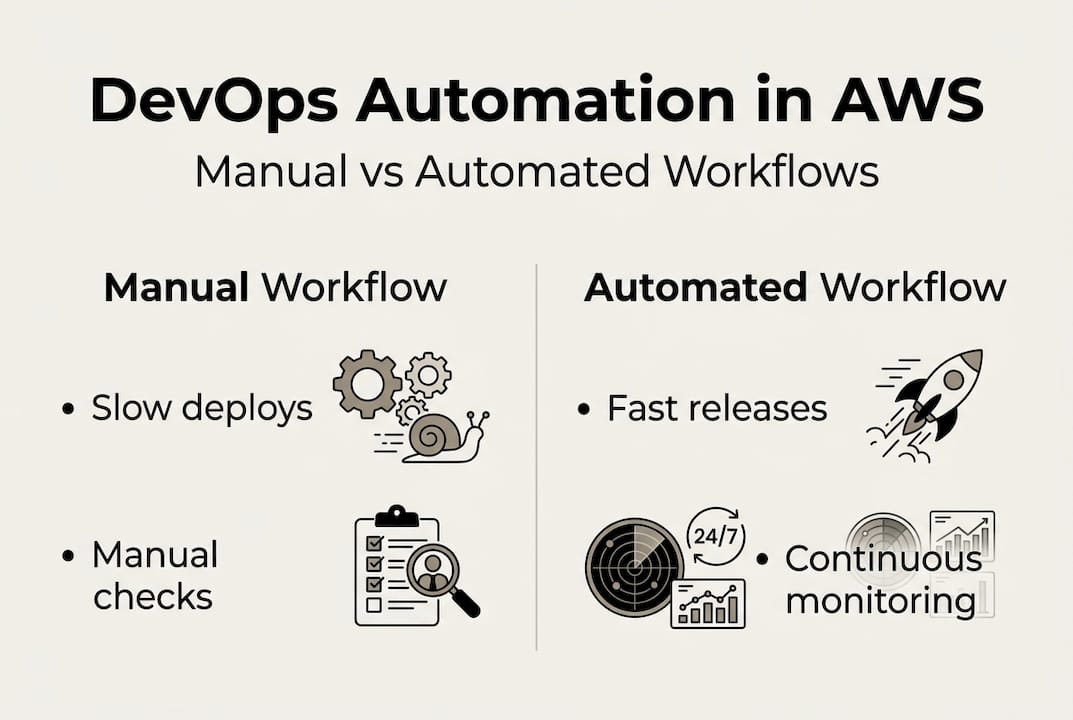
For CTOs evaluating DevOps implementation strategies, the business case is straightforward. Automated workflows reduce mean time to deploy, cut human error rates, and create the audit trails that compliance frameworks demand. The contrast with manual processes is stark.
| Dimension | Manual DevOps | Automated DevOps workflow |
|---|---|---|
| Deployment frequency | Days to weeks | Multiple times per day |
| Error rate | High, human-dependent | Low, consistent |
| Compliance audit readiness | Manual documentation | Automated logs and trails |
| Rollback speed | Hours | Minutes or seconds |
| Scalability | Limited by team size | Scales with infrastructure |
The table above isn’t theoretical. Teams that automate their pipelines consistently outperform manual counterparts on every dimension that matters to engineering leadership.
Pro Tip: Modularize your workflow stages from day one. Treat each stage (build, test, deploy, monitor) as an independent unit with its own configuration. This makes it far easier to update one stage without breaking the others, and it dramatically simplifies onboarding new team members.
Preparation: Key requirements, tools, and best practices
With a clear understanding of what automation delivers, let’s get your environment set up for success.
A well-architected and secure foundation is a prerequisite for reliable automation, not an afterthought. Before you write a single pipeline definition, your environment needs to meet a baseline set of requirements.
Prerequisites checklist:
- Active AWS account with billing alerts configured
- IAM roles and policies scoped to least privilege for all pipeline services
- VPC with appropriate subnet segmentation (public, private, isolated)
- Source control repository (GitHub, GitLab, or AWS CodeCommit)
- Defined branching strategy (e.g., GitFlow or trunk-based development)
- Secrets management via AWS Secrets Manager or AWS Parameter Store
- Logging enabled: CloudTrail for API activity, CloudWatch Logs for application output
| Tool | Role in workflow | Key requirement |
|---|---|---|
| AWS CodePipeline | Pipeline orchestration | IAM execution role with stage permissions |
| AWS CloudFormation | Infrastructure provisioning | Validated templates in version control |
| AWS CodeBuild | Build and test execution | Build spec file (buildspec.yml) in repo |
| Amazon CloudWatch | Monitoring and alerting | Log groups and metric alarms configured |
| AWS IAM | Access control | Least-privilege policies per service role |
| AWS Secrets Manager | Credential management | Secrets referenced, never hardcoded |
Security and compliance setup deserves special attention. Many teams treat this as a final step, but embedding it during preparation means your pipeline enforces controls automatically rather than relying on developers to remember them. This is especially critical in regulated industries like fintech, where the cost of a compliance gap far exceeds the cost of setting things up correctly the first time. You can see similar preparation discipline applied in automation tools in retail contexts, where environment consistency directly impacts operational outcomes.

Pro Tip: Use IaC templates to provision your pipeline infrastructure itself, not just your application infrastructure. Storing your CodePipeline definition as a CloudFormation stack means your pipeline is reproducible, version-controlled, and deployable to new environments in minutes.
Step-by-step: Building and executing your DevOps automation workflow
Once all prerequisites are in place, you’re ready to structure and implement your workflow.
AWS CodePipeline enables end-to-end automation for build, test, and deploy workflows, and the following steps reflect how mature teams structure that automation.
-
Connect your source control. Create a CodePipeline stage that triggers on commits to your target branch. Use a webhook or AWS CodeStar connection for GitHub or GitLab. Every pipeline run should be traceable to a specific commit SHA.
-
Define your build stage. Configure a CodeBuild project with a "buildspec.yml` that compiles your code, runs unit tests, and produces build artifacts. Fail the pipeline immediately on any test failure. Fast feedback here saves hours downstream.
-
Add a security and compliance scan stage. Integrate tools like Amazon Inspector, AWS Config rules, or third-party SAST tools as a dedicated pipeline stage. This stage should block deployment if critical vulnerabilities or policy violations are detected.
-
Provision or update infrastructure. Use CloudFormation change sets or CDK deploy commands to apply infrastructure changes. Always preview changes before executing them. This is where IaC pays off most visibly.
-
Deploy your application. Use CodeDeploy for EC2 or on-premises targets, or native ECS/EKS deployment integrations for containerized workloads. Blue/green deployments are strongly preferred for production environments because they eliminate downtime and simplify rollback.
-
Automate rollback on failure. Configure CodeDeploy or your deployment stage to automatically revert to the previous stable version if health checks fail post-deployment. For DevOps support for e-commerce environments where downtime is revenue loss, this step is non-negotiable.
-
Enable post-deployment monitoring. Set CloudWatch alarms on key metrics (error rate, latency, CPU) and configure SNS notifications to alert your on-call team immediately when thresholds are breached.
Critical note: Always version your automation scripts and pipeline configuration files in source control alongside your application code. An unversioned pipeline is a pipeline you cannot audit, reproduce, or safely modify.
Pro Tip: Automate rollback by setting a deployment window with a defined success threshold. If fewer than 95% of instances pass health checks within 10 minutes, trigger an automatic rollback. This removes human judgment from a high-pressure moment.
Troubleshooting, validation, and optimizing for compliance
After initial implementation, ongoing vigilance is key to reliable, compliant operation.
Continuous monitoring and feedback ensures compliance and minimizes risk across your entire workflow. The most common issues teams encounter after go-live include IAM permission errors that surface only in production, pipeline stages that time out due to under-provisioned build environments, and drift between what CloudFormation expects and what actually exists in your account.
Validation should be systematic, not reactive. Use AWS Config to continuously evaluate your infrastructure against defined compliance rules. Run automated integration and end-to-end tests as pipeline stages rather than relying on manual QA. CloudWatch Synthetics can simulate user transactions and alert you to failures before real users encounter them.
Compliance risks to monitor and mitigate:
- Overly permissive IAM roles that accumulate permissions over time
- Unencrypted data in S3 buckets or RDS instances created by pipeline runs
- Missing CloudTrail coverage for regions where resources are deployed
- Hardcoded credentials in build logs or environment variables
- Unapproved manual changes to production resources that bypass the pipeline (configuration drift)
- Missing approval gates before production deployments in regulated environments
For best practices for DevOps execution, the consistent theme is that compliance is not a one-time checklist. It’s a continuous process embedded in every pipeline run.
Documentation reminder: Every change to your pipeline, IAM policies, or infrastructure templates must be logged and traceable. Auditors don’t just want to see that you have controls. They want to see that those controls have been consistently applied over time.
Pro Tip: Schedule a quarterly review of all IAM roles and policies used by your pipeline. Use AWS IAM Access Analyzer to identify unused permissions and remove them. Least privilege is a moving target as your system evolves.
Why most DevOps automation workflows fail—and what mature teams do differently
Here’s the uncomfortable truth we’ve observed across 700+ projects: most teams automate the easy parts and call it done. They set up a CI/CD pipeline, deploy it once, and move on. Then, six months later, the pipeline is a bottleneck, compliance gaps have accumulated, and no one fully understands how it works anymore.
Surface-level automation is easy to build. It’s genuinely hard to sustain. The teams that succeed treat their pipeline as a product, with an owner, a roadmap, and regular improvement cycles. They instrument everything, review pipeline performance metrics alongside application metrics, and actively solicit feedback from developers who use the pipeline daily.
Warning signs your automation isn’t mature:
- Developers regularly bypass the pipeline for “urgent” fixes
- No one can explain why a specific pipeline stage exists
- Compliance reviews require significant manual evidence gathering
- Pipeline failures are treated as surprises rather than expected events with runbooks
The common pitfalls in DevOps adoption almost always trace back to culture, not tooling. AWS gives you world-class services. What it can’t give you is the discipline to keep improving them.
Pro Tip: Regularly solicit feedback from cross-functional teams including product, security, and finance. The pipeline serves the whole business, and the people closest to it often see improvement opportunities that engineering leadership misses.
Ready to accelerate your AWS DevOps automation?
If you’re seeking expert guidance to elevate your AWS automation efforts, IT-Magic is here to help. Building a reliable, compliant pipeline is faster with a partner who has done it hundreds of times across fintech, e-commerce, and enterprise environments.

Our team of certified AWS experts can design and implement your AWS DevOps services pipeline from scratch, or audit and optimize what you already have. If you want an objective assessment of your current infrastructure, an AWS architecture review gives you a structured evaluation against AWS best practices. For ongoing reliability and compliance, our AWS infrastructure support keeps your environment running at peak performance. Let’s build something that scales.
Frequently asked questions
What is a DevOps automation workflow in AWS?
A DevOps automation workflow in AWS is a systematic pipeline that automates build, test, deployment, and monitoring processes using AWS-native tools. Automation is key to modern software delivery, and AWS provides the integrated services to make that pipeline production-grade.
What are the most important AWS services for DevOps automation?
The core services are CodePipeline for orchestration, CloudFormation for infrastructure provisioning, Lambda for custom automation logic, IAM for access control, and CloudWatch for monitoring. AWS CodePipeline enables end-to-end automation across all workflow stages.
How can I ensure compliance in my automated DevOps workflows?
Embed security scans and AWS Config rules as dedicated pipeline stages, enforce approval gates before production deployments, and maintain complete audit logs via CloudTrail. A well-architected foundation is the starting point for any compliant automation strategy.
What are common mistakes when setting up DevOps automation in AWS?
The most frequent errors are overly broad IAM roles, missing rollback configurations, and no post-deployment monitoring. Continuous monitoring and feedback is what separates pipelines that stay compliant from those that drift into risk over time.
Alexander founded IT-Magic, an AWS Advanced Tier Services Partner delivering DevOps, cloud architecture, and managed services since 2010. He holds:
- AWS Certified Solutions Architect – Professional
- AWS Certified DevOps Engineer – Professional
- AWS Certified Security – Specialty
- AWS Certified Advanced Networking – Specialty
Talk to a certified AWS team trusted by INTERTOP, Foxtrot, Pandora, and J.Hilburn.
Get a free consultation


