

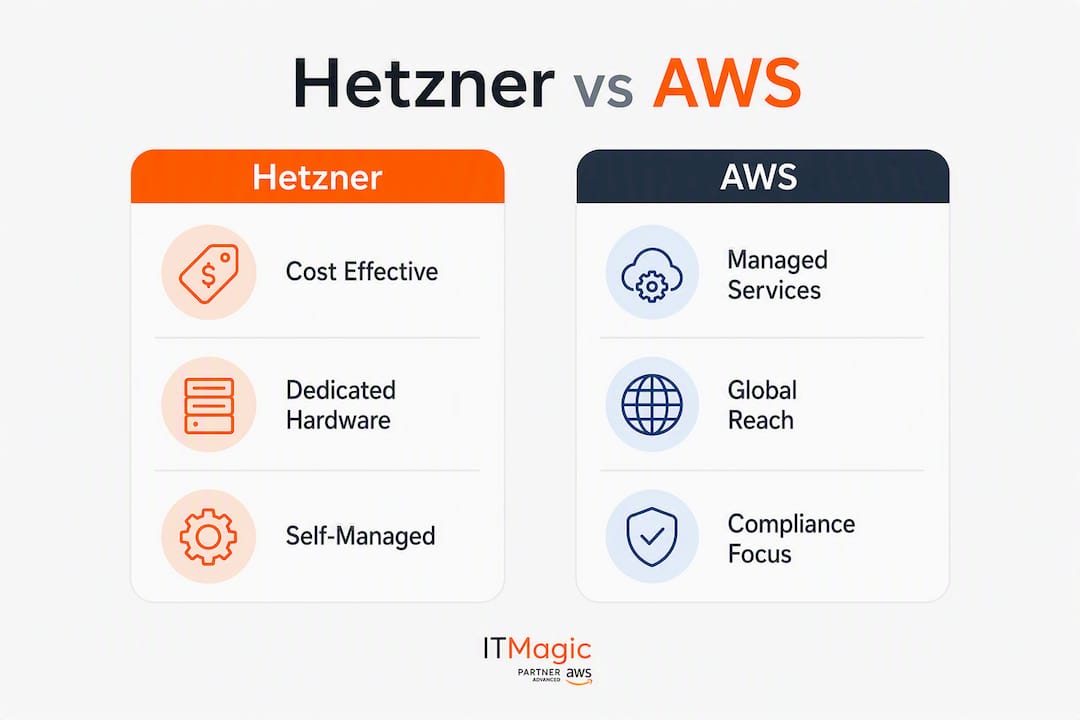
For steady-state EU compute with heavy egress, Hetzner wins on cost by a wide margin. For regulated, multi-region, or managed-service-heavy workloads, AWS is the pragmatic choice. Most production teams end up running both.
Here is the short version:
- Heavy egress, EU-hosted workloads: Hetzner’s large included transfer quota per server in EU regions makes it the obvious pick when egress is your biggest line item. AWS charges a rate per gigabyte after a small free tier, which compounds fast.
- Regulated US workloads (HIPAA, PCI DSS, FedRAMP): AWS has the certifications, the BAAs, and the contractual framework. Hetzner does not.
- Multi-region or global latency requirements: AWS’s many regions give you geographic flexibility Hetzner cannot match today.
- Batch processing, transcoding, or CPU-bound jobs in Europe: A Hetzner AX-52 dedicated server delivered 1.88–2.32x higher sustained throughput than an AWS m7a.4xlarge in published production tests, at a fraction of the annual cost.
- Teams without strong SRE capacity: AWS’s managed services absorb operational complexity. Hetzner rewards teams that want to own the stack.
Table of Contents
- How does Hetzner vs AWS compare across the dimensions that matter?
- How do you compare real bills between Hetzner and AWS?
- What do you trade when you choose Hetzner’s pricing over AWS’s managed services?
- What are the real compute, disk, and networking trade-offs?
- What compliance and security questions should US teams ask?
- How do teams migrate to Hetzner or build hybrid architectures?
- What do real migrations and community examples show?
- What questions should you ask before choosing a provider?
- What is the final verdict, and what should you do next?
- Key Takeaways
- The case for hybrid is stronger than most vendors admit
- IT-Magic helps you get the architecture right from the start
- Useful sources
- FAQ
How does Hetzner vs AWS compare across the dimensions that matter?
Running this on your own AWS setup? IT-Magic is an AWS Advanced Tier Partner — we audit, fix, or fully manage it for you.
Get a free consultationThe table below maps both providers across the nine dimensions that technical teams care about most. One-line summaries follow for the dimensions where the comparison is not straightforward.

| Dimension | Hetzner | AWS | Best for |
|---|---|---|---|
| Pricing model and TCO | Fixed monthly per-server; significantly lower list price per core at mid-tier sizes | On-demand, Reserved, Savings Plans, Spot; complex billing | Hetzner for predictable EU compute; AWS when reserved discounts close the gap |
| Compute and storage performance | Local NVMe on dedicated servers; substantial throughput advantage in CPU/IO-bound tests | Network-attached gp3/io2; live migration; multi-AZ | Hetzner for raw IO; AWS for live migration and multi-AZ resilience |
| Bandwidth and egress pricing | Large included transfer quota per server (EU); low overage rates | ~$0.09/GB after free tier; egress is a major cost driver | Hetzner for egress-heavy workloads |
| Managed services and ecosystem | Core compute, volumes, S3-compatible object storage, managed Kubernetes; significantly fewer managed services than AWS | Extensive managed services: RDS, Lambda, SQS, CloudFront, EKS, and more | AWS for teams that want turnkey managed services |
| Global regions and latency | EU-centric (Germany, Finland, US Ashburn); limited global footprint | 33+ regions worldwide; multi-AZ SLAs | AWS for global or US-primary deployments |
| Security and compliance | GDPR by default; ISO 27001; no HIPAA BAA or FedRAMP | HIPAA BAA, FedRAMP, SOC 2, ISO 27001, PCI DSS, and more | AWS for regulated US workloads |
| Support and SLA | Ticket-based; community forums; no enterprise SLA tier | Business/Enterprise support with response SLAs; TAM access | AWS for enterprise SLA requirements |
| Operational effort | High: you own failover, backups, patching, and HA | Low-to-medium: managed services absorb most operational tasks | Hetzner for teams with SRE capacity; AWS for everyone else |

A few comparisons deserve a caveat. Local NVMe on a Hetzner dedicated server is not the same product as an AWS gp3 EBS volume: one is physically attached, the other is network-attached with defined IOPS caps. AWS’s live migration means host maintenance is transparent to your application; on Hetzner dedicated hardware, a host failure or scheduled maintenance typically requires planned downtime. Multi-AZ SLAs on AWS managed services (RDS Multi-AZ, for example) have no direct Hetzner equivalent without significant self-managed engineering.
How do you compare real bills between Hetzner and AWS?
List prices are a starting point, not a verdict. The winner changes depending on egress volume, IOPS requirements, reserved pricing, and support tier.
A concrete example: assume a mid-tier web service running one application server (8 vCPU, 32 GB RAM), 500 GB block storage, 2 TB/month egress, and daily snapshots.
- Pick equivalent SKUs. On Hetzner, a CCX33 (8 dedicated vCPU, 32 GB RAM) covers this. On AWS, an m7a.2xlarge (8 vCPU, 32 GB) is the closest on-demand equivalent. Hetzner’s CX, CPX, CAX, and CCX families map to cost-optimized, regular AMD EPYC, Arm64 Ampere, and dedicated vCPU workloads respectively.
- Add storage. Hetzner volumes are priced per GB/month at a flat rate. AWS gp3 EBS adds a per-GB charge plus separate IOPS and throughput provisioning costs above baseline.
- Add egress. At 2 TB/month, Hetzner’s included quota covers this entirely. AWS charges roughly $0.09/GB, putting egress alone at approximately $184/month.
- Add snapshots. Both providers charge for snapshot storage, but the billing model differs: Hetzner charges per GB stored, AWS charges per GB-month with incremental snapshot pricing.
- Add support. AWS Business Support starts at 10% of monthly usage (minimum $100/month). Hetzner has no equivalent paid tier.
- Normalize for reserved pricing. A 1-year AWS Reserved Instance or Savings Plan can cut compute costs 30–40% from on-demand. Even with that discount applied, the egress and support deltas often keep Hetzner cheaper for this profile.
Statistic: A published 30-day production test comparing a Hetzner AX-52 against an AWS m7a.4xlarge with 2 TB/month egress showed a 1-year total of $804 on Hetzner versus $11,496 on AWS on-demand. Reserved pricing narrows that gap, but the order of magnitude holds for egress-heavy workloads.
What flips the winner:
- Egress drops below ~500 GB/month: AWS’s free tier and reserved compute discounts start to compete.
- IOPS-heavy workloads on cloud VMs: AWS io2 Block Express can provision high IOPS, but the cost per IOPS is significant. Local NVMe on Hetzner dedicated hardware is cheaper per IOPS for sustained workloads.
- Large managed-service dependency: Once you add RDS Multi-AZ, ElastiCache, and SQS to the Hetzner side as self-managed equivalents, the engineering cost and tooling spend close the gap fast.
- Multi-region requirements: Hetzner’s limited region footprint means cross-region replication and global load balancing require AWS or a CDN layer regardless of where compute lives.
What do you trade when you choose Hetzner’s pricing over AWS’s managed services?
The price gap is real. The operational gap is equally real. Here is what you give up.
Services teams commonly rely on, and what Hetzner offers instead:
- Managed relational database (RDS): Hetzner has no equivalent. You run PostgreSQL or MySQL on a VM, own backups, replication, and failover yourself.
- Object storage: Hetzner Object Storage is S3-compatible and works well for most use cases. Amazon S3 adds lifecycle rules, intelligent tiering, cross-region replication, and deep integration with Lambda, Athena, and other AWS services.
- Managed Kubernetes: Hetzner offers managed Kubernetes (MKS). AWS EKS adds managed node groups, Fargate, deep IAM integration, and multi-AZ control plane SLAs.
- Message queuing (SQS/SNS): No Hetzner equivalent. Teams typically deploy RabbitMQ or NATS on VMs.
- Serverless compute (Lambda): No equivalent. Function-as-a-service requires a third-party platform or self-hosted OpenFaaS.
- CDN: No native Hetzner CDN. CloudFront or a third-party like Cloudflare fills this gap.
| Service | Hetzner | AWS |
|---|---|---|
| Relational DB | Self-managed on VM | RDS (Multi-AZ, automated backups, read replicas) |
| Object storage | S3-compatible object storage | Amazon S3 (lifecycle, replication, 11 nines durability) |
| Kubernetes | Managed Kubernetes (MKS) | EKS (Fargate, managed node groups, multi-AZ) |
| Message queue | Self-managed (RabbitMQ/NATS) | SQS, SNS (fully managed, serverless) |
| Serverless | None native | Lambda, Fargate |
| CDN | None native | CloudFront |
| Backup automation | Manual or scripted | AWS Backup (centralized, policy-driven) |
The engineering cost of owning these services is not trivial. A self-managed PostgreSQL cluster with streaming replication, automated failover via Patroni, and point-in-time recovery takes weeks to build correctly and ongoing effort to maintain. AWS RDS Multi-AZ delivers that in a few clicks. For a team of two or three engineers, that difference in operational burden can outweigh the monthly savings entirely.
What are the real compute, disk, and networking trade-offs?
Raw performance on Hetzner dedicated hardware is genuinely impressive. The AX-52 benchmark data shows sustained throughput 1.88–2.32x higher than an AWS m7a.4xlarge for CPU- and IO-bound workloads, with lower P95/P99 latencies. The reason is straightforward: local NVMe is physically attached to the host, while AWS EBS is a network-attached service with defined IOPS caps per volume.
For IOPS-intensive workloads like high-traffic databases or video transcoding, that gap is meaningful. Published fio tests show local NVMe delivering orders-of-magnitude higher IOPS under sustained queue depth compared to gp3 volumes at baseline provisioning.
Where AWS networking wins:
- Placement groups let you co-locate instances for low-latency inter-node communication.
- Enhanced Networking (ENA) delivers consistent, low-jitter throughput between instances.
- Multi-AZ spreads workloads across physically separate data centers within a region, with transparent failover for managed services.
The US latency question: Hetzner has a US presence in Ashburn, Virginia, which covers East Coast traffic reasonably well. For US-primary applications, round-trip latency from Hetzner’s EU data centers (Nuremberg, Falkenstein, Helsinki) to US users typically runs 100–150 ms, which is acceptable for background processing but noticeable for interactive applications. AWS’s US regions (us-east-1, us-west-2, and others) put compute within 20–50 ms of most US users.
Statistic: Egress from AWS to the internet is priced at a per-GB rate for the first tier in most regions. Hetzner’s included 20 TB per server means a media-heavy workload generating 10 TB/month in egress pays roughly $900/month extra on AWS before any other cost difference is considered.
Pro Tip: If your workload is latency-sensitive for US users but compute-heavy, consider running batch or processing jobs on Hetzner EU and serving cached or pre-processed results from a US-based CDN edge. Cloudflare’s free tier handles a surprising amount of this without adding meaningful cost.
What compliance and security questions should US teams ask?
For US-regulated workloads, the compliance picture is not close. AWS holds HIPAA eligibility (with a signed BAA), FedRAMP authorizations, SOC 2 Type II, PCI DSS Level 1, and ISO 27001 across its service catalog. Hetzner holds ISO 27001 and operates under EU/EEA jurisdiction with GDPR compliance by default, but it does not offer a HIPAA BAA and has no FedRAMP authorization.
Compliance checklist for US teams:
- Does your workload require a HIPAA Business Associate Agreement? AWS provides one; Hetzner does not.
- Does your application handle federal data requiring FedRAMP authorization? AWS GovCloud is the answer; Hetzner is not an option.
- Do you need SOC 2 Type II evidence for customer audits? AWS publishes this through AWS Artifact; Hetzner’s audit evidence is more limited.
- Is PCI DSS Level 1 certification required? AWS is certified; Hetzner’s PCI scope is narrower.
- Does your data residency requirement specify US soil? Hetzner’s US Ashburn location covers this for compute, but its management plane and some services remain EU-operated.
The CLOUD Act question: AWS, as a US-headquartered company, is subject to the CLOUD Act, meaning US authorities can compel disclosure of data stored on AWS infrastructure regardless of where that data physically sits. Hetzner, operating under German and EU law, reduces transfer-impact assessment overhead for EU data subjects but introduces different jurisdictional considerations for US-regulated data. Neither is universally better; the answer depends on which regulator you answer to.
For hybrid architectures, a practical pattern is to isolate regulated data (PHI, PCI card data, federal records) on AWS while running non-regulated compute and storage on Hetzner. This keeps compliance scope narrow and cost manageable.
Pro Tip: Before assuming Hetzner is off the table for a regulated workload, check whether the regulated data itself needs to touch Hetzner infrastructure. In many hybrid designs, Hetzner handles processing of non-PII data while AWS holds the regulated data store. That boundary, if enforced at the network and application layer, can satisfy most auditors.
How do teams migrate to Hetzner or build hybrid architectures?
The most common real-world pattern is not a full migration to either provider. It is a split: steady-state compute and egress-heavy workloads on Hetzner, managed services and regulated data on AWS.
Common hybrid patterns:
- Primary compute on Hetzner, S3 and RDS on AWS: Application servers and batch jobs run on Hetzner CCX instances; the database stays on RDS Multi-AZ in AWS, and object storage uses Amazon S3 for its lifecycle and replication features.
- Hetzner for transcoding and batch: Media processing, ML inference jobs, and nightly ETL pipelines run on Hetzner dedicated hardware for raw CPU and NVMe performance; results are pushed to Amazon S3 for downstream consumption.
- AWS for regulated services and edge: HIPAA-scoped services, multi-region API endpoints, and CloudFront distributions stay on AWS; Hetzner handles the bulk of EU-origin traffic.
Migration checklist (ordered):
- Inventory your current AWS spend by service: compute, storage, egress, managed services, and support. Identify which line items are candidates for Hetzner.
- Estimate monthly egress volume from your current environment. This single number often determines whether the migration pays off.
- Map AWS instance types to Hetzner equivalents using the CX/CPX/CAX/CCX families. Run a 2–4 week pilot on equivalent hardware before committing.
- Identify managed services with no Hetzner equivalent (RDS, Lambda, SQS). Decide whether to self-manage, use a third-party SaaS, or keep those services on AWS.
- Set up DNS and CDN routing (Cloudflare or AWS CloudFront) to allow traffic shifting without a hard cutover.
- Define rollback criteria before cutover: latency thresholds, error rate limits, and a maximum acceptable time-to-rollback.
- Monitor cross-provider egress costs during the pilot. Data moving from Hetzner to AWS (or vice versa) adds cost that is easy to miss in pre-migration estimates.
For a deeper look at cloud migration strategies and runbook-level planning, IT-Magic’s migration guide covers the sequencing in detail.
Operational notes: Cross-provider networking typically means traffic traverses the public internet unless you set up a VPN or dedicated interconnect. Latency between Hetzner EU and AWS eu-central-1 (Frankfurt) is low enough for most use cases, but synchronous database calls across providers will add latency. Keep your data store and the application tier that calls it in the same provider during the pilot.
What do real migrations and community examples show?
Three patterns come up repeatedly in community write-ups and production case studies.
Case 1: EU web service, heavy egress. A SaaS team running a content-heavy application in Europe moved their application servers from AWS EC2 to Hetzner CCX instances. Egress had been their largest AWS line item at roughly 15 TB/month. On Hetzner, that egress fell within the included quota. Community reports of migrations like this cite savings of 40–90% depending on the egress and compute profile. The operational burden they took on: manual failover scripting, a self-managed backup pipeline, and longer support response times when a host had a hardware issue.
Case 2: Media transcoding pipeline. A video platform ran transcoding jobs on AWS EC2 Spot instances to manage cost. They moved the transcoding fleet to Hetzner AX-series dedicated servers and kept Amazon S3 as the source and destination for video files. The NVMe local storage eliminated the IOPS bottleneck they had been hitting on gp3 volumes under sustained queue depth. The risk they accepted: no live migration means a host failure during a long transcoding job requires a restart. They mitigated this with job checkpointing.
Case 3: Fintech with regulated data. A fintech team kept their PCI DSS-scoped card data environment entirely on AWS (RDS, EKS, CloudTrail, AWS Config for compliance evidence). They moved their analytics and reporting infrastructure, which processes anonymized transaction data, to Hetzner. The result was a meaningful reduction in their monthly AWS bill while keeping their compliance scope clean. The gotcha: they underestimated the egress cost of moving anonymized data from AWS to Hetzner for processing. Adding a VPN tunnel and batching transfers reduced that cost significantly.
Common gotchas across all three:
- Egress from AWS to the internet or to another provider is almost always larger than pre-migration estimates.
- IOPS behavior on network-attached storage surprises teams accustomed to local disks; test under realistic queue depth before committing.
- Support response times on Hetzner are slower than AWS Business or Enterprise support for urgent production issues.
What questions should you ask before choosing a provider?
A structured decision process prevents expensive regrets. Work through these in order.
- What is your monthly egress volume? If it exceeds 2–3 TB and your workload is EU-hosted, Hetzner’s included transfer quota likely makes it the cost winner for compute.
- Do you have compliance requirements that mandate a specific certification? HIPAA BAA, FedRAMP, or PCI DSS Level 1 requirements narrow the field to AWS (or another certified hyperscaler) immediately.
- Do you need multi-region active-active or active-passive deployments? Hetzner’s limited region footprint makes this difficult without AWS or a CDN layer.
- What is your team’s SRE capacity? Hetzner requires you to own failover, patching, backup automation, and incident response. AWS managed services absorb most of that. Be honest about your team’s bandwidth.
- What managed services are load-bearing in your architecture? List every AWS managed service you use today. For each one, price the self-managed alternative on Hetzner including engineering time.
- What are your disaster recovery requirements? RTO and RPO targets drive architecture choices. Multi-AZ managed services on AWS deliver sub-minute RTO for database failover; self-managed Hetzner setups typically require more engineering to reach the same target.
- What does your support SLA require? If your business requires a guaranteed 15-minute response time for P1 incidents, AWS Enterprise Support delivers that. Hetzner does not have an equivalent tier.
Red flags to watch for:
- A vendor with no published SOC 2 or ISO 27001 evidence for your compliance scope.
- Egress billing that is not clearly documented before you sign.
- No defined support escalation path for production outages.
- A migration proposal that does not include a rollback plan.
Pro Tip: Before committing to a migration, run a two-week PoC with real production traffic mirrored to the target environment. Measure actual egress, IOPS under load, and P99 latency. The billing surprises and performance gaps that matter most only show up under real traffic patterns, not synthetic benchmarks.
What is the final verdict, and what should you do next?
For EU-hosted, egress-heavy, or CPU-bound workloads where your team has SRE capacity, Hetzner delivers cost savings that are hard to argue with. For regulated US workloads, multi-region deployments, or teams that rely on AWS’s managed-service catalog, AWS remains the pragmatic choice. The most common real-world answer is a hybrid: Hetzner for steady-state compute and batch, AWS for managed services, compliance scope, and global edge.
Immediate next steps:
- Run a cost PoC. Pull your last 3 months of AWS Cost Explorer data, isolate compute and egress, and price the equivalent on Hetzner. The spreadsheet takes two hours and usually tells you whether a migration is worth pursuing.
- Measure egress and IOPS under load. Deploy a Hetzner equivalent instance alongside your current AWS setup and run your actual workload against both for 2–4 weeks. Synthetic benchmarks lie; production traffic does not.
- Draft a migration runbook. Before touching production, document your rollback criteria, DNS cutover plan, and data egress estimates. A 4–6 week pilot with clear success metrics (latency, error rate, cost delta) is the right scope for a first migration.
Key Takeaways
Hetzner wins on cost for EU compute and egress-heavy workloads, but AWS’s managed services, compliance certifications, and global regions remain the right answer for regulated or multi-region architectures.
| Point | Details |
|---|---|
| Egress drives the cost decision | Hetzner includes 20 TB transfer per server; AWS charges a per-GB fee, making egress the single largest cost driver for media-heavy workloads. |
| Performance gap on dedicated hardware | A Hetzner AX-52 delivered 1.88–2.32x higher sustained throughput than an AWS m7a.4xlarge in a month-long production test. |
| Compliance forces AWS for regulated US workloads | HIPAA BAA, FedRAMP, and PCI DSS Level 1 are AWS capabilities; Hetzner does not offer these for US-regulated data. |
| Hybrid is the most common real-world answer | Most teams put steady-state EU compute on Hetzner and keep managed services, compliance scope, and global edge on AWS. |
| IT-Magic for AWS architecture and migration | IT-Magic is an AWS Advanced Tier Services Partner that helps teams design hybrid architectures, optimize costs, and manage compliance on AWS. |
The case for hybrid is stronger than most vendors admit
The cloud provider debate tends to get framed as a binary choice, and that framing serves vendors more than it serves engineering teams. The honest answer, based on the cost math and operational realities covered here, is that the two providers are not competing for the same jobs.
AWS is not overpriced for what it delivers. Live migration, multi-AZ managed databases, FedRAMP authorization, and a 33-region global network are genuinely hard to replicate. The teams that complain loudest about AWS bills are often the ones using EC2 and EBS as if they were bare-metal servers, ignoring Reserved Instances, Savings Plans, and the architectural patterns that make AWS cost-efficient.
Hetzner is not a budget compromise. For CPU-bound, egress-heavy workloads in Europe, it is the technically correct choice. The AX-52 benchmark data is not a marketing claim; it reflects what local NVMe and dedicated CPU cores do for sustained throughput compared to a shared, network-attached cloud instance.
What I see teams get wrong most often is the operational accounting. The monthly bill comparison looks compelling. The engineering cost of owning a self-managed PostgreSQL cluster, a manual failover runbook, and a backup pipeline that you have to test and maintain does not show up in that spreadsheet. For a team of two engineers, that hidden cost can easily exceed the savings. For a team with a dedicated SRE function and a mature automation practice, Hetzner is a genuine win.
The right question is not “which provider is cheaper?” It is “which workloads belong on which provider, and does my team have the capacity to own what Hetzner requires?” Answer that honestly and the architecture usually writes itself.
IT-Magic helps you get the architecture right from the start
Choosing between Hetzner and AWS is straightforward on paper. Getting the architecture, cost model, and compliance posture right in production is where most teams need a second opinion.

IT-Magic is an AWS Advanced Tier Services Partner with 700+ projects delivered since 2010. The team specializes in exactly the decisions this article covers: cost analysis and PoC design, migration planning and runbook development, Kubernetes implementation on EKS, and compliance engineering for HIPAA, PCI DSS, and SOC 2. For teams running hybrid architectures, IT-Magic handles the AWS side of the stack so your engineers can focus on the product.
Typical engagement outcomes include a documented cost delta from a PoC, a migration runbook with rollback criteria, and 24/7 managed support for AWS infrastructure.
Talk to IT-Magic’s AWS team about your current infrastructure and get a concrete cost and architecture assessment.
Useful sources
Research and primary sources for teams that want to go deeper on specific numbers, benchmarks, and migration guidance:
- AWS vs Hetzner: VM Price Comparison — (cloudprice.app) — Interactive price comparison tool for normalizing per-core costs across instance families.
- Amazon Web Services (Wikipedia) — Background on AWS’s service catalog, founding, and global infrastructure.
- Hetzner (Wikipedia) — Background on Hetzner’s history, data center locations, and product lines.
- Cloud Migration Strategies (IT-Magic) — Runbook-level migration planning and sequencing guidance for teams moving workloads between providers.
FAQ
How is Hetzner so cheap?
Hetzner operates its own data centers in Germany and Finland, which eliminates third-party colocation costs. Its EU-centric model, fixed-price billing, and large included transfer quotas (20 TB per server) mean it does not charge separately for the egress that drives up hyperscaler bills.
Who is the biggest competitor to AWS?
Microsoft Azure and Google Cloud Platform are AWS’s largest direct competitors by market share and service breadth. For price-performance on EU compute, Hetzner is a frequently cited alternative for specific workload types, though it does not compete on managed-service depth or global region count.
Can you use Hetzner in the USA?
Yes. Hetzner operates a US data center in Ashburn, Virginia, which covers East Coast deployments. EU data centers in Germany and Finland are also available, though latency to US users from EU regions typically runs 100–150 ms, which suits background processing better than interactive applications.
Is Hetzner trustworthy?
Hetzner holds ISO 27001 certification and maintains a strong reputation in the European hosting community. It is not the right choice for US-regulated workloads requiring a HIPAA BAA or FedRAMP authorization, but for general-purpose EU compute it has a long track record of reliability.
When should I choose AWS over Hetzner?
Choose AWS when your workload requires HIPAA, FedRAMP, or PCI DSS Level 1 compliance; when you need multi-region active deployments across more than two or three locations; or when your architecture depends on managed services like RDS Multi-AZ, Lambda, or SQS that have no direct Hetzner equivalent.
Recommended
- Cloud architecture: A practical guide for scalable AWS
- Terraform Best Practices for AWS: 2026 Guide
- Technologies | IT-Magic
- Cloud infrastructure examples: secure, scalable AWS solutions
Alexander founded IT-Magic, an AWS Advanced Tier Services Partner delivering DevOps, cloud architecture, and managed services since 2010. He holds:
- AWS Certified Solutions Architect – Professional
- AWS Certified DevOps Engineer – Professional
- AWS Certified Security – Specialty
- AWS Certified Advanced Networking – Specialty
Talk to a certified AWS team trusted by INTERTOP, Foxtrot, Pandora, and J.Hilburn.
Get a free consultation


