


Cloud misconfiguration is the leading cause of enterprise data breaches, and AWS environments are not immune. The shared responsibility model requires distinct actions from enterprises, meaning your team owns more compliance obligations than most realize. For compliance officers and IT managers, navigating IAM policies, encryption standards, audit evidence, and regulatory frameworks like PCI DSS or HIPAA can feel overwhelming without a structured approach. This guide gives you a practical, step-by-step AWS compliance checklist built for mid-sized to large enterprises, covering everything from tool selection to audit readiness.
Key Takeaways
| Point | Details |
|---|---|
| Shared responsibility clarity | Distinguish AWS infrastructure security from your organization’s application and data protection obligations. |
| Essential AWS compliance tools | Use Audit Manager, Security Hub, Config, and Artifact to automate evidence collection and continuous checks. |
| Step-by-step checklist | Follow enterprise-wide steps: organizational setup, tool activation, evidence capture, and preventative controls. |
| Automation prevents breaches | Automated compliance monitoring reduces risk from misconfigurations and enhances audit readiness. |
| Expert guidance required | True compliance needs active governance, ongoing verification, and expert consulting for robust security. |
Understanding AWS shared responsibility and compliance requirements
Running this on your own AWS setup? IT-Magic is an AWS Advanced Tier Partner — we audit, fix, or fully manage it for you.
Get a free consultationBefore you can build a compliance program, you need to know exactly what AWS covers and what falls on your team. The shared responsibility model splits security duties clearly: AWS secures infrastructure, while customers must secure data, access controls, and application configurations. That distinction matters enormously in practice.
AWS manages physical data centers, network hardware, hypervisors, and the foundational cloud services. Your organization is responsible for everything built on top: operating system patches, IAM permissions, encryption settings, network access controls, and the data itself. Many enterprises assume AWS handles more than it does, and that assumption is where breaches begin.
Here is a quick breakdown of the split:
| Responsibility area | AWS | Customer |
|---|---|---|
| Physical infrastructure | ✓ | ✗ |
| Hypervisor and hardware | ✓ | ✗ |
| OS patching (EC2) | ✗ | ✓ |
| IAM and access control | ✗ | ✓ |
| Data encryption | ✗ | ✓ |
| Network ACLs and security groups | ✗ | ✓ |
| Compliance reporting and evidence | ✗ | ✓ |
Enterprise-specific compliance requirements layer on top of this model. Depending on your industry, you may need to satisfy PCI DSS for payment data, HIPAA for health records, SOC 2 for service trust, or FedRAMP for government contracts. Each framework demands specific controls, audit trails, and evidence packages.
Core AWS compliance topics your team must address include:
- Identity and access management (IAM): Least-privilege policies, MFA enforcement, and role-based access
- Data protection: Encryption at rest and in transit using AWS KMS and TLS
- Logging and monitoring: CloudTrail, CloudWatch, and VPC Flow Logs enabled across all regions
- Network security: Security groups, NACLs, and private subnet architecture
- Incident response: Documented runbooks and automated alerting
- Vendor and third-party risk: Reviewing access granted to external services
Common missteps include leaving S3 buckets publicly accessible, granting overly broad IAM permissions, and failing to enable CloudTrail in every active region. Industries with strict data handling requirements, such as AWS for retail or AWS for ecommerce, face additional scrutiny around customer data and payment flows.
Preparing your AWS environment for compliance: Essential tools and prerequisites
With responsibilities defined, the next step is assembling the right tools. AWS offers a set of native services specifically designed to support compliance programs at enterprise scale. Key AWS services for compliance include Audit Manager, Security Hub, Config, and Artifact, each covering different aspects of the compliance lifecycle.

Here is how each tool maps to major compliance frameworks:
| AWS service | PCI DSS | HIPAA | SOC 2 | FedRAMP | Primary function |
|---|---|---|---|---|---|
| AWS Audit Manager | ✓ | ✓ | ✓ | ✓ | Automated evidence collection |
| AWS Security Hub | ✓ | ✓ | ✓ | ✓ | Centralized findings and scoring |
| AWS Config | ✓ | ✓ | ✓ | ✓ | Configuration drift detection |
| AWS Artifact | ✓ | ✓ | ✓ | ✓ | Compliance report downloads |
| AWS CloudTrail | ✓ | ✓ | ✓ | ✓ | API activity logging |
Before enabling these tools, your environment needs a solid foundation. Key prerequisites include:
- AWS Organizations setup: All accounts should sit under a management account with service control policies (SCPs) applied
- Delegated administrator accounts: Assign dedicated security or audit accounts for centralized visibility
- Region-wide activation: Enable Security Hub and Config in every region where workloads run, not just your primary region
- Tagging strategy: Consistent resource tagging enables accurate scope definition for audits
- Baseline security controls: Enable GuardDuty, default encryption, and IMDSv2 on all EC2 instances before starting formal compliance work
Pro Tip: At enterprise scale, manually enabling services account by account is impractical. Use AWS CloudFormation StackSets or Terraform to push compliance tool configurations across all accounts simultaneously. This approach also ensures new accounts inherit the same baseline automatically.
If you are unsure where your environment currently stands, an AWS infrastructure audit can identify gaps before you begin formal compliance work. You can also explore AWS best practices for deeper context on environment hardening.
Building your AWS compliance checklist: Step-by-step process
With your tools and environment ready, work through this checklist systematically. The Well-Architected Security Pillar covers the core mechanics: Organizations, Security Hub, CloudTrail, Config, Audit Manager, and Artifact for evidence, plus IAM, encryption, and monitoring for controls.
- Enable AWS Organizations and apply SCPs. Centralize account governance. Apply SCPs that prevent disabling CloudTrail, creating public S3 buckets, or removing security tooling.
- Activate AWS Security Hub with relevant standards. Enable the PCI DSS, CIS AWS Foundations, or NIST 800-53 standard depending on your framework. Security Hub will immediately begin scoring your environment.
- Enable AWS Config with conformance packs. Deploy conformance packs aligned to your target framework. Config will flag non-compliant resources in real time.
- Turn on CloudTrail organization-wide. Create an organization trail that logs all management and data events to a centralized, tamper-resistant S3 bucket with object lock enabled.
- Configure AWS Audit Manager. Select your compliance framework within Audit Manager and assign control owners. Audit Manager will begin collecting evidence automatically from Config, CloudTrail, and Security Hub.
- Implement IAM controls. Enforce MFA for all users, apply least-privilege policies, remove unused credentials, and rotate access keys. Use IAM Access Analyzer to detect overly permissive policies.
- Enforce encryption standards. Enable default encryption on all S3 buckets, EBS volumes, and RDS instances. Use AWS KMS with customer-managed keys for sensitive workloads.
- Configure monitoring and alerting. Set up CloudWatch alarms for critical events: root account login, security group changes, and IAM policy modifications. Route alerts to a centralized SIEM or ticketing system.
- Download compliance reports from AWS Artifact. Use Artifact to access AWS’s own compliance certifications and incorporate them into your audit evidence package.
- Review and remediate Security Hub findings. Prioritize critical and high-severity findings. Use automated remediation with AWS Systems Manager or Lambda where possible.
Critical warning: Do not treat this checklist as a one-time exercise. Configuration drift happens continuously. A control that passes today can fail tomorrow after a routine infrastructure change.
For teams managing AWS infrastructure audit cycles regularly, integrating these steps into your CI/CD pipeline through AWS automation dramatically reduces manual effort.
Pro Tip: Map every checklist item to a specific control in your target framework before you start. This prevents rework and makes evidence collection far more efficient during the actual audit.
Verifying compliance: Evidence collection, monitoring, and audit readiness
Implementing controls is only half the job. Auditors need proof that those controls work consistently over time, not just on the day of the review. Audit Manager frameworks and Security Hub automate evidence collection, and compliance reports are downloadable directly via Artifact.
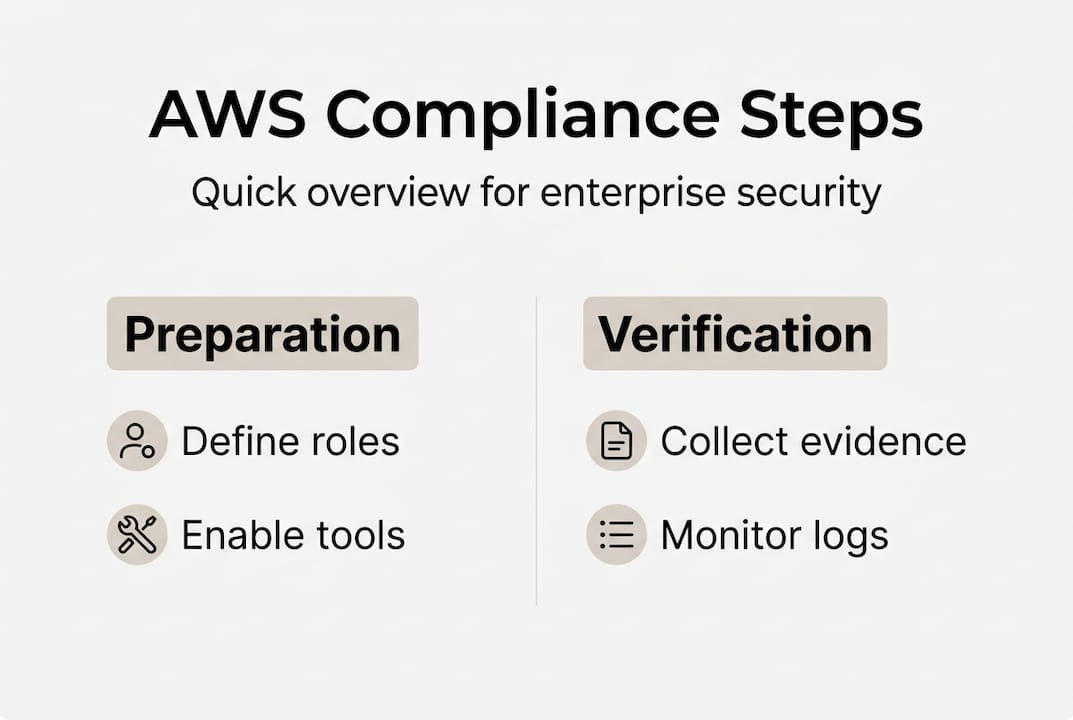
Automation is critical for continuous enterprise compliance because manual evidence gathering at scale is error-prone and time-consuming. Audit Manager alone can collect hundreds of evidence items per day across a multi-account environment.
Your verification and audit readiness steps should include:
- Review Audit Manager assessments weekly. Check for incomplete evidence, stale data sources, and controls that have drifted out of compliance.
- Run Security Hub compliance reports monthly. Track your security score over time and document improvements for auditors.
- Validate CloudTrail log integrity. Use CloudTrail log file validation to confirm logs have not been tampered with since collection.
- Test incident response procedures quarterly. Tabletop exercises and simulated events confirm your runbooks work before a real incident occurs.
- Conduct pre-audit readiness reviews. Walk through your evidence package with an internal or external reviewer before the formal audit begins. Gaps are far cheaper to fix before the auditor arrives.
- Maintain a continuous compliance dashboard. Use Security Hub’s summary dashboard or a third-party tool to give compliance officers real-time visibility into your posture.
- Document exceptions formally. Any control that cannot be fully implemented should have a written risk acceptance, compensating control, and remediation timeline.
For teams new to this process, working with specialists in cloud compliance consulting can accelerate readiness. Pairing that with AWS automation tools ensures your evidence pipeline stays current between audits.
Why effective AWS compliance requires more than checklists
After working through 700+ projects across fintech, retail, and enterprise clients since 2010, we have seen a consistent pattern: organizations that treat compliance as a checklist exercise pass their first audit and then fail the next one. Checklists are necessary, but they go stale fast without automation and governance behind them.
The uncomfortable truth is that customer misconfiguration remains the leading cause of AWS breaches, not AWS infrastructure failures. That means the risk lives entirely on your side of the shared responsibility line. A checklist tells you what to configure. It does not tell you when someone changed it back.
What actually makes compliance sustainable is embedding it into your engineering culture. When your DevOps team treats a failed Config rule the same way they treat a broken build, compliance becomes continuous rather than periodic. Top AWS partners consistently build compliance gates directly into deployment pipelines, so non-compliant infrastructure never reaches production.
Governance and team training matter just as much as tooling. Rotating through a checklist without understanding why each control exists leads to superficial implementations that fail under scrutiny. Invest in your team’s understanding of the frameworks you operate under, and your compliance program will be far more resilient.
Enterprise-grade AWS compliance solutions from IT-Magic
Building and maintaining a compliant AWS environment at enterprise scale takes more than good intentions and a spreadsheet. It requires the right architecture, the right tooling, and engineers who have done it before across dozens of regulated environments.

At IT-Magic, we help compliance officers and IT managers move from reactive audit scrambles to proactive, automated compliance programs. Our AWS Well-Architected review identifies gaps against security best practices before auditors do. Our AWS security consulting team designs and implements controls aligned to PCI DSS, HIPAA, SOC 2, and more. And our AWS cost optimization work ensures compliance investments do not become runaway budget items. Reach out to discuss your compliance roadmap.
Frequently asked questions
What is the AWS shared responsibility model?
AWS handles cloud infrastructure security, while you must protect data, access controls, and application configurations running on top of that infrastructure.
Which AWS tools should enterprises use for compliance management?
Audit Manager, Security Hub, Config, and Artifact automate evidence collection and verification across standards like PCI DSS, HIPAA, and SOC 2, covering the full compliance lifecycle from detection to reporting.
How can I automate AWS compliance monitoring?
Leverage Audit Manager, Security Hub, and continuous monitoring with Config and CloudTrail to maintain real-time control visibility and generate audit-ready reports without manual intervention.
What are common AWS compliance mistakes?
Customer misconfigurations drive most cloud security incidents, with improper IAM permissions, publicly accessible S3 buckets, and disabled logging being the most frequent offenders.
Can AWS compliance checklists guarantee audit success?
Checklists are a strong starting point, but ongoing controls and governance are what auditors actually evaluate. Correct implementation, continuous monitoring, and documented exception handling determine whether you pass.
Alexander founded IT-Magic, an AWS Advanced Tier Services Partner delivering DevOps, cloud architecture, and managed services since 2010. He holds:
- AWS Certified Solutions Architect – Professional
- AWS Certified DevOps Engineer – Professional
- AWS Certified Security – Specialty
- AWS Certified Advanced Networking – Specialty
Talk to a certified AWS team trusted by INTERTOP, Foxtrot, Pandora, and J.Hilburn.
Get a free consultation


