

TL;DR:
- Cloud compliance is an ongoing discipline vital for meeting legal, regulatory, and internal standards in cloud environments, especially in dynamic AWS infrastructure. It requires clear ownership of controls, continuous monitoring, and effective use of tools like AWS Artifact and Audit Manager to collect evidence and demonstrate control efficacy. Viewing compliance as a living operational system enables organizations to maintain trust, meet audit demands, and operate securely in regulated markets.
Cloud compliance is one of the most misunderstood disciplines in cloud operations. Most teams treat it as a one-time checklist or assume their cloud provider handles it automatically. Neither is true. Cloud compliance is the ongoing discipline of ensuring your use of cloud services meets applicable laws, regulations, standards, and internal policies while building the ability to prove that controls are designed, implemented, and operating effectively. If you are running workloads on AWS, especially in fintech, healthcare, or enterprise environments, understanding what cloud compliance actually demands is the difference between passing an audit and failing one at the worst possible moment.
Table of Contents
- What is cloud compliance and why it matters
- Cloud compliance in the public cloud and the shared responsibility model
- AWS compliance tools and frameworks: Artifact and Audit Manager
- Navigating key cloud compliance frameworks relevant to AWS deployments
- Continuous compliance monitoring: moving beyond point-in-time audits
- Our take: Compliance as a living system, not a finish line
- Ready to make AWS compliance an operational strength?
- Frequently asked questions
Key Takeaways
Running this on your own AWS setup? IT-Magic is an AWS Advanced Tier Partner — we audit, fix, or fully manage it for you.
Get a free consultation| Point | Details |
|---|---|
| Cloud compliance is ongoing | It involves continuous proof of compliance, not just one-time checklists or audits. |
| Shared responsibility model | AWS secures infrastructure while you secure and prove controls on workloads and configurations. |
| AWS compliance tools | AWS Artifact and Audit Manager help access reports and automate evidence collection respectively. |
| Multiple frameworks apply | Compliance depends on data type, geography, and regulatory obligations like HIPAA and PCI DSS. |
| Continuous monitoring essential | Automated real-time assessment reduces risk of misconfiguration and supports audit readiness. |
What is cloud compliance and why it matters
Cloud compliance is not a synonym for cloud security, and conflating the two creates real gaps. Security protects your data and systems through technical safeguards. Governance sets the policies and procedures that guide operations. Compliance assures adherence to those policies and external obligations, then generates the evidence to prove it. You can have solid security controls and still fail a compliance audit because you cannot demonstrate those controls were operating consistently over time.
“Cloud compliance is the ongoing discipline of ensuring your use of cloud services complies with applicable laws, regulations, industry standards, contractual obligations, and internal policies — and, in practice, building the ability to prove that the right controls were designed, implemented, and are operating effectively.” — Teradata
What makes cloud compliance harder than traditional data center compliance is dynamism. Infrastructure spins up and tears down in minutes. Teams push configuration changes daily. A control that was correctly configured on Monday can drift by Friday. Traditional annual audits were built for static environments. Cloud environments are anything but static.
Cloud compliance covers a broader set of activities than most teams realize:
- Governance documentation: Policies, procedures, and control ownership records
- Technical controls: Encryption, access management, logging, and network segmentation
- Monitoring: Continuous tracking of configuration states and access patterns
- Testing: Regular validation that controls are working as designed
- Audit readiness: Evidence packages that demonstrate control effectiveness over time
The importance of cloud compliance goes beyond avoiding fines. It builds trust with customers, enables you to enter regulated markets, and reduces your exposure when something goes wrong. Understanding AWS cloud security strategies is a natural starting point, but compliance requires layering documentation and proof on top of technical controls.
With a clear understanding of what cloud compliance is, next we explore how it operates specifically in public cloud environments like AWS.
Cloud compliance in the public cloud and the shared responsibility model
The shared responsibility model is the foundational concept for anyone asking how to ensure cloud compliance on AWS. It is also where most teams make their biggest mistake. They see AWS’s impressive list of certifications and assume compliance transfers to them automatically. It does not.

In public cloud, compliance is managed using a shared responsibility model: cloud providers handle infrastructure and physical-layer security controls, while customers must implement, document, and validate the controls they own across their in-scope services.
Here is how the split typically works:
| Control area | AWS responsibility | Customer responsibility |
|---|---|---|
| Physical data center security | ✓ | |
| Host OS and virtualization layer | ✓ | |
| Guest OS patching and hardening | ✓ | |
| Identity and access management | ✓ | |
| Data encryption at rest and in transit | Shared | Shared |
| Network configuration (VPCs, security groups) | ✓ | |
| Logging and evidence collection | ✓ | |
| Compliance documentation for customer workloads | ✓ |
The practical implication is significant. AWS will hand you a SOC 2 report proving their data centers are secure. No auditor will accept that as evidence your application handles customer data correctly.
What customers must own:
- Access control policies and their enforcement (IAM roles, MFA, least privilege)
- Data classification and encryption key management
- Audit logging for all in-scope systems (CloudTrail, VPC Flow Logs, application logs)
- Evidence collection demonstrating controls operated continuously, not just at a point in time
- Vendor management documentation for AWS and any third-party services
Steps to get started with shared responsibility compliance:
- Map all AWS services in scope for each applicable regulation
- Identify which controls AWS owns, which you own, and which are shared
- Document your control implementations with ownership assigned
- Set up automated logging across all in-scope services
- Establish a regular review cycle for configurations and access rights
Pro Tip: Do not rely on AWS’s compliance reports as evidence for your own controls. Use AWS compliance checklist resources to map what you need to document separately from what AWS provides.
The shared responsibility model also applies differently across service types. With EC2 (Infrastructure as a Service), you own the most. With managed services like RDS or Lambda, AWS takes on more of the underlying layer. For fintech teams building on AWS, understanding where AWS compliance in fintech applies different controls is critical to scoping correctly.
AWS compliance tools and frameworks: Artifact and Audit Manager
AWS provides two purpose-built tools that directly address the evidence gap in cloud compliance. Most teams underuse both.
AWS Artifact is your on-demand portal for AWS’s own compliance documentation. Need AWS’s ISO 27001 certificate, their SOC 2 Type II report, or their PCI DSS attestation of compliance? Artifact delivers them instantly. Think of Artifact as the receipts for controls AWS operates on your behalf. When an auditor asks you to validate that your infrastructure provider is certified, Artifact is your answer.
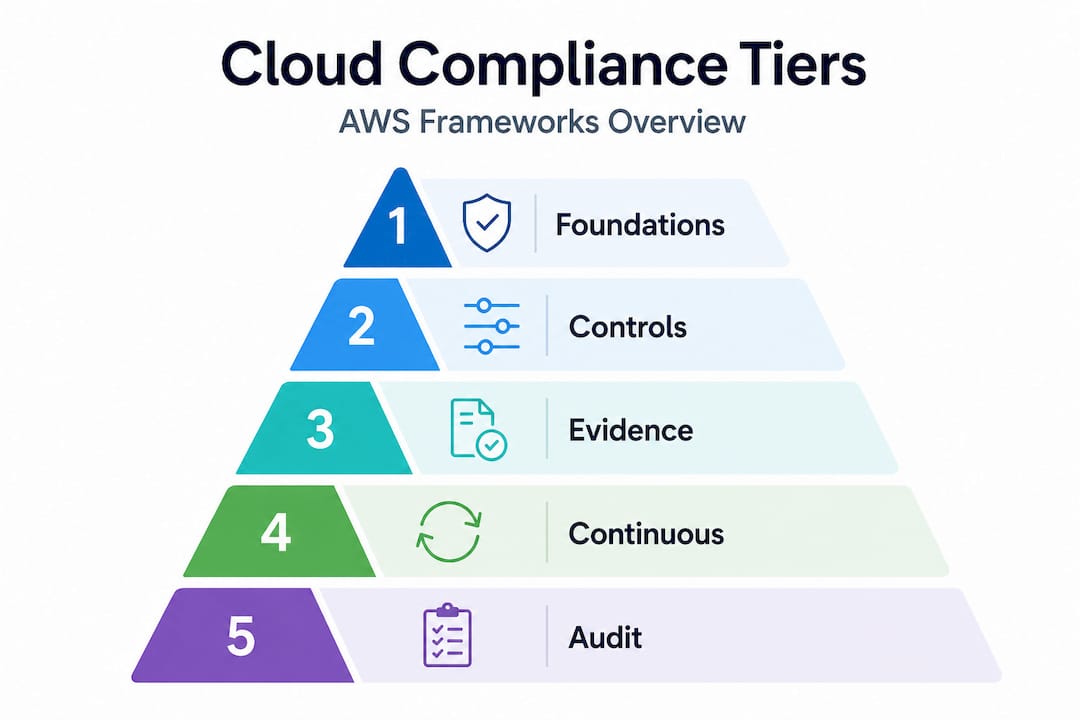
AWS Audit Manager is different. It addresses the controls you operate. AWS Audit Manager helps collect, review, and manage evidence showing your usage of AWS services is in compliance with applicable frameworks. It maps AWS Config rules, CloudTrail logs, and Security Hub findings directly to control requirements in frameworks like PCI DSS, HIPAA, and SOC 2. Instead of manually pulling evidence before each audit, Audit Manager builds that evidence continuously.
Key capabilities of each tool:
- AWS Artifact: On-demand compliance reports, NDA agreements with AWS, third-party audit attestations
- AWS Audit Manager: Prebuilt frameworks for PCI DSS and HIPAA, custom framework support, automated evidence collection from AWS services, shareable audit reports
Used together, these tools cover both halves of the shared responsibility model. Artifact covers AWS’s side. Audit Manager covers yours.
Pro Tip: Set up Audit Manager assessments before you need them. Evidence collection is retroactive only if logging was already enabled. Running a proper AWS infrastructure audit before you activate Audit Manager will surface logging gaps you did not know existed.
The AWS compliance checklist approach pairs well with Audit Manager because it forces you to define control ownership before the tool can collect the right evidence for those controls.
Navigating key cloud compliance frameworks relevant to AWS deployments
One of the harder realities of cloud compliance is that you rarely operate under a single framework. A fintech company processing card payments that serves U.S. healthcare clients may simultaneously face PCI DSS, HIPAA, FedRAMP, and CCPA obligations, each with distinct requirements affecting the same AWS workloads.
Here is how the major frameworks compare across the dimensions that matter most for AWS deployments:
| Framework | Primary data scope | Audit type | AWS-native support | Key focus areas |
|---|---|---|---|---|
| PCI DSS | Cardholder data | QSA-led assessment | Artifact, Audit Manager, Security Hub | Encryption, access control, network segmentation, logging |
| HIPAA | Protected health information | Self-attestation + BAA | Artifact, HIPAA eligible services list | Data protection, access logging, breach notification |
| FedRAMP | Federal government data | Third-party assessment (3PAO) | AWS GovCloud, FedRAMP-authorized services | Configuration management, incident response, continuous monitoring |
| SOC 2 | Customer and operational data | CPA firm audit | Artifact (AWS’s report), Audit Manager | Availability, security, confidentiality, processing integrity |
What each framework demands from your AWS environment:
- PCI DSS: Network segmentation between cardholder and non-cardholder environments, detailed logging of all access to cardholder data, quarterly vulnerability scans. See our guide to PCI DSS on AWS for implementation specifics.
- HIPAA: A Business Associate Agreement (BAA) with AWS is required before using any AWS service to process or store PHI. Not all AWS services are HIPAA eligible.
- FedRAMP: If you sell to U.S. federal agencies, you need FedRAMP authorization. AWS GovCloud regions are purpose-built for this.
- SOC 2: Unlike the others, SOC 2 does not prescribe specific controls. You define the controls, and an auditor evaluates whether they are effective. This flexibility can be an advantage or a trap depending on how well you scope it.
Overlapping frameworks create the risk of duplicated effort. The smarter approach is to map controls once and tag them against multiple frameworks simultaneously.
Continuous compliance monitoring: moving beyond point-in-time audits
Here is the core problem with traditional compliance programs: a configuration is correct when the auditor checks it and wrong three days later when an engineer changes a security group. Nobody notices until the next audit cycle. In a cloud environment where configurations change constantly, this gap is not theoretical. It is the default state.
“Continuous compliance monitoring replaces periodic audits with ongoing, automated assessment of control states against policies, allowing real-time insight into compliance posture and enabling quicker remediation.” — Cloud Compliance Authority
Continuous monitoring flips the model. Instead of proving compliance once a year, you are tracking compliance posture in real time and remediating drift as it happens.
Core components of a continuous compliance program on AWS:
- AWS Config: Records configuration changes across your AWS resources and evaluates them against defined rules. A rule violation triggers an alert immediately.
- AWS Security Hub: Aggregates findings from Config, GuardDuty, Inspector, and third-party tools into a single compliance dashboard mapped to frameworks like CIS benchmarks and PCI DSS.
- CloudTrail: Maintains an immutable audit log of all API calls across your AWS account. This is your primary evidence source for access and configuration events.
- Amazon GuardDuty: Detects threats and anomalous behavior that might indicate a control failure before it becomes a breach.
Active vs. passive monitoring approaches:
Passive monitoring records what happens and alerts on violations after the fact. It is lower friction but means you are always reacting.
Active monitoring includes automated remediation. When a misconfigured S3 bucket goes public, an automated Lambda function re-restricts it within seconds, and the event is logged as evidence of both the violation and the correction.
Pro Tip: Automated remediation sounds ideal, but apply it selectively. For high-severity, well-understood violations (like public S3 buckets), automate. For complex configuration changes, automate the alert and assign it to a human for review. False positives in automated remediation can break production systems.
Running a thorough AWS infrastructure audit before implementing continuous monitoring helps you baseline your current state and prioritize which AWS compliance requirements need automated coverage first.
Our take: Compliance as a living system, not a finish line
After more than a decade of implementing cloud infrastructure for fintech firms, startups, and enterprises, we have seen a consistent pattern. Teams invest heavily in compliance the month before an audit, pass, and then let controls drift for the next eleven months. It is understandable. Compliance work does not ship features. It rarely generates visible business value until the moment it prevents a catastrophic failure.
The teams that handle cloud compliance well think about it differently. They treat compliance as an operational discipline, not a project. Controls are part of the infrastructure-as-code pipeline. Evidence collection is automated from day one. Audit readiness is a side effect of good operations, not a separate sprint.
The uncomfortable truth is that most compliance failures on AWS are not failures of intent. They are failures of visibility. An engineer did not know their configuration change violated a control. A new service was deployed without being added to the compliance scope. An access policy was loosened during an incident and never tightened back. Continuous monitoring does not just catch these things. It makes them visible to the people who can fix them, in time to matter.
We also see teams over-complicate their compliance architecture. More tools do not equal better compliance. A clear control inventory, well-configured AWS-native tools, and a team that reviews findings weekly will outperform an organization with twenty compliance tools that nobody has time to manage.
Ready to make AWS compliance an operational strength?
Cloud compliance is not a one-time project your team finishes and moves on from. It is the foundation that lets you operate in regulated markets, close enterprise deals, and respond to audits without panic. If you are building or scaling AWS infrastructure and need to get compliance right the first time, we can help.

IT-Magic has delivered 700+ AWS projects for startups, fintech firms, and enterprises since 2010, with deep expertise in PCI DSS, HIPAA, and SOC 2 compliance on AWS. We build compliant infrastructure from the ground up and implement continuous monitoring programs that keep you audit-ready without slowing down your team. If you want a cloud environment where compliance is a feature, not a liability, talk to our team.
Frequently asked questions
What is cloud compliance and how is it different from cloud security?
Cloud compliance ensures adherence to laws, regulations, and policies with documented evidence, while cloud security focuses on protecting data and systems through technical safeguards like encryption and access controls. You need both, but they serve different purposes.
Who is responsible for cloud compliance in AWS environments?
Under the shared responsibility model, AWS secures the physical infrastructure and underlying services, while you are responsible for configuring, operating, and proving the effectiveness of controls on your own workloads and data.
How does AWS Artifact help with compliance?
AWS Artifact provides on-demand access to AWS’s compliance reports and certifications, serving as evidence of the controls AWS manages within their infrastructure for use in your own audits.
What is the benefit of continuous compliance monitoring?
Continuous monitoring replaces point-in-time audits with automated, real-time assessment of your control states, so you can detect and remediate configuration drift before it becomes an audit finding or a breach.
Recommended
- AWS compliance checklist: Step-by-step guide for enterprise security
- Why security is non-negotiable in cloud migration
- Cloud cost optimization strategies for CIOs: a practical guide
- AWS Cloud Security: Best Practices, Tools & Complete Guide | IT-Magic
Alexander founded IT-Magic, an AWS Advanced Tier Services Partner delivering DevOps, cloud architecture, and managed services since 2010. He holds:
- AWS Certified Solutions Architect – Professional
- AWS Certified DevOps Engineer – Professional
- AWS Certified Security – Specialty
- AWS Certified Advanced Networking – Specialty
Talk to a certified AWS team trusted by INTERTOP, Foxtrot, Pandora, and J.Hilburn.
Get a free consultation


