

TL;DR:
- AWS FinOps unites finance, engineering, and operations to manage cloud costs and improve spending efficiency. Implementing continuous, cross-functional practices with native AWS tools can reduce costs by up to 40 percent within a few months.
AWS FinOps is defined as a cross-functional operating model that unites finance, engineering, and operations teams to manage and optimize cloud spend on AWS. The FinOps Foundation established this discipline as a formal practice, giving organizations a structured framework for cost visibility, allocation, and accountability. Without it, cloud bills grow faster than the business value they generate. Teams that apply AWS FinOps principles consistently reduce waste, improve forecasting accuracy, and make spending decisions based on real data rather than estimates. IT-Magic has seen this pattern across hundreds of AWS engagements: the organizations that treat cloud cost as a shared responsibility outperform those that leave it to finance alone.
What is AWS FinOps and why does it matter?
AWS FinOps is the practice of applying financial accountability to variable cloud spending through collaboration between finance, engineering, and product teams. The FinOps Foundation defines three core phases: Inform, Optimize, and Operate. These phases form a continuous loop, not a one-time project.
Finance and cloud operations must align their metrics and processes. Treating cloud spend as purely a finance function leads to missed optimization opportunities. Engineers control the resources that drive costs, so they must be part of every cost conversation.
The Inform phase focuses on visibility. Teams build dashboards, allocate costs by team or product, and establish baselines. The Optimize phase uses that data to right-size resources, select commitment vehicles, and eliminate waste. The Operate phase embeds cost decisions into daily engineering workflows, making cost awareness a default behavior rather than a quarterly review.
Core principles and phases of AWS FinOps
Running this on your own AWS setup? IT-Magic is an AWS Advanced Tier Partner — we audit, fix, or fully manage it for you.
Get a free consultationThree principles underpin every effective FinOps practice on AWS: ownership, visibility, and continuous improvement.
Ownership means each team is accountable for the costs their workloads generate. This requires a tagging strategy that maps every AWS resource to a team, product, or cost center. Without consistent tags, cost allocation reports become noise.
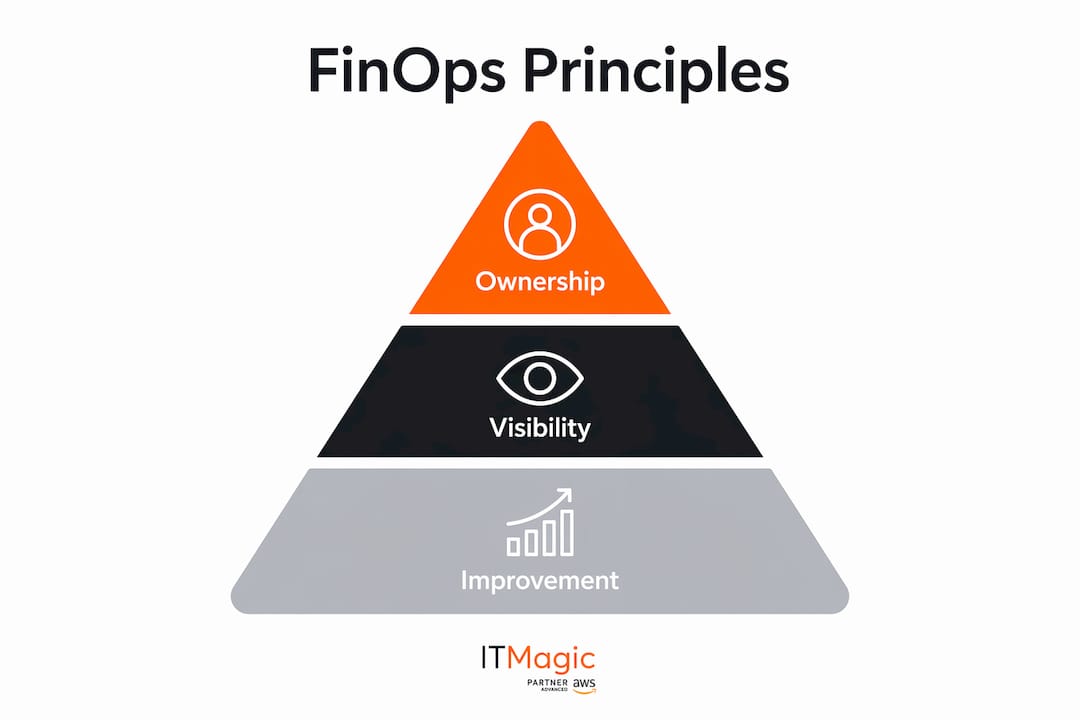
Visibility means every stakeholder sees the same numbers. Shared dashboards built on AWS Cost and Usage Reports give finance and engineering a common language. When both teams look at the same data, budget conversations become faster and more productive.
Continuous improvement means cost management never stops. Cost optimization is a continuous culture-building practice, not a one-time project. Teams that schedule regular cost reviews and celebrate savings achievements sustain results far longer than those that treat optimization as a one-off initiative.
Key practices that support these principles include:
- Tagging governance: Define a mandatory tag schema covering team, environment, and application. Enforce it with AWS Config rules.
- Budgets and alerts: Set AWS Budgets thresholds at 80% and 100% of monthly targets. Route alerts to Slack or PagerDuty so engineers see them immediately.
- Chargeback or showback: Allocate costs back to business units to create financial accountability at the team level.
- Forecasting cadence: Review 3-month rolling forecasts monthly, adjusting for planned workload changes.
Pro Tip: Start your tagging discipline before you need it. Retroactively tagging hundreds of resources is painful and error-prone. Define your tag schema on day one and enforce it through AWS Service Control Policies.
What AWS tools power FinOps in 2026?
AWS ships a native toolset that covers the full FinOps lifecycle. Each tool addresses a distinct layer of cost management.

AWS Cost Explorer is the primary interface for cost analysis and forecasting. AWS Cost Explorer now includes natural language queries and 18-month forecasting powered by AI, launched in 2026. That means a finance analyst can type “show me EC2 spend by team for the last 90 days” and get a chart without writing a single query. The 18-month forecast window gives budget owners enough runway to plan capacity commitments with confidence.
AWS Cost and Usage Reports (CUR) provide the most granular cost data AWS produces. CUR exports to Amazon S3 and integrates with Amazon Athena or Amazon QuickSight for custom analysis. Teams use CUR to build allocation models that go beyond the default Cost Explorer views.
AWS Compute Optimizer analyzes utilization metrics and recommends right-sized instance types. Memory utilization data in AWS Compute Optimizer is not enabled by default. Enabling it is essential to get accurate right-sizing recommendations. Without memory metrics, Compute Optimizer may suggest downsizing an instance that is actually memory-constrained, which degrades application performance.
AWS FinOps Agent is the newest addition to the toolkit. The AWS FinOps Agent enables natural language queries and automated workflows to speed up cost investigations and reduce manual effort. It is currently in public preview in US East (N. Virginia) with no agent-specific fees beyond standard AWS costs. The agent can surface anomalies, explain cost spikes, and trigger remediation workflows without requiring an engineer to manually dig through reports.
Key capabilities to activate across these tools:
- Enable AWS Compute Optimizer memory metrics via Amazon CloudWatch agent.
- Schedule weekly CUR exports and automate Athena queries for team-level cost reports.
- Use AWS FinOps Agent to automate anomaly triage and route findings to engineering tickets.
- Set Cost Explorer forecasts as the baseline for monthly budget reviews.
Pro Tip: Pair AWS native tools with a third-party cost intelligence platform for multi-account or multi-cloud visibility. Native tools excel at depth within a single AWS organization. Third-party platforms add breadth when your architecture spans multiple clouds or business units.
Best practices for AWS cost optimization and commitment strategies
Organizations can reduce AWS costs by 25–40% within 90–120 days by applying systematic optimization techniques. That range is achievable, but only if teams address both obvious and hidden cost drivers.
Right-sizing and compute efficiency
EC2 right-sizing delivers 20–40% savings on compute. AWS Compute Optimizer’s configurable recommendation preferences let teams set P99.5 utilization thresholds and capacity buffers to match their workload risk tolerance. Graviton migration adds another layer: structured compatibility testing and workload validation can unlock up to 40% better price-performance on supported instance families.
Spot Instances deliver 60–90% savings versus On-Demand pricing for fault-tolerant workloads. Batch processing, CI/CD pipelines, and stateless microservices are strong candidates.
Commitment strategies: the 80/20 rule
The 80/20 commitment rule is the standard framework for balancing savings and flexibility. Commit 70–80% of stable baseline usage with Savings Plans or Reserved Instances. Keep 20–30% as On-Demand to absorb growth and unexpected spikes. Over-committing locks capital in unused capacity and wastes funds. Under-committing leaves significant savings on the table.
Hidden cost drivers
Hidden costs like cross-AZ data transfer and improper storage tiering represent 15–25% of total monthly AWS bills. These are the “cost monsters” that most teams miss because they focus on EC2 and ignore networking and storage. Consolidating Network Load Balancers to Application Load Balancers, for example, saved $3,400 monthly with zero downtime in one documented case.
| Optimization technique | Expected savings | Best for |
|---|---|---|
| EC2 right-sizing | 20–40% | All compute workloads |
| Spot Instances | 60–90% | Fault-tolerant, batch jobs |
| Graviton migration | Up to 40% price-performance | Compatible Linux workloads |
| Savings Plans / Reserved Instances | 30–72% | Stable, predictable usage |
| Storage lifecycle policies | 10–30% | S3, EBS, archival workloads |
| Load balancer consolidation | Variable | Overprovisioned networking |
Pro Tip: Run a cross-AZ traffic analysis before any major architecture review. Data transfer costs are invisible in standard dashboards but show up clearly in CUR. Teams that fix cross-AZ routing before touching EC2 often find the networking savings rival the compute savings.
How to implement and sustain AWS FinOps workflows
Operationalizing FinOps requires a repeatable process, not just a set of tools. Automation and continuous review processes are key to generating compound savings over time and avoiding the reintroduction of waste.
A practical implementation follows these steps:
- Establish a weekly cost review cadence. Assign a FinOps lead who runs a 30-minute weekly review with representatives from finance and engineering. Review anomalies, track savings against targets, and assign remediation tickets.
- Automate anomaly detection. Configure AWS Cost Anomaly Detection with thresholds appropriate to your spend level. Route alerts to a shared Slack channel and auto-create Jira tickets for investigation.
- Build a savings tracker. Maintain a shared spreadsheet or dashboard that logs every optimization action, the projected savings, and the realized savings after 30 days. This creates a feedback loop that improves future forecasts.
- Embed cost gates in CI/CD pipelines. Add infrastructure cost estimation to pull request reviews using tools like Infracost. Engineers see the cost impact of a change before it ships to production.
- Celebrate wins publicly. Companies that treat cloud cost as an engineering metric with visible success celebrations achieve the greatest sustained savings. A monthly “cost champion” callout in an all-hands meeting costs nothing and reinforces the right behavior.
- Review commitment coverage quarterly. Savings Plans and Reserved Instances expire. Build a calendar reminder to review coverage 60 days before any commitment expires and adjust based on current utilization trends.
For cloud-native environments, OpenShift and Kubernetes architectures introduce additional cost dimensions around pod density, node autoscaling, and namespace-level chargeback that require dedicated FinOps attention beyond standard EC2 workflows.
Key Takeaways
Effective AWS FinOps requires cross-functional ownership, native tooling, commitment discipline, and a continuous review process to generate and sustain meaningful cost reductions.
| Point | Details |
|---|---|
| Cross-functional ownership | Finance, engineering, and operations must share cost accountability to avoid missed savings. |
| Native tooling depth | AWS Cost Explorer, Compute Optimizer, CUR, and the FinOps Agent cover the full optimization lifecycle. |
| The 80/20 commitment rule | Commit 70–80% of stable usage to Savings Plans; keep 20–30% On-Demand for flexibility. |
| Hidden costs matter | Cross-AZ transfer and storage tiering can represent 15–25% of monthly bills. |
| Continuous review cadence | Weekly cost reviews with automated anomaly detection prevent waste from compounding over time. |
The gap between tools and culture is where savings disappear
Most teams I work with have the tools. They have Cost Explorer, they have Compute Optimizer, and they have CUR exports sitting in S3. What they do not have is a process that forces anyone to act on what those tools surface.
The honest truth about FinOps maturity is that the technology is the easy part. AWS ships excellent native tooling, and the AWS FinOps Agent is making cost investigation faster than ever. The hard part is getting an engineering team to care about a $4,000 monthly waste item when they are focused on shipping features. That requires organizational design, not just dashboards.
The teams I have seen sustain the biggest savings share one trait: they made cost a first-class engineering metric. Not a finance metric. Not a DevOps metric. An engineering metric, tracked on the same board as uptime and deployment frequency. When an engineer sees their team’s cost trend next to their reliability score, behavior changes.
The other thing I would push back on is the instinct to start with Reserved Instances. Most teams over-commit before they have a clear baseline. Spend 60 days in the Inform phase first. Understand your actual utilization patterns before locking capital into commitments. The AWS cost reduction strategies that generate the most durable savings always start with visibility, not commitment vehicles.
— Oleksandr
IT-Magic’s AWS cost optimization and Kubernetes services
IT-Magic is an AWS Advanced Tier Services Partner with over 700 projects delivered since 2010. The team specializes in building and operating cost-efficient AWS environments for startups, fintech, and enterprise clients.

IT-Magic’s AWS cost optimization services cover the full FinOps lifecycle: cost visibility setup, right-sizing analysis, commitment strategy, and ongoing governance. For teams running containerized workloads, IT-Magic’s Kubernetes support services address pod-level cost allocation, node group optimization, and namespace chargeback. Both services are designed to deliver measurable savings within the first 90 days. Contact IT-Magic to schedule a cost assessment and get a clear picture of where your AWS spend is going.
FAQ
What is AWS FinOps?
AWS FinOps is a cross-functional operating model that aligns finance, engineering, and operations teams to manage and optimize cloud spending on AWS. The FinOps Foundation defines its three phases as Inform, Optimize, and Operate.
How much can AWS FinOps reduce cloud costs?
Organizations applying systematic AWS optimization techniques can reduce costs by 25–40% within 90–120 days. Savings vary by technique: EC2 right-sizing delivers 20–40%, while Spot Instances can save 60–90% on eligible workloads.
What AWS tools support FinOps best practices?
AWS Cost Explorer, AWS Compute Optimizer, AWS Cost and Usage Reports, and the AWS FinOps Agent are the core native tools. Each covers a distinct layer of cost visibility, right-sizing, and automation.
What is the 80/20 rule in AWS commitment strategies?
The 80/20 rule means committing 70–80% of stable baseline usage to Savings Plans or Reserved Instances and keeping 20–30% as On-Demand. Over-committing wastes capital; under-committing leaves significant discounts unclaimed.
Why are hidden AWS costs so difficult to catch?
Cross-AZ data transfer and improper storage tiering are invisible in standard dashboards but appear in detailed Cost and Usage Reports. These hidden costs can represent 15–25% of a monthly AWS bill and are frequently overlooked when teams focus only on compute right-sizing.
Recommended
- AWS cost reduction strategies: proven steps for cloud savings
- Cloud cost optimization strategies for CIOs: a practical guide
- AWS Cost Optimization: Best Practices, Principles, and Tools
- Top Cloud DevOps Trends Shaping AWS Success in 2026
Alexander founded IT-Magic, an AWS Advanced Tier Services Partner delivering DevOps, cloud architecture, and managed services since 2010. He holds:
- AWS Certified Solutions Architect – Professional
- AWS Certified DevOps Engineer – Professional
- AWS Certified Security – Specialty
- AWS Certified Advanced Networking – Specialty
Talk to a certified AWS team trusted by INTERTOP, Foxtrot, Pandora, and J.Hilburn.
Get a free consultation


