AWS automation is no longer a nice-to-have for engineering teams managing cloud infrastructure at scale. Organizations that have fully committed to automation report 80% reduced manual documentation and productivity gains as high as 52x in fintech environments. For CTOs and engineering leads, that gap between manual operations and automated infrastructure is where competitive advantage is won or lost. This guide breaks down the tools, frameworks, and practical steps you need to move from reactive cloud management to a fully automated, cost-optimized AWS environment.
Key Takeaways
| Point | Details |
|---|---|
| Automation drives cloud ROI | AWS automation cuts manual effort, lowers OpEx, and boosts organizational productivity severalfold. |
| Right tools for the job | Match AWS automation tools to task complexity, from simple operations with SSM to advanced workflows with Step Functions. |
| Guardrails ensure safety | Implement guardrails, approvals, and testing to minimize automation risks and disruptions. |
| Data-backed results | Successful automation delivers 90% cost reduction or 52x productivity, especially in fintech and AI applications. |
Why automation is essential for modern AWS operations
Running this on your own AWS setup? IT-Magic is an AWS Advanced Tier Partner — we audit, fix, or fully manage it for you.
Get a free consultationManual cloud operations simply do not scale. When your team is manually provisioning instances, updating security groups, or running compliance checks by hand, you are burning engineering hours on work that should run itself. The real cost is not just labor. It is the latency between a problem appearing and your team catching it.
Automation changes that equation entirely. Operational expenditure drops by up to 90% and issue resolution speeds up by 60 to 70% when automation handles routine tasks. Those are not theoretical numbers. They come from real deployments in banking and fintech environments where the stakes for downtime and compliance failures are extremely high.
The business outcomes stack up quickly once automation is in place:
- Faster time to market: Infrastructure provisioned in minutes instead of days
- Operational agility: Config changes propagate automatically across environments
- Audit and compliance: Every action is logged, traceable, and reproducible
- Reliability: Self-healing systems detect and respond to failures without human intervention
“The organizations that treat infrastructure as code and operations as code are the ones that ship faster, fail less, and recover instantly. Manual processes are a liability at scale.”
Following AWS best practices for automation is not about replacing your team. It is about redirecting their focus from repetitive tasks to architecture decisions that actually move the business forward.
Core AWS services and tools for automation
AWS gives you a broad palette of automation tools, and picking the right one for each job matters. Using Lambda where Step Functions belongs, or SSM where Config is the right fit, creates technical debt that compounds fast.
Here is a comparison of the core tools and their primary use cases:
| Service | Primary use case | Best for |
|---|---|---|
| AWS SSM | Operational tasks, patch management, run commands | Day-to-day ops automation |
| AWS Config | Compliance monitoring, drift detection, remediation | Governance and audit |
| CloudFormation / CDK / Terraform | Infrastructure as code, environment provisioning | Infra lifecycle management |
| Lambda / EventBridge | Event-driven automation, scheduled jobs | Reactive and scheduled tasks |
| OpsWorks | Configuration management, Chef/Puppet integration | Legacy config management |
| Step Functions | Complex workflow orchestration, multi-step pipelines | MLOps, approval workflows |
Core automation tools like SSM, Config, IaC, Lambda, EventBridge, OpsWorks, and Step Functions each solve a distinct operational problem. The mistake most teams make is reaching for Lambda as a catch-all when the workflow actually needs state management and error handling that Step Functions provides natively.
Key use cases by tool:
- SSM Automation: Patch fleets, run diagnostic scripts, manage EC2 lifecycle
- AWS Config: Detect non-compliant resources, trigger auto-remediation
- CDK / Terraform: Provision and update infrastructure reproducibly
- EventBridge automation: Route events from 200+ AWS services to trigger downstream actions
- Step Functions: Coordinate multi-step workflows with retries, branching, and human approval gates
The decision between managed services and custom code comes down to operational overhead. Managed services like SSM and Config require less maintenance. Custom Lambda functions give you flexibility but add a testing and deployment burden.
Pro Tip: Start with SSM for operational tasks and Config for compliance. Add IaC for all new infrastructure from day one. Only introduce Step Functions when you have workflows with multiple dependent steps or approval requirements.
Key frameworks and methodologies for AWS automation
Choosing the right AWS tool is only half the battle. A proven methodology ensures consistency and continuous value across your automation initiatives.
The AWS Well-Architected Framework Operational Excellence pillar structures automation work into four phases:
- Organize: Define team ownership, runbooks, and operational standards before writing a single line of automation code
- Prepare: Build your IaC templates, set up CI/CD pipelines for infrastructure, and validate readiness with pre-production environments
- Operate: Deploy automation, monitor with CloudWatch and AWS X-Ray, and respond to operational events programmatically
- Evolve: Run postmortems after incidents, identify gaps, and continuously improve your automation coverage
“Operations as code” means encoding every operational procedure as a script, template, or workflow that can be version-controlled, reviewed, and executed consistently. For example, instead of an engineer manually restarting a service after a health check failure, an SSM Automation document detects the failure and executes the restart with full audit logging.
“Postmortems are not blame sessions. They are your most valuable source of automation requirements. Every manual intervention is a signal that a runbook or automation document is missing.”
A Well-Architected Framework review maps your current state against these four phases and surfaces the highest-priority automation gaps. It is a structured way to prioritize where automation investment pays off fastest.
Pro Tip: Use CDK L2 and L3 constructs to encode security and compliance defaults directly into your infrastructure components. When a new team provisions a database using your internal CDK library, encryption and backup policies are applied automatically, with no manual checklist required.
Business outcomes: Cost, speed, and reliability gains from AWS automation
How does a theoretical methodology play out in practice? Data and real-world cases show automation’s bottom-line value clearly.
| Automation type | Cost impact | Speed / productivity gain |
|---|---|---|
| MLOps pipeline automation (fintech) | 90% OpEx reduction | 52x productivity boost |
| AI/GPU workload optimization | 12x cost savings | Faster model iteration cycles |
| Serverless architecture adoption | Up to 57% cost reduction | Near-zero ops overhead |
| Dev environment scheduling | 40-60% compute savings | Instant environment availability |
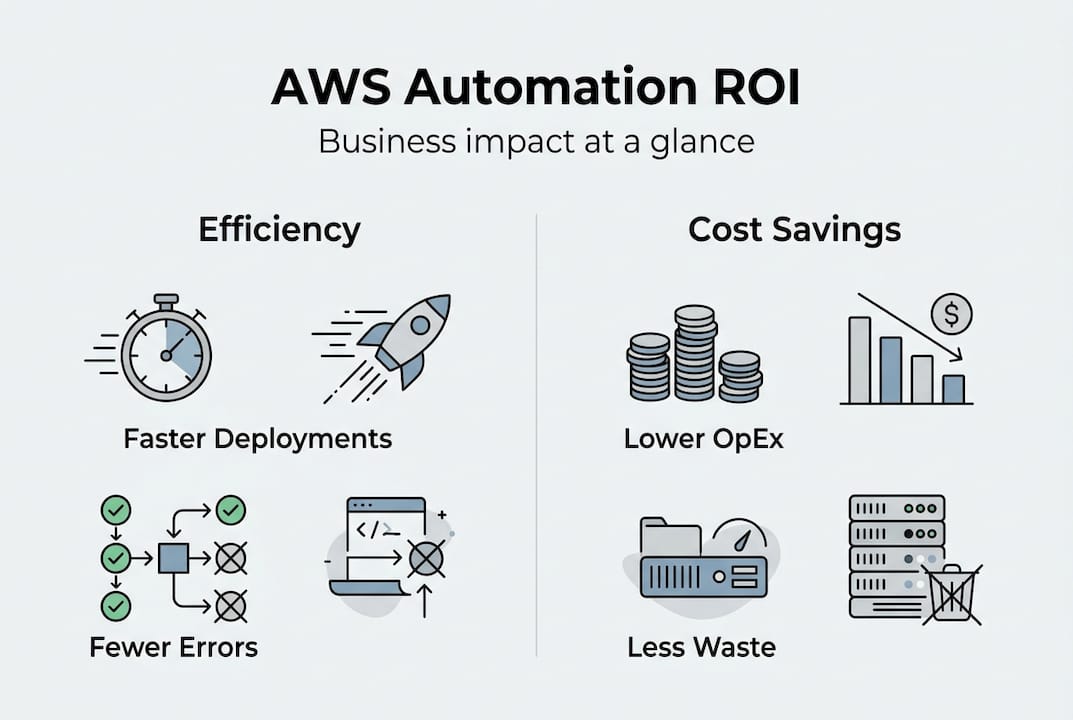
Benchmarks from production deployments show 90% OpEx reduction in fintech MLOps, 12x cost savings on AI GPU workloads, and up to 57% cost reduction through serverless adoption. These are not edge cases. They represent what happens when automation is applied systematically rather than opportunistically.
For fintech companies, the 52x productivity figure is particularly significant. Compliance-heavy environments traditionally require enormous manual effort for audit trails, change documentation, and incident reporting. Automation handles all of that in the background, freeing engineers to build rather than document.
Startups benefit differently. The ability to spin up and tear down environments automatically means a five-person engineering team can operate infrastructure that would normally require a dedicated ops team. That leverage is what allows early-stage companies to move at enterprise speed without enterprise headcount.
For automation in AWS for retail and other high-traffic industries, reliability gains matter as much as cost savings. Automated scaling, self-healing infrastructure, and event-driven remediation reduce mean time to recovery from hours to minutes.
Nuances, edge cases, and potential pitfalls in AWS automation
While the gains are real, proper guardrails are essential. Automation amplifies both good decisions and bad ones. A misconfigured automation that runs at scale can cause more damage in five minutes than a manual error would in a week.
Real-world edge cases to plan for:
- SSM Agent connectivity: Auto-diagnosis can fail if the agent is outdated or the instance lacks proper IAM permissions
- Terraform data limitations: Data sources refresh on every plan, which can cause unexpected diffs in large state files
- Serverless cold starts: Lambda functions on Graviton2 processors reduce cold start latency, but high-frequency invocations still need provisioned concurrency planning
- GPU quota limits: Automated scaling for AI workloads can hit service quotas unexpectedly, causing pipeline failures
- Non-idempotent operations: Automations that are not idempotent (meaning they produce different results when run multiple times) can corrupt state if triggered more than once
Safety mechanisms are not optional. Every automation that modifies production resources should include approval steps, rate limiting, and rollback procedures. AWS Step Functions supports human approval gates natively. CloudFormation change sets let you preview infrastructure changes before applying them.
Comparing AWS vs other automation platforms is worth doing before committing to a toolchain, especially if you are running hybrid or multi-cloud environments where native AWS tooling may not cover every surface.
Pro Tip: Always test automations in a dev or staging environment that mirrors production. Use AWS Config conformance packs to validate that your automation outputs meet compliance standards before promoting to production.
Roadmap: How to adopt automation in your AWS environment
Having seen what works and where to be cautious, here is how to actually get started, with each phase mapped out for engineering leads.
- Week 1: Assessment – Audit your current manual processes. Identify the top five operational tasks consuming the most engineering time. Map which AWS services own each task.
- Week 2-3: Core tooling – Start with SSM for ops, Config for governance, and IaC for all new infrastructure. Do not try to automate everything at once.
- Month 1: Encode operations as code – Convert your top runbooks into SSM Automation documents. Migrate at least one environment to full IaC management.
- Month 2: Guardrails and governance – Deploy AWS Config conformance packs for cost and compliance. Set up Lambda or Instances Scheduler to stop dev environments outside business hours.
- Month 3: Scale complexity – Introduce Step Functions for any workflow with more than three sequential steps or human approval requirements. Evaluate AWS Control Tower for multi-account governance.
- Ongoing: Continuous review – Run quarterly Well-Architected reviews focused on Operational Excellence. Treat every incident postmortem as an automation backlog item.
For teams managing infrastructure support for e-commerce or other high-availability workloads, the multi-account setup with Control Tower is worth prioritizing early. It gives you centralized governance without sacrificing team autonomy.
The key principle across every phase is incremental expansion. Automate one thing well, validate it, then move to the next. Teams that try to automate everything simultaneously end up with fragile systems and no clear ownership.
Accelerate your AWS automation journey with expert support
Once you have a roadmap in hand, the right partner helps you avoid missteps and compound operational gains from day one.

At IT-Magic, we have delivered 700+ projects for 300+ clients since 2010, and AWS automation is at the core of what we do. Our certified engineers can run a Well-Architected review to identify your highest-priority automation gaps, then implement the fixes through our AWS DevOps services. Whether you need IaC migration, compliance automation for PCI DSS, or a full AWS infrastructure support engagement, we act as your dedicated cloud operations team. No software development, just infrastructure, automation, and operations done right.
Frequently asked questions
How do I choose between AWS SSM, Lambda, and Step Functions for automation?
SSM, Lambda, and Step Functions each suit different automation needs. Use SSM for operational tasks like patching and diagnostics, Lambda for event-driven or scheduled jobs, and Step Functions when you need to orchestrate multi-step workflows with error handling and approvals.
What are the main risks in AWS automation?
The biggest risk is running automation without proper guardrails, which can cause cascading failures across environments. Safe automation practices require testing in staging, approval gates for production changes, and rollback procedures for every automated workflow.
Can AWS automation help reduce cloud costs significantly?
Yes. Up to 90% OpEx reduction and 12x cost savings in AI/ML workloads are achievable through systematic automation. Resource scheduling, right-sizing automation, and serverless adoption are the fastest paths to measurable cost reduction.
How does automation benefit compliance and governance on AWS?
AWS Config conformance packs continuously monitor resources against compliance standards and trigger automatic remediation when drift is detected. Combined with IaC, this creates an auditable, self-enforcing compliance posture that scales without additional headcount.
Alexander founded IT-Magic, an AWS Advanced Tier Services Partner delivering DevOps, cloud architecture, and managed services since 2010. He holds:
- AWS Certified Solutions Architect – Professional
- AWS Certified DevOps Engineer – Professional
- AWS Certified Security – Specialty
- AWS Certified Advanced Networking – Specialty
Talk to a certified AWS team trusted by INTERTOP, Foxtrot, Pandora, and J.Hilburn.
Get a free consultation