


TL;DR:
- Building a scalable AWS security posture requires standardized frameworks like FSBP and Well-Architected Security.
- Effective security centers on IAM best practices, including account separation, least privilege, MFA, and role-based access.
- Continuous monitoring and automation with Security Hub, Config, and Inspector ensure ongoing compliance and mitigate drift.
Compliance failures and data breaches don’t announce themselves. They surface at the worst possible moment: during a funding round, a major product launch, or a regulatory audit. For engineering teams scaling on AWS, the gap between “we have some security controls” and “we have a defensible, auditable security posture” can cost millions. AWS security incidents are rarely caused by exotic zero-days. They stem from misconfigured IAM policies, unmonitored resources, and compliance drift. This guide gives CTOs and engineering leads a systematic, standards-based path to building AWS security that actually scales.
Table of Contents
- Charting your AWS security baseline
- Identity and access: Locking down your AWS perimeter
- Building robust defense-in-depth with AWS services
- Continuous compliance and automated monitoring
- Why most AWS security efforts stall—and what actually scales
- Unlock secure, scalable AWS with expert support
- Frequently asked questions
Key Takeaways
Running this on your own AWS setup? IT-Magic is an AWS Advanced Tier Partner — we audit, fix, or fully manage it for you.
Get a free consultation| Point | Details |
|---|---|
| Prioritize IAM | Treat IAM as your primary perimeter and audit permissions, credentials, and user access regularly. |
| Layer controls | Build defense-in-depth with network, compute, data, and edge protections for resilient security. |
| Automate compliance | Use Security Hub, Config, and automation workflows for continuous compliance at scale. |
| Avoid alert fatigue | Tune and prioritize alerts to focus on actionable threats, reducing noise and wasted effort. |
Charting your AWS security baseline
Before you can fix anything, you need to know what “secure” looks like in measurable terms. Vague goals produce vague results. The good news is AWS provides structured frameworks that give you concrete benchmarks to work against.
The AWS FSBP standard inside Security Hub delivers a comprehensive set of controls for detecting deviations from security best practices across services including IAM, ACM, API Gateway, WAF, and WorkSpaces. It is your fastest path to a scored, auditable baseline. The Well-Architected Security Pillar extends that foundation across seven practice areas: security foundations, identity and access management, detection, infrastructure protection, data protection, incident response, and application security.
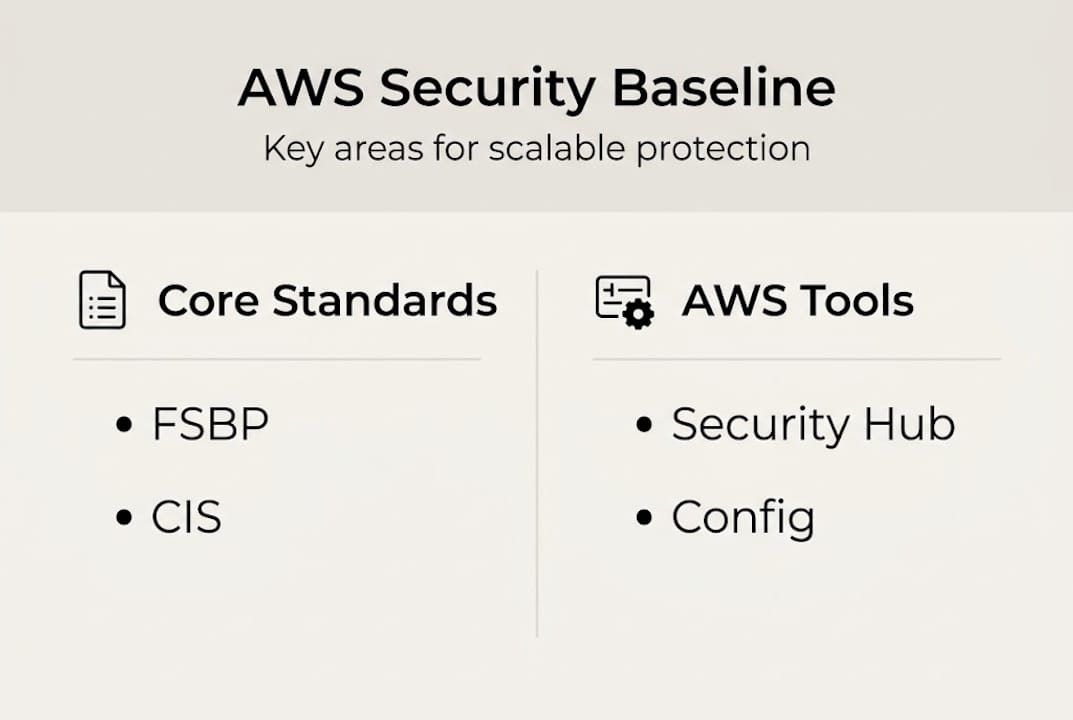
Here is how the major frameworks compare:
| Framework | Focus area | Best used for |
|---|---|---|
| AWS FSBP | AWS-native control deviations | Continuous posture monitoring |
| CIS AWS Benchmarks | Hardening configuration | Audit readiness |
| Well-Architected Security | Architectural best practices | Design reviews |
| PCI DSS | Payment card data protection | Fintech, e-commerce |
| HIPAA | Protected health information | Healthcare workloads |
At minimum, your environment should have these tools active and configured:
- AWS Security Hub for centralized findings aggregation
- Amazon GuardDuty for threat detection and anomaly identification
- AWS Config for resource configuration tracking and drift detection
- IAM Access Analyzer for policy validation and external access review
For deeper guidance on AWS network security tips that complement these tools, the controls at the network layer are just as critical as the monitoring layer.
Pro Tip: Enable Security Hub first and activate both FSBP and CIS standards on day one. Then wire AWS Config rules to auto-remediation Lambda functions for the highest-severity findings. This creates a self-healing baseline before you tackle anything else. Working with an AWS security consulting partner can accelerate this setup significantly.
Identity and access: Locking down your AWS perimeter
Once your standards are defined, your first real line of defense is IAM. Modern cloud architects treat identity as the primary perimeter, with networking as the second layer. This is a deliberate shift from the old castle-and-moat model, where the network edge was everything.
Here are the critical IAM steps every scaling AWS environment must implement:
- Separate accounts by workload and environment. Use AWS Organizations with distinct accounts for production, staging, and development. Blast radius containment starts here.
- Enforce least-privilege permissions. Grant only what is needed for a specific task. Review and reduce permissions quarterly.
- Implement SSO and federation. Never issue long-lived IAM user credentials for human access. Use AWS IAM Identity Center or a third-party IdP.
- Use roles and temporary credentials. For workloads and automation, IAM roles with temporary credentials are the standard. Static access keys are a liability.
- Enforce MFA everywhere. Phishing-resistant MFA (hardware keys or passkeys) should be mandatory for all human access, especially for privileged roles.
Unused credentials are one of the most overlooked attack vectors in AWS environments. A single forgotten service account with broad permissions can become the entry point for a full account compromise. Regular access reviews are not optional.
Pro Tip: Use IAM Access Analyzer not just for external access findings but for policy generation. When a developer needs new permissions, let Access Analyzer generate a least-privilege policy from CloudTrail activity logs. This removes the guesswork and prevents permission creep over time.
Over-permissive IAM policies are the root cause of most lateral movement in cloud breaches. The pattern is predictable: a developer needs quick access, gets admin rights “temporarily,” and those rights are never revoked. For a broader look at IAM security strategies that address this pattern systematically, the principles of zero-standing-privilege and just-in-time access are worth studying in depth.
Building robust defense-in-depth with AWS services
IAM controls secure entry points, but layered architecture protects against escalation. Even with perfect IAM, a misconfigured S3 bucket or an unpatched EC2 instance can expose sensitive data. Defense-in-depth means no single control failure results in a breach.

The Well-Architected Security Pillar maps this across five layers: edge (CloudFront, WAF, Shield), network (VPCs, security groups, NACLs), compute (Inspector, SSM), data (KMS encryption, S3 bucket policies), and monitoring (CloudTrail, GuardDuty). Each layer catches what the previous one misses.
A key architectural decision is whether to centralize or distribute your perimeter controls. The AWS Security Reference Architecture recommends a central Network account for shared services like CloudFront, WAF, and Shield, with workload-specific accounts handling their own security groups and NACLs.
| Approach | Pros | Cons | Best for |
|---|---|---|---|
| Centralized perimeter | Consistent policy, easier audit | Single point of failure risk | Enterprises with dedicated SecOps |
| Distributed perimeter | Team autonomy, faster iteration | Policy drift, harder to audit | Smaller orgs, microservices teams |
| Hybrid (recommended) | Balance of control and agility | Requires mature governance | Scaling mid-to-large companies |
Automation is what makes defense-in-depth sustainable at scale:
- Use CloudFormation or CDK to codify security controls as infrastructure as code
- Implement AWS Firewall Manager to enforce WAF rules and security group policies across accounts
- Deploy auto-remediation via Config rules and Lambda for common misconfigurations
- Run Inspector continuously on EC2 and container workloads for vulnerability scanning
For teams securing AWS for e-commerce or other high-transaction environments, the edge layer (WAF and Shield Advanced) deserves extra investment given the DDoS and injection attack surface.
Pro Tip: Alert fatigue is real. Before you enable every GuardDuty finding type, run a threat modeling session to identify your top five business risks. Tune your alerting to prioritize those scenarios first. A noisy security dashboard is almost as dangerous as no dashboard at all.
Continuous compliance and automated monitoring
Well-architected defenses only succeed if compliance keeps pace with infrastructure growth. A security posture that scores well in January can drift significantly by March if there is no continuous monitoring in place.
Security Hub is the control plane for this. It aggregates findings from FSBP and CIS standards across your entire AWS organization, giving you a single compliance score and a prioritized remediation queue. Integrate it with AWS Config and you get automated remediation workflows that close gaps without human intervention.
Here is a practical walkthrough for standing up continuous compliance:
- Enable Security Hub at the organization level. Designate a dedicated security account as the delegated administrator.
- Activate FSBP and CIS AWS Foundations Benchmark. These two standards cover the majority of common misconfigurations.
- Connect AWS Config. Enable Config recording in all regions and all accounts. This feeds Security Hub with resource configuration history.
- Connect Amazon Inspector. For EC2 and Lambda vulnerability findings to flow into Security Hub automatically.
- Build remediation runbooks. For the top 20 failing controls, create Config remediation actions or Lambda-backed auto-fixes.
- Review findings weekly. Assign ownership to findings by account team and track mean time to remediation.
Achieving 100% compliance scores in Security Hub for FSBP and CIS is possible, but it requires disciplined triage: closing logging gaps, fixing IAM misconfigurations, enforcing encryption at rest and in transit, and automating the fixes that keep recurring.
The business case for measurable compliance is straightforward. A documented, scored compliance posture accelerates SOC 2 audits, satisfies enterprise customer security questionnaires, and reduces cyber insurance premiums. For teams working on automated AWS compliance programs, the investment in Security Hub automation pays back quickly.
Why most AWS security efforts stall—and what actually scales
Here is the uncomfortable reality we have seen across 700+ projects: most AWS security programs do not fail because of missing tools. They stall because teams treat security as a compliance checkbox rather than a continuous engineering discipline.
The compliance-only mindset creates a dangerous false confidence. A 95% Security Hub score feels like success until an attacker exploits the 5% you deprioritized. Worse, aggressive Service Control Policies (SCPs) and over-automated guardrails can block legitimate engineering work, causing teams to route around security controls entirely. That is how shadow infrastructure gets created.
What actually scales is a combination of threat modeling and business-risk conversations happening at the same level as architectural decisions. Security reviews should not be a gate at the end of a sprint. They should be part of how you design systems. When your real-world network security experiences are grounded in actual threat scenarios for your industry, not just generic benchmarks, your controls become proportionate and defensible.
Scale your review processes, not just your technical enforcement. Automate the obvious stuff. Reserve human judgment for the edge cases where context matters.
Unlock secure, scalable AWS with expert support
Building a security program that survives rapid growth requires more than good intentions. It requires the right architecture decisions made early, automation that actually reduces toil, and a team that has solved these problems before.

At IT-Magic, we have been delivering secure, scalable AWS environments since 2010 across 300+ clients in fintech, e-commerce, and enterprise. Our certified AWS experts handle AWS infrastructure support including security audits, Security Hub onboarding, IAM hardening, and compliance automation. If your team is scaling fast and needs a trusted partner for AWS DevOps services and security operations, we are ready to help you build infrastructure you can stand behind.
Frequently asked questions
What are the must-have AWS tools for security monitoring?
Essential tools include Security Hub, GuardDuty, Config, CloudTrail, and IAM Access Analyzer. Together, they provide continuous security visibility across your entire AWS environment.
How does Security Hub protect against compliance drift?
Security Hub continuously scans resource configurations against FSBP and CIS benchmarks, alerting teams to deviations and compliance risks in near real time.
What are the top IAM mistakes to avoid?
Avoid over-permissive roles, unused long-lived credentials, missing MFA, and absent role-based access controls. IAM best practices recommend federation, temporary credentials, and regular access reviews as the foundation.
Is 100% compliance possible in AWS Security Hub?
Yes. Reaching 100% compliance scores requires systematic triage, closing logging gaps, enforcing encryption, fixing IAM misconfigurations, and automating recurring remediation tasks.
Recommended
- Cloud Infrastructure Explained: Scale, Secure, Optimize AWS
- How to Improve AWS Reliability: Expert Steps for CTOs
- AWS Cloud Security: Best Practices, Tools & Complete Guide | IT-Magic
- AWS cloud security: 7 essential strategies for 2026
Alexander founded IT-Magic, an AWS Advanced Tier Services Partner delivering DevOps, cloud architecture, and managed services since 2010. He holds:
- AWS Certified Solutions Architect – Professional
- AWS Certified DevOps Engineer – Professional
- AWS Certified Security – Specialty
- AWS Certified Advanced Networking – Specialty
Talk to a certified AWS team trusted by INTERTOP, Foxtrot, Pandora, and J.Hilburn.
Get a free consultation


