

TL;DR:
- Cloud networking is a software-defined infrastructure that virtualizes and manages connectivity, security, and routing across distributed environments. It replaces physical hardware with programmable controls, enabling scalable, secure, and automated network architectures in the cloud. Mastering fundamental protocols and design principles remains essential for effective implementation and security.
Most engineers assume cloud networking is just running workloads somewhere else and connecting them over the internet. That assumption causes real production problems. What is cloud networking, then? At its core, it is a software-defined, API-driven infrastructure that replaces physical device provisioning with programmable controls for routing, firewalls, access lists, and connectivity across public, private, hybrid, and edge environments. Understanding that distinction changes how you design, secure, and scale everything your organization runs in the cloud.
Table of Contents
- Key Takeaways
- What is cloud networking, defined
- Key benefits of cloud networking for businesses
- How cloud networking works in practice
- Cloud vs. traditional networking
- Implementing cloud networking effectively
- My take on where cloud networking is heading
- Ready to build your cloud network right?
- FAQ
Key Takeaways
Running this on your own AWS setup? IT-Magic is an AWS Advanced Tier Partner — we audit, fix, or fully manage it for you.
Get a free consultation| Point | Details |
|---|---|
| Not just connectivity | Cloud networking is a fully virtualized infrastructure layer, not a simple internet connection to hosted servers. |
| Four connectivity domains | Virtual segmentation, internet gateways, VPN tunnels, and dedicated interconnects form the architectural foundation. |
| Security is built in | Cloud networking makes the network perimeter itself programmable, enabling zero-trust enforcement from day one. |
| Hardware thinking hurts you | VPC peering doesn’t scale; hub-and-spoke models like AWS Transit Gateway are required for multi-VPC environments. |
| Fundamentals still matter | Mastering IP addressing, DNS, and TCP/UDP remains non-negotiable even when the hardware disappears. |
What is cloud networking, defined
The cloud networking definition that actually holds up in practice: it is the virtualization of network infrastructure using software-defined technologies to create, manage, and secure connectivity across distributed environments. Physical switches and routers are still running underneath, but you never touch them directly. You interact with APIs, policy engines, and management planes instead.
The four foundational components every cloud network is built on:
- Virtual Private Clouds (VPCs): Logically isolated network segments within a public cloud provider, where you define your own IP ranges, subnets, and routing tables.
- Subnets and routing: Public and private subnets divide your VPC into controlled zones, with route tables directing traffic between them and toward external destinations.
- VPN tunnels and encrypted overlays: Site-to-site VPNs and software-defined tunnels extend your on-premises network into the cloud securely.
- Dedicated interconnects: Services like AWS Direct Connect or Google Cloud Interconnect provide private, high-throughput paths that bypass the public internet entirely.
The four connectivity domains that underpin cloud networking architecture are virtual segmentation, internet gateways paired with load balancers, VPN connectivity, and private dedicated interconnects. Each domain solves a different problem: isolation, public access, secure extension, and performance-sensitive integration with existing data centers.
| Component | Traditional equivalent | Cloud implementation |
|---|---|---|
| Network segmentation | VLANs on physical switches | VPCs and subnets via API |
| Firewall rules | Hardware appliance | Security groups and NACLs |
| WAN connectivity | MPLS circuits | AWS Direct Connect, VPN |
| Load balancing | Physical load balancer | Elastic Load Balancer (ELB) |
| DNS resolution | On-premises DNS servers | Route 53 or cloud-native DNS |
The role of networking in cloud goes deeper than connectivity. It defines security boundaries, controls traffic flows between services, and determines how latency-sensitive workloads perform at scale.

Key benefits of cloud networking for businesses
The cloud managed network market is projected to reach $48.2 billion by 2035. That number reflects a genuine shift in how organizations think about network infrastructure, not vendor hype.
Here is what actually drives adoption among IT teams:
- Centralized, programmable management: You configure routing, firewall rules, and access policies through a single control plane rather than logging into individual devices. Centralized cloud management enables automated provisioning and AI-driven analytics that reduce IT overhead significantly.
- Elastic scalability: You add subnets, expand address ranges, or spin up peered VPCs in minutes. No hardware procurement cycle, no rack space negotiation.
- Security as a foundational layer: Security must be integral to cloud networking design, not bolted on afterward. Segmentation and policy enforcement work as structural elements of the network from the start.
- Cost reduction through automation: Software-defined provisioning eliminates dependency on dedicated network hardware, shifting capital expenditure to operational spending that scales with actual usage.
- Support for hybrid and remote architectures: Cloud networking makes it practical to connect remote workers, branch offices, and on-premises data centers to cloud workloads without building parallel infrastructure.
The benefits of cloud networking are most visible when you contrast them against what you gave up: provisioning delays measured in weeks, firmware upgrade windows, and hardware refresh cycles that never quite kept pace with application demand.
Pro Tip: When evaluating cost savings, account for the networking team hours saved on provisioning and troubleshooting, not just hardware line items. Operational savings often exceed capital savings within the first year.
How cloud networking works in practice
Cloud networking explained at the architectural level starts with software-defined overlays. Rather than configuring physical ports, encapsulation protocols like VXLAN wrap Layer 2 frames inside UDP packets, allowing virtual networks to stretch across physical hardware without the physical topology mattering to your workloads. The tradeoff is real: VXLAN encapsulation adds CPU overhead and latency, which means performance problems in cloud networks often stem from overlay overhead or control plane limits rather than raw bandwidth constraints.
Here is how a practical cloud networking deployment typically comes together:
- Define your VPC architecture. Decide on CIDR blocks that won’t overlap with on-premises ranges. A common mistake is using 10.0.0.0/8 everywhere and discovering conflicts when you set up VPN connectivity six months later.
- Segment with subnets. Separate public-facing resources (load balancers, bastion hosts) from private workloads (databases, application servers) using public and private subnets across multiple availability zones.
- Choose your topology carefully. VPC peering is non-transitive, meaning if VPC A peers with VPC B and VPC B peers with VPC C, traffic cannot flow from A to C through B. For any environment with more than a handful of VPCs, AWS Transit Gateway or a hub-and-spoke model is the right answer.
- Implement hybrid connectivity. If you need consistent, low-latency access to on-premises systems, AWS Direct Connect provides a dedicated private connection. For less demanding workloads, a site-to-site VPN over the internet is sufficient and faster to deploy.
- Configure traffic steering. Route tables, security groups, network access control lists (NACLs), and load balancers work together to direct traffic flows. Understanding the difference between stateful security groups and stateless NACLs matters when you’re debugging dropped packets at 2 a.m.
Pro Tip: Always test your DNS resolution behavior across VPCs before deploying applications. Split-horizon DNS issues and cross-VPC resolution gaps are among the most time-consuming problems to diagnose after the fact.
The engineers who struggle most with cloud networking are usually those who skipped the fundamentals. Mastering IP addressing, DNS, TCP/UDP, and OSI layers remains non-negotiable. The cloud abstracts the hardware but not the protocols.
Cloud vs. traditional networking
The difference between cloud and traditional networking is not just where the hardware lives.
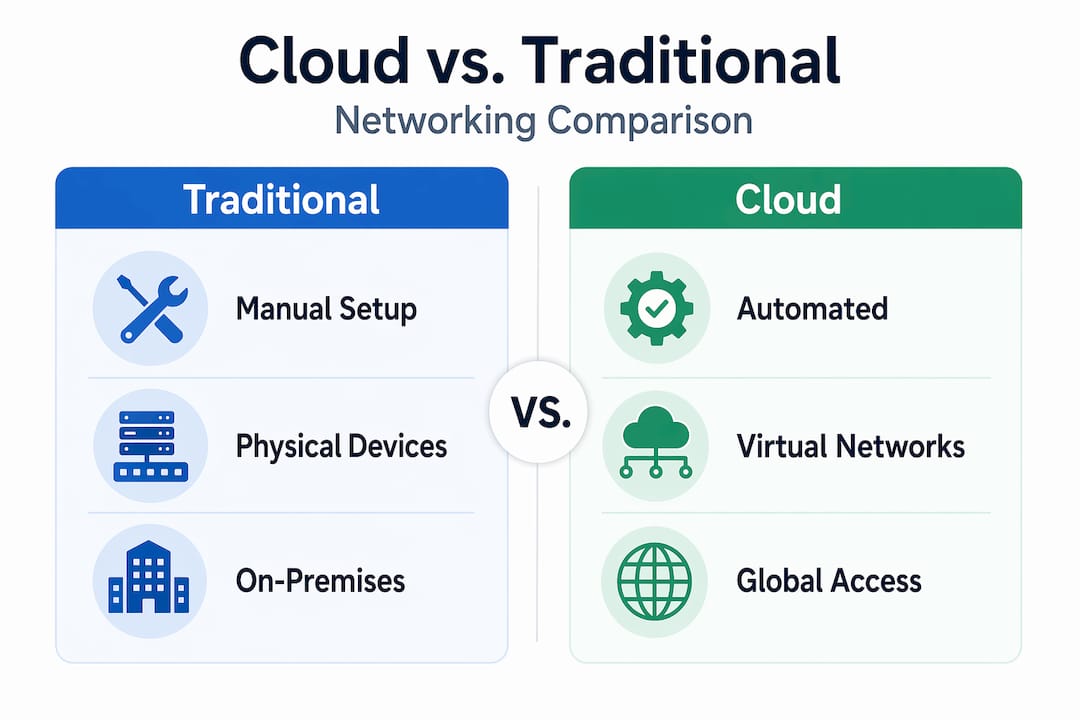
| Dimension | Traditional networking | Cloud networking |
|---|---|---|
| Provisioning | Manual, hardware-dependent, weeks | API-driven, minutes |
| Scalability | Limited by physical capacity | Elastic, on demand |
| Security model | Perimeter-based (castle-and-moat) | Distributed, identity-aware |
| Configuration | CLI on individual devices | Infrastructure-as-code, declarative |
| Visibility | SNMP, NetFlow on physical devices | Cloud-native flow logs, dashboards |
| Cost model | High CapEx, long refresh cycles | OpEx, pay for what you use |
Traditional enterprise networking was designed around physical perimeters. You trusted everything inside the firewall and blocked everything outside. The enterprise network stack is fundamentally ill-suited for distributed, multi-tenant, application-aware workloads running at cloud scale.
Cloud networking doesn’t eliminate complexity. It moves complexity from physical configuration into software design decisions. That trade is worth making, but only if your team understands what they’re designing. A misconfigured security group in AWS can expose an entire subnet just as effectively as leaving a firewall port open in a data center.
Hybrid cloud networking solves a different problem than pure cloud networking. When you need to extend cloud connectivity back to on-premises systems, you’re combining both models, and the operational discipline required increases accordingly. Many organizations use cloud-managed networking for remote sites while keeping core data center connectivity on traditional WAN infrastructure during the transition period.
Implementing cloud networking effectively
Getting cloud networking right the first time requires deliberate planning rather than organic growth. Here is a practical sequence that holds up across AWS environments:
- Audit your existing network and application dependencies. Map every application’s ingress and egress paths, identify latency requirements, and document IP ranges in use. This prevents overlap conflicts and helps you choose the right connectivity options upfront.
- Design your VPC and subnet structure before deploying anything. Changing CIDR blocks after applications are running is painful. Use non-overlapping address ranges, separate production from non-production environments at the VPC level, and plan for future growth.
- Build security into the network fabric from day one. Cloud networking is foundational for implementing zero-trust models and continuous policy enforcement across distributed assets. Apply least-privilege security groups, use private subnets for anything not requiring direct internet access, and enable VPC Flow Logs for visibility.
- Automate configuration management. Use Terraform, AWS CloudFormation, or CDK to define your network infrastructure as code. This makes changes auditable, repeatable, and reversible. Manual changes in the console become the exception for incident response only.
- Plan your multi-VPC topology before you have three or more VPCs. Hub-and-spoke or transit gateway models avoid the exponential complexity of full-mesh peering. Design it once rather than refactoring it under production pressure.
Common pitfalls that experienced teams still hit: overlapping CIDR ranges discovered during mergers and acquisitions, asymmetric routing between NAT gateways in different availability zones that inflates data transfer costs, and security group sprawl that makes auditing access nearly impossible after 18 months of organic growth.
Pro Tip: Enable AWS VPC Flow Logs from the start, even if you’re not actively monitoring them. When a security incident or performance investigation happens, having historical flow data is far more valuable than reconstructing what happened. Storage costs for flow logs are minimal compared to the investigation time they save.
You can explore how cloud networking security best practices apply specifically in AWS environments to go deeper on the security implementation side.
My take on where cloud networking is heading
I’ve worked on cloud infrastructure projects since before AWS Transit Gateway existed. Back then, engineers were building full-mesh VPC peering arrangements that turned into unmaintainable graphs with dozens of connections. The architectural problems we solved through configuration back then, we now solve through topology design.
What I find most concerning among teams adopting cloud networking today is the assumption that cloud providers handle security for them. They don’t. The east-west and north-south traffic flows within your VPC are your responsibility. A misconfigured route table or an overly permissive security group creates exposure that no cloud provider SLA covers.
The teams that execute cloud networking well share one characteristic: they treat it as infrastructure engineering, not plumbing. They design before they deploy, they write their network configuration as code, and they don’t skip the fundamentals because the hardware is invisible. IP addressing still matters. BGP still runs under Direct Connect. DNS failure modes are exactly what they were on-premises.
What’s genuinely new is the speed. You can stand up a complete, multi-tier network in an hour with proper infrastructure-as-code tooling. That capability creates pressure to move faster than your design process can keep up with. I’ve seen more network rework caused by rushed initial designs than by any technical limitation of the cloud platforms themselves. Slow down on the architecture, and you’ll go much faster on everything that follows. For teams working toward compliance like PCI DSS or SOC 2, that upfront design discipline isn’t optional. It’s the foundation everything else sits on.
— Oleksandr
Ready to build your cloud network right?
At Itmagic, we work exclusively on cloud infrastructure and operations, which means cloud networking is something our certified AWS engineers handle across hundreds of production environments. Whether you need to validate an existing architecture or design one from scratch, we have the depth to do it correctly.

Our AWS Well-Architected Review covers networking as a core pillar, examining your VPC design, security group configurations, connectivity options, and traffic flows against AWS best practices. For teams running containerized workloads, our Kubernetes support services address cloud-native networking specifically, including pod-level security and service mesh integration. You can also see how we helped INTERTOP build scalable, cost-optimized infrastructure that reduced AWS costs while improving network performance. If your cloud network needs a proper review or a clean design from the ground up, reach out to the Itmagic team.
FAQ
What is cloud networking in simple terms?
Cloud networking is the management and operation of network resources, including routing, firewalls, and connectivity, through software rather than physical hardware. It uses APIs and virtualization to connect cloud, on-premises, and edge environments.
How does cloud networking differ from traditional networking?
Traditional networking relies on physical hardware provisioned manually, while cloud networking uses software-defined tools configured through APIs. Cloud networking is faster to deploy, scales on demand, and integrates security as a programmable layer rather than a hardware perimeter.
What are the main examples of cloud networking services?
Common examples of cloud networking services include AWS VPC for network isolation, AWS Transit Gateway for multi-VPC connectivity, AWS Direct Connect for dedicated private interconnects, Elastic Load Balancing for traffic distribution, and Route 53 for DNS management.
Why does VPC peering not scale for large environments?
VPC peering is non-transitive, meaning traffic cannot pass through an intermediate VPC to reach another. For environments with multiple VPCs, this forces full-mesh configurations that grow exponentially in complexity. Hub-and-spoke models using AWS Transit Gateway solve this by centralizing routing through a single transit point.
Do networking fundamentals still matter in cloud environments?
Yes. Mastering IP addressing, DNS, TCP/UDP, and the OSI model remains critical for cloud networking. The hardware is abstracted, but the protocols are identical, and production issues with routing, latency, and connectivity require the same diagnostics as any traditional network environment.
Recommended
- What Is Cloud Migration? Key Types, Benefits & Process Explained | IT-Magic
- Cloud-Native DevOps Explained: Accelerate Delivery and Cut Costs
- Cloud architecture: A practical guide for scalable AWS
- What is cloud compliance: A guide for IT decision-makers
Alexander founded IT-Magic, an AWS Advanced Tier Services Partner delivering DevOps, cloud architecture, and managed services since 2010. He holds:
- AWS Certified Solutions Architect – Professional
- AWS Certified DevOps Engineer – Professional
- AWS Certified Security – Specialty
- AWS Certified Advanced Networking – Specialty
Talk to a certified AWS team trusted by INTERTOP, Foxtrot, Pandora, and J.Hilburn.
Get a free consultation


