

TL;DR:
- Choosing the right cloud infrastructure early helps startups avoid costly rework and supports scalable growth.
- A minimal architecture with a single server and managed database is sufficient for most MVPs, adding complexity only when necessary.
Cloud infrastructure design is the single most consequential technical decision a startup founder makes before writing a line of product code. This technical founder cloud guide covers the full stack of decisions: choosing AWS, GCP, or Azure; setting up Terraform and CI/CD pipelines; and building the operational discipline that keeps your platform alive under real load. The goal is not to make you a DevOps expert overnight. The goal is to give you the strategic clarity to make the right calls early, avoid costly rework, and build a cloud foundation that scales with your business rather than against it.
What foundational cloud architecture choices should a technical founder make?
The first architecture principle every technical founder needs to internalize is this: 95% of startup MVPs only need a single server and a managed database. That finding should immediately kill the impulse to design a multi-region, microservices architecture before you have paying customers. Complexity is a liability at the MVP stage. Add it only when performance data demands it.

The five core architecture decisions
Every startup cloud strategy comes down to five choices made early. Get these right and you build a foundation that scales. Get them wrong and you pay for it in rewrites.
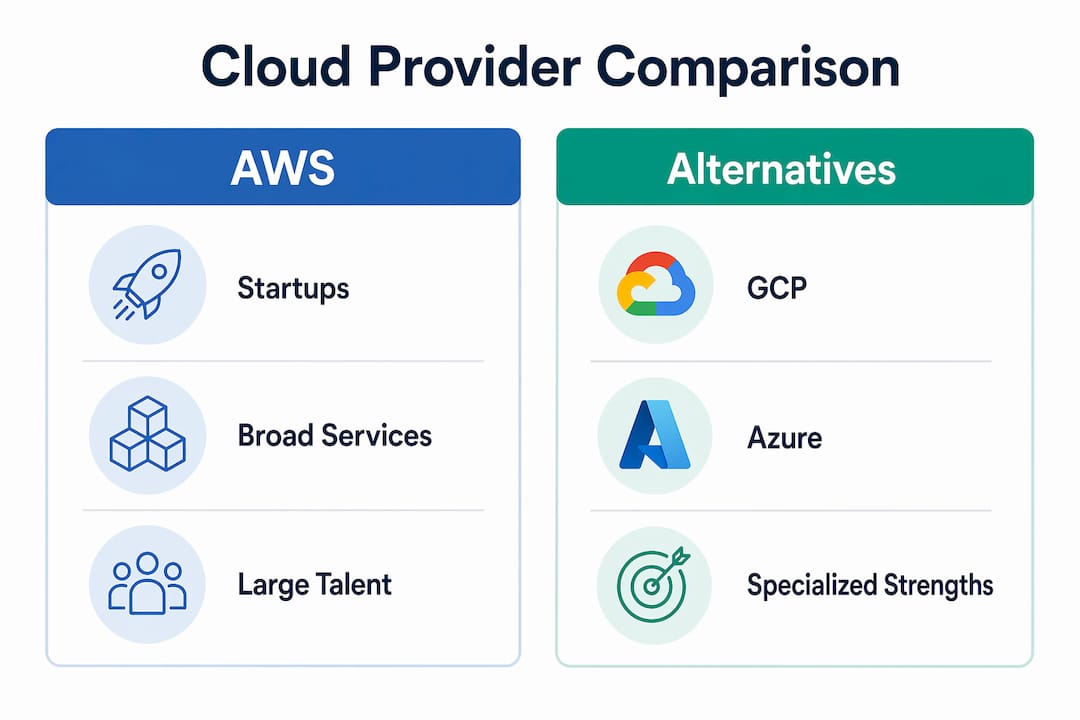
- Cloud provider. AWS leads on ecosystem depth and partner support. GCP offers strong data and machine learning tooling. Azure is the default for Microsoft-heavy enterprise clients. For most startups, AWS is the lowest-risk choice because of its breadth of managed services and the size of its certified talent pool.
- Compute model. Virtual machines (EC2 on AWS) give you full control. Containers via Amazon EKS or ECS add portability and density. Serverless (AWS Lambda) eliminates server management but introduces vendor lock-in risks through proprietary runtime dependencies.
- Database. Managed databases like Amazon RDS or Aurora remove the operational burden of patching and backups. Use them by default. Only move to self-managed databases when you have a specific performance or licensing reason.
- Scaling approach. Vertical scaling (bigger servers) is simpler and sufficient for early growth. Horizontal scaling (more servers) is necessary for high availability but requires stateless application design from the start.
- Security baseline. IAM roles, VPC isolation, and encrypted storage are not optional extras. They are the minimum viable security posture for any production workload.
Cloud provider comparison
| Provider | Best For | Key Strength | Watch Out For |
|---|---|---|---|
| AWS | Most startups | Broadest managed services | Cost complexity |
| GCP | Data and ML workloads | BigQuery, Vertex AI | Smaller partner ecosystem |
| Azure | Microsoft-stack teams | Active Directory integration | Enterprise pricing model |
Pro Tip: Avoid proprietary database formats and no-code platform entanglements early. The cost of migrating away from a locked-in vendor later is almost always higher than the convenience gained upfront.
How can founders set up production cloud infrastructure fast?
Running this on your own AWS setup? IT-Magic is an AWS Advanced Tier Partner — we audit, fix, or fully manage it for you.
Get a free consultationSpeed matters in a startup. The good news is that a structured approach gets you to production faster than improvising. A 14-day sequence built by experienced DevOps engineers delivers 8 core production-grade components: VPC and network configuration, managed databases, app deployment, load balancers, auto-scaling groups, CDN, CI/CD pipelines, and monitoring with backup systems. That is a complete production environment, not a prototype.
The 8-component production stack
Here is what each component delivers and why it belongs in your first setup:
- VPC and private networking. Isolates your workloads from the public internet. Every resource that does not need public access should live in a private subnet.
- Managed database. Amazon RDS or Aurora handles patching, backups, and failover. You get reliability without a dedicated database administrator.
- Application deployment. Containerized deployments via ECS or EKS give you consistent environments from development to production.
- Load balancer. An Application Load Balancer (ALB) distributes traffic and enables zero-downtime deployments.
- Auto-scaling. AWS Auto Scaling adjusts compute capacity based on real demand. You pay for what you use and absorb traffic spikes without manual intervention.
- CDN. Amazon CloudFront reduces latency for global users and offloads static asset delivery from your application servers.
- CI/CD pipeline. GitHub Actions or AWS CodePipeline automates testing and deployment. Automated CI/CD pipelines significantly increase deployment speed and reduce engineering errors.
- Monitoring and backups. Amazon CloudWatch provides metrics and alerting. Automated backups protect against data loss.
Infrastructure as code from day one
Terraform is the standard tool for defining cloud infrastructure as code. On GCP, a foundational Terraform stack can be bootstrapped in 5 minutes, with complete core infrastructure deployable in roughly 12 minutes. That speed comes from eliminating manual configuration errors, not from cutting corners. The same principle applies on AWS: write your infrastructure in Terraform, store it in Git, and treat it with the same discipline as application code.
Pro Tip: Never configure production infrastructure manually through the AWS console. Every manual change is a change that is not tracked, not repeatable, and not recoverable. This practice is called “ClickOps” and it creates invisible technical debt that compounds fast.
A practical DevOps automation workflow on AWS combines Terraform for provisioning, GitHub Actions for CI/CD, and CloudWatch for observability. That combination covers the full lifecycle from code commit to production monitoring.
What operational strategies do founders need for scaling?
Getting to production is one challenge. Staying in production as you grow is a different one. High-growth startups prioritize Infrastructure as Code, multi-account strategies, and outsourcing undifferentiated infrastructure management. That pattern frees engineering teams to focus on the product logic that actually differentiates the business.
Operational pillars for scaling startups
Multi-account AWS strategy. Separate AWS accounts for development, staging, and production environments. This limits the blast radius of misconfigurations and simplifies cost attribution. AWS Organizations and Control Tower make this manageable without a large platform team.
Automated cost management. AWS Cost Explorer and AWS Budgets give you visibility into spending by service and team. Set budget alerts before you need them, not after a surprise bill arrives. AWS automation tools can also right-size instances and identify idle resources automatically.
Monitoring and alerting discipline. CloudWatch dashboards, Datadog, or Grafana with Prometheus are the standard choices for observability. The key is defining alert thresholds based on business impact, not just technical metrics. An alert that fires every hour trains your team to ignore alerts.
Agent orchestration and compliance automation. Treating cloud architecture as a strategic pillar with AWS-native automation reduces engineering burden and improves scaling outcomes. Automated compliance evidence collection matters especially for startups pursuing SOC 2 or PCI DSS certification.
Pro Tip: Build multi-account AWS landing zones from the start. Retrofitting account separation into a monolithic AWS account after you have 50 services running is a painful, weeks-long project. The upfront cost is two days of setup.
The red flags to watch for as you scale: custom-built authentication systems, homegrown payment processing, and self-managed message queues. Avoid custom-built solutions for standard problems like authentication or payments. Use battle-tested libraries and managed services. Custom development should focus exclusively on your unique core business logic.
What cloud mistakes do technical founders most often make?
The most expensive cloud mistake is treating your first migration as a lift-and-shift of existing servers. Lift-and-shift migrations without re-architecting for cloud benefits result in wasted costs and lost opportunities for scalability and resilience. You move your problems to a more expensive environment and call it cloud adoption.
The second most common mistake is starting with platform choices instead of business goals. Cloud migration should start with clear business goals, not just platform choices. Migrating messy legacy systems with no optimization leads to expensive cloud costs and operational issues that compound over time.
Here is a practical checklist of mistakes to avoid:
- Premature microservices. Splitting a monolith before you understand your service boundaries creates distributed systems complexity without the benefits. Start with a well-structured monolith and extract services when you have clear performance or team ownership reasons.
- Skipping environment separation. Running development and production workloads in the same AWS account is a security and stability risk. Separate them from day one.
- No tagging strategy. Untagged AWS resources make cost attribution impossible. Define a tagging standard before you deploy your first resource.
- Ignoring documentation. Infrastructure that lives only in someone’s head is infrastructure that breaks when that person leaves. Document your architecture decisions in Architecture Decision Records (ADRs).
- Over-customizing standard components. Building a custom secrets manager when AWS Secrets Manager exists is not engineering. It is technical debt with extra steps.
“The most effective startups treat cloud architecture as a strategic advantage from day one rather than an afterthought.” This mindset separates founders who scale cleanly from those who spend their Series A budget on rewrites.
Technical leaders should challenge expensive proprietary choices before committing. Vendor lock-in is not always obvious at the time of adoption. It becomes obvious when you receive a 40% price increase notice and realize migration would take six months.
For a deeper look at cloud migration strategies that avoid these traps, the patterns apply whether you are moving from on-premises infrastructure or restructuring an existing cloud setup.
Key takeaways
A technical founder who makes deliberate architecture choices early, automates infrastructure from day one, and treats cloud operations as a strategic discipline will scale faster and spend less on rework than one who improvises.
| Point | Details |
|---|---|
| Start simple, scale deliberately | 95% of MVPs need only a single server and managed database; add complexity only when data demands it. |
| Automate infrastructure from day one | Use Terraform and GitHub Actions to eliminate ClickOps debt before it accumulates. |
| Build the 8-component production stack | VPC, managed DB, load balancer, auto-scaling, CDN, CI/CD, and monitoring form the minimum viable production environment. |
| Avoid lift-and-shift migrations | Re-architect for cloud benefits or you will pay cloud prices for on-premises problems. |
| Outsource undifferentiated infrastructure | Free your engineering team to focus on proprietary product logic, not commodity operations. |
What i have learned building cloud platforms for startups
After working with hundreds of startups on AWS infrastructure, the pattern I see most often is this: founders who treat cloud setup as a one-time task rather than an ongoing discipline. They spend two weeks getting to production, then stop investing in the foundation. Six months later, they are dealing with runaway costs, security gaps, and a codebase that cannot deploy without manual intervention.
The founders who scale well do the opposite. They treat infrastructure as a product. They assign ownership, review it in sprints, and update it as the business changes. That mindset shift is more valuable than any specific tool choice.
One thing I push back on consistently is the idea that speed and architectural quality are in conflict. They are not. A well-structured Terraform codebase deploys faster than a manually configured environment. A proper CI/CD pipeline ships features faster than a developer SSHing into a server. The discipline pays back immediately, not just at scale.
The other lesson is about outsourcing. Founders often resist bringing in external infrastructure partners because they want to own everything. That instinct makes sense for your product. It does not make sense for VPC configuration, IAM policy management, or Kubernetes cluster upgrades. Those are solved problems. Spend your engineering budget on unsolved ones.
Cloud technology for founders is not about mastering every AWS service. It is about knowing which decisions matter, which ones to delegate, and which ones to get right before they become expensive to change.
— Oleksandr
How IT-Magic helps technical founders build on AWS
Technical founders building on AWS need more than documentation. They need a partner who has solved the same infrastructure problems across hundreds of production environments.

IT-Magic is an AWS Advanced Tier Services Partner with 700+ completed projects since 2010. The team specializes in AWS infrastructure support for startups that need production-grade environments without building a full internal platform team. For founders running containerized workloads, IT-Magic’s Kubernetes support services cover EKS and ECS deployments from initial setup through ongoing operations. If cloud costs are already a concern, the AWS cost optimization service identifies and eliminates waste across your entire AWS account. IT-Magic does not write your application code. It builds and operates the infrastructure that makes your application reliable, secure, and cost-efficient at every stage of growth.
FAQ
What does a technical founder cloud guide cover?
A technical founder cloud guide covers cloud architecture decisions, DevOps automation tools like Terraform and GitHub Actions, production infrastructure setup, and operational strategies for scaling on AWS, GCP, or Azure.
How long does it take to set up production cloud infrastructure?
A structured DevOps-led process builds 8 core production components, including VPC, managed databases, CI/CD pipelines, and monitoring, in approximately 14 days.
Should a startup use AWS, GCP, or azure?
AWS is the default choice for most startups because of its breadth of managed services and large certified talent pool. GCP suits data-heavy or machine learning workloads. Azure fits teams already invested in the Microsoft ecosystem.
What is the biggest cloud mistake technical founders make?
The most costly mistake is treating the first cloud migration as a lift-and-shift of existing servers. This approach moves problems to a more expensive environment without gaining the scalability or resilience benefits of cloud-native architecture.
When should a startup adopt a multi-account AWS strategy?
Adopt a multi-account AWS strategy from the start. Separating development, staging, and production accounts limits the impact of misconfigurations, simplifies cost tracking, and makes compliance audits significantly easier as the company grows.
Recommended
- Startup Cloud Scaling Process: A Founder’s Guide
- AWS cloud operations tutorial: optimize and scale smart
- Cloud architecture: A practical guide for scalable AWS
- The CTO’s guide to securing AWS infrastructure for scale
Alexander founded IT-Magic, an AWS Advanced Tier Services Partner delivering DevOps, cloud architecture, and managed services since 2010. He holds:
- AWS Certified Solutions Architect – Professional
- AWS Certified DevOps Engineer – Professional
- AWS Certified Security – Specialty
- AWS Certified Advanced Networking – Specialty
Talk to a certified AWS team trusted by INTERTOP, Foxtrot, Pandora, and J.Hilburn.
Get a free consultation


