

TL;DR:
- Migrating to Kubernetes on AWS involves containerizing applications, deploying on EKS, and automating workflows with Infrastructure as Code and GitOps. Successful migration requires application readiness, proper tooling, and a prepared EKS environment with correct network, IAM, and registry configurations. The preferred strategy depends on automation maturity, with options including lift-and-shift, pipeline redeployment, or blue/green approaches.
Migrating to Kubernetes on AWS is defined as containerizing your applications, deploying them on managed Amazon EKS clusters, and automating the entire workflow through Infrastructure as Code and GitOps pipelines. This process is not a simple lift-and-shift. Moving from EC2 workloads to EKS is an opportunity to rebuild how your infrastructure operates at every layer. Tools like AWS Transform, Terraform, and Helm reduce manual effort significantly. IT-Magic has executed this migration pattern across 700+ projects, and the teams that succeed treat it as a structured, multi-phase engineering effort, not a weekend task.

What prerequisites and tools are needed for migrating to Kubernetes on AWS?
The foundation of a successful EKS migration is application readiness. Before you write a single Dockerfile, you need to know which services are stateless, which carry persistent data, and which have hard dependencies on the underlying OS. Stateless services containerize cleanly. Stateful ones require a separate data migration plan from the start.
Required tooling
Every team needs a consistent local and CI toolchain before touching a cluster. The core set includes:
- Docker for building and testing container images locally
- kubectl for interacting with the Kubernetes API
- Helm for packaging and deploying application manifests
- AWS CLI for managing AWS resources and authenticating to ECR
- Terraform for provisioning the EKS cluster, VPC, and IAM roles as code
Automation tools like AWS Transform can generate Dockerfiles, Helm charts, and infrastructure artifacts directly from source code. That capability cuts the time teams spend on boilerplate setup by a meaningful margin.
Cluster prerequisites
Your Amazon EKS cluster must exist before any workload migration begins. The cluster needs a properly configured VPC with private subnets, IAM roles for node groups and service accounts, and network connectivity to your existing systems. Without these in place, you will spend migration day debugging permissions instead of moving workloads.
| Requirement | Details |
|---|---|
| Amazon EKS cluster | Provisioned via Terraform or eksctl with correct node groups |
| IAM permissions | IRSA configured for pod-level AWS API access |
| Network setup | VPC with private subnets, security groups, and NAT gateway |
| Container registry | Amazon ECR repositories created per service |
| Toolchain installed | Docker, kubectl, Helm, AWS CLI, Terraform on CI runners |
Pro Tip: Run your containerized application locally with Docker Compose before pushing to ECR. Catching environment variable mismatches and port conflicts locally saves hours of cluster-level debugging.
Which Kubernetes migration strategies are most effective on AWS?
Running this on your own AWS setup? IT-Magic is an AWS Advanced Tier Partner — we audit, fix, or fully manage it for you.
Get a free consultationThe right migration pattern depends on your team’s automation maturity and your tolerance for downtime. Three patterns cover the majority of real-world scenarios.
Lift-and-shift with Velero
Teams with low CI/CD automation use backup and restore tools like Velero to snapshot existing Kubernetes resources and restore them to EKS. This approach is fast to execute but carries the risk of migrating bad configuration alongside good workloads. It works best for teams moving off self-managed clusters that already run Kubernetes.
Pipeline-driven redeployment with GitOps
High-automation teams retarget their existing CI/CD pipelines at the new EKS cluster. GitOps tools like Argo CD or Flux manage the desired state in Git and reconcile it against the cluster continuously. This approach produces a cleaner migration because every workload is redeployed from source, not copied from a snapshot. It also gives you a full audit trail from day one.
Blue/green cluster migration
Blue/green deployment on new clusters reduces risk and downtime during migration. You run the old and new clusters in parallel, shift traffic incrementally using a load balancer or DNS, and decommission the old cluster only after validation. This pattern costs more in the short term but protects revenue-critical workloads during the cutover.
| Strategy | Automation level | Downtime risk | Best for |
|---|---|---|---|
| Lift-and-shift (Velero) | Low | Medium | Self-managed Kubernetes teams |
| Pipeline redeployment | High | Low | Teams with mature CI/CD pipelines |
| Blue/green cluster | Medium to high | Very low | Production workloads with SLA requirements |
Pro Tip: Never migrate your production database into a Kubernetes pod during the initial cutover. Keep it on Amazon RDS and connect your containerized services to it. You can evaluate in-cluster databases after the migration stabilizes.
If you are still deciding between container orchestration options, the ECS vs EKS comparison covers the tradeoffs in detail before you commit to a path.
How to execute the migration and manage Kubernetes resources on AWS?
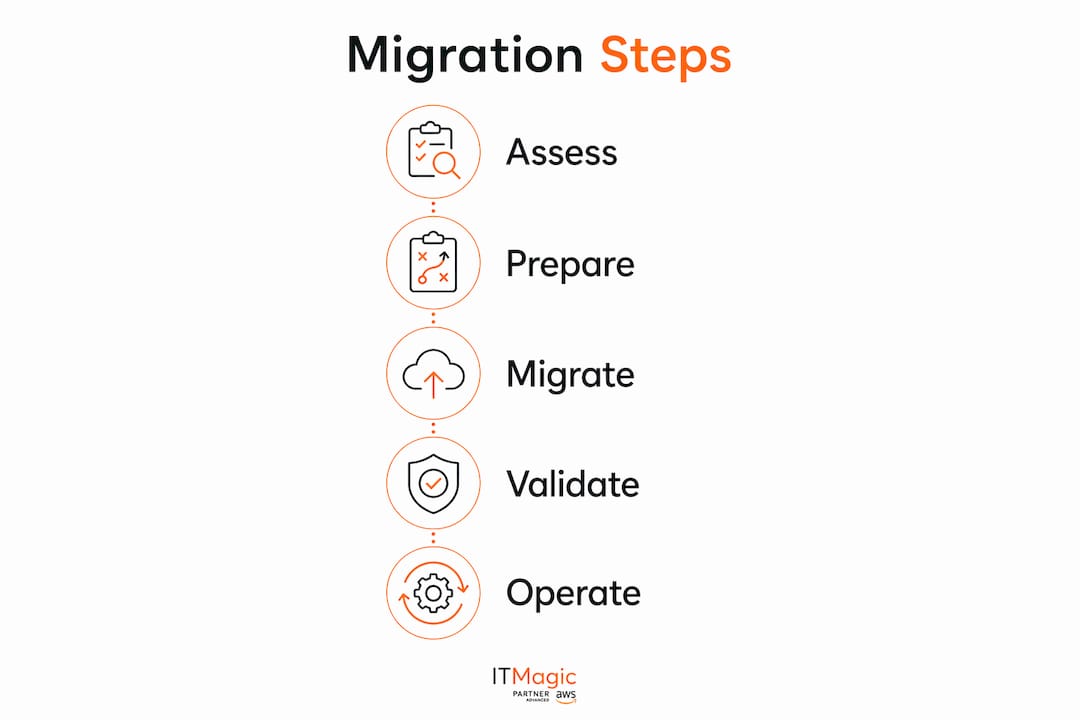
Execution follows a clear sequence. Skipping steps creates compounding problems that surface at the worst possible time.
- Containerize each service. Write a Dockerfile per service, build the image, and test it locally. Push the validated image to Amazon ECR with a versioned tag, never
latestin production. - Define Kubernetes manifests. Write Deployment, Service, ConfigMap, and Secret manifests for each workload. Manifests must specify resource.requests and resource.limits to keep the scheduler stable. Measure baseline CPU and memory under load before setting these values.
- Package with Helm. Wrap your manifests in a Helm chart. Parameterize environment-specific values so the same chart deploys to staging and production without manual edits.
- Provision infrastructure with Terraform. Split your Terraform state files into separate layers: network, cluster, add-ons, and workloads. A monolithic state file blocks all deployments when a single resource fails. Separate states isolate failures and improve reliability.
- Implement GitOps. Point Argo CD or Flux at your Helm chart repository. Every deployment becomes a Git commit, giving you rollback, history, and peer review on infrastructure changes.
AWS Controllers for Kubernetes (ACK) extend this model further. ACK lets you manage AWS resources like S3 buckets, RDS instances, and IAM roles directly through Kubernetes manifests. Tenant onboarding becomes a single Git commit rather than a multi-tool manual process.
Pro Tip: Separate your IAM, cluster, and workload Terraform state files from the start. Complex EKS Terraform configurations face resource dependency deadlocks when everything lives in one state. Splitting them avoids the most common infrastructure deployment failures.
For teams new to the broader AWS migration process, the 2026 AWS migration guide provides a solid foundation before diving into Kubernetes specifics.
What operational practices matter most after migrating to Kubernetes on AWS?
Post-migration operations determine whether your EKS investment pays off or creates new headaches. Three areas require consistent attention: version lifecycle, persistent data, and workload observability.
Kubernetes version lifecycle on EKS
Amazon EKS supports a standard 14-month support window per Kubernetes version, with an optional 12-month extended support. Upgrades must be sequential. You cannot skip versions, which means teams that fall behind face multiple planned upgrade cycles to catch up. Build upgrade windows into your quarterly planning from day one.
Ephemeral cluster strategies reduce upgrade risk for critical workloads. Instead of upgrading nodes in place, you provision a new cluster at the target version, redeploy workloads via your GitOps pipeline, and decommission the old cluster. This approach eliminates in-place upgrade failures entirely.
Persistent volume and stateful workload management
Standard Kubernetes migration scripts do not handle persistent volume data. You need AWS DataSync or Velero with CSI snapshotting to move data safely. Velero integrates with the AWS EBS CSI driver to take volume snapshots before migration and restore them on the target cluster with data integrity intact.
Separating stateful and stateless workloads reduces your blast radius. Databases running on Amazon RDS sit outside the cluster entirely. If a node group fails or a deployment goes wrong, your data layer stays unaffected.
Treating infrastructure and application deployment as a single GitOps-driven pipeline simplifies complex workflows and scales efficiently without increasing headcount.
Monitoring, logging, and security
Enable Amazon CloudWatch Container Insights for cluster-level metrics and pod-level logs from day one. Configure Kubernetes RBAC and AWS IAM Roles for Service Accounts (IRSA) to enforce least-privilege access per workload. Set up alerting on CPU throttling and memory pressure before they cause incidents, not after.
Pro Tip: Schedule a dry-run upgrade in a staging cluster three months before your production upgrade window. EKS version upgrades frequently deprecate API versions, and catching those in staging costs minutes. Catching them in production costs hours.
Key Takeaways
A successful EKS migration requires structured preparation, the right migration pattern for your automation maturity, and disciplined post-migration operations from day one.
| Point | Details |
|---|---|
| Assess before containerizing | Identify stateless and stateful workloads before writing a single Dockerfile. |
| Match strategy to maturity | Use Velero for low-automation teams; use pipeline redeployment for high-automation teams. |
| Split Terraform state files | Separate network, cluster, and workload states to prevent deployment failures. |
| Set resource limits always | Define resource.requests and resource.limits on every workload to keep the scheduler stable. |
| Plan for version upgrades | EKS requires sequential upgrades within a 14-month window; build upgrade cycles into your roadmap. |
What I’ve learned from running EKS migrations at scale
The mistake I see most often is treating the Kubernetes migration as a purely technical task. Teams spend weeks perfecting their Helm charts and then discover on cutover day that their Terraform state is a monolith that locks up when one IAM role fails. The infrastructure architecture deserves the same design rigor as the application layer.
The teams that migrate cleanly share one habit: they treat infrastructure and application deployment as a single GitOps pipeline from the start. Every change, whether it is a new ECR image or a Terraform module update, flows through Git. That discipline makes rollbacks trivial and audits painless.
Persistent data is the other area where I see teams underestimate complexity. Moving a stateless API to EKS takes an afternoon. Moving a stateful service with 500 GB of volume data requires a tested Velero snapshot strategy, a maintenance window, and a rollback plan. Treat those two categories completely differently.
One more thing: do not wait until you are behind on Kubernetes versions to think about upgrades. The 14-month support window sounds generous until you realize sequential upgrades mean two or three planned cycles to close a version gap. The teams that stay current do it continuously, not in a panic.
— Oleksandr
IT-Magic’s EKS migration expertise
IT-Magic works with engineering teams that need more than documentation. As an AWS Advanced Tier Services Partner, IT-Magic handles the full EKS migration workflow: Terraform provisioning, GitOps pipeline setup, Helm chart structuring, and ongoing cluster lifecycle management.

Teams that have worked with IT-Magic on Kubernetes support services avoid the most expensive migration mistakes before they happen. Whether your team is containerizing its first workload or managing a multi-cluster production environment, IT-Magic provides the infrastructure expertise to get it right. For teams running ecommerce workloads, the cloud hosting considerations for retail platforms add useful context on reliability requirements before you finalize your EKS architecture.
FAQ
What is the first step in migrating to Kubernetes on AWS?
The first step is assessing your application portfolio to identify which services are stateless and which carry persistent data. Stateless services containerize directly; stateful ones require a separate data migration plan using tools like Velero or AWS DataSync.
How long does an EKS migration typically take?
Migration timelines vary by application complexity and team size. Simple stateless services can move in days, while large multi-service platforms with persistent data typically require several weeks of planning, testing, and staged cutover.
Do I need to rewrite my applications to run on EKS?
Most applications do not require rewrites. Containerizing with Docker and defining Kubernetes manifests is usually sufficient. The EKS migration process is an opportunity to improve architecture, but a full rewrite is rarely a prerequisite.
How does EKS handle Kubernetes version upgrades?
EKS supports a 14-month standard support window per Kubernetes version. Upgrades must be sequential, meaning you cannot skip versions. Plan upgrade windows quarterly to stay within the supported range.
What is the safest way to migrate stateful workloads to EKS?
Use Velero with the AWS EBS CSI driver to take volume snapshots before migration and restore them on the target cluster. Keep databases on Amazon RDS outside the cluster to reduce risk during and after the migration.
Recommended
- How to Migrate to AWS: A 2026 Step-by-Step Guide
- How to Set Up Kubernetes: Step-by-Step Guide for IT Leaders
- On-Premise to AWS Cloud Migration Step by Step | IT-Magic
- Workload Migration for IT Teams: A 2026 Strategy Guide
Alexander founded IT-Magic, an AWS Advanced Tier Services Partner delivering DevOps, cloud architecture, and managed services since 2010. He holds:
- AWS Certified Solutions Architect – Professional
- AWS Certified DevOps Engineer – Professional
- AWS Certified Security – Specialty
- AWS Certified Advanced Networking – Specialty
Talk to a certified AWS team trusted by INTERTOP, Foxtrot, Pandora, and J.Hilburn.
Get a free consultation


