

AWS Control Tower is AWS’s managed service for automating a secure, governed multi-account environment called a landing zone. Setting it up correctly from day one requires three designated accounts: a management account (your billing and governance root), a log archive account (centralized CloudTrail and Config logs), and an audit account (security read-only access). The management account should never host workloads. Before you click anything, pick your home Region carefully. Per AWS documentation, that choice is irreversible once the landing zone is created.
The core setup flow:
- Sign in to the management account as an administrator
- Navigate to the AWS Control Tower console
- Confirm your home Region
- Enter unique email addresses for the log archive and audit accounts
- Review governance settings and choose Set up landing zone
- Wait roughly 30 minutes for provisioning to complete
Table of Contents
- How to set up AWS Control Tower step by step
- Security best practices for your Control Tower environment
- Expert insights on cost and operational overhead
- What to do after your landing zone is live
- Prerequisites before you start
- IT-Magic handles Control Tower setup end to end
- FAQ
- Key Takeaways
How to set up AWS Control Tower step by step
Running this on your own AWS setup? IT-Magic is an AWS Advanced Tier Partner — we audit, fix, or fully manage it for you.
Get a free consultationThe landing zone setup process follows a logical sequence. Here is the full walkthrough.
-
Sign in as administrator. Use your management account credentials. Never use the root user for day-to-day operations.
-
Navigate to the Control Tower console. Go to
https://console.aws.amazon.com/controltowerand verify the Region shown in the top-right corner matches your intended home Region. -
Select your home Region. This is where Control Tower stores its metadata and where most governance services run. Align it with your primary workload location. Changing it later requires major re-architecture.
-
Create shared account email addresses. You need two unique email addresses not already tied to AWS accounts: one for log archive, one for audit. These act as shared inboxes for your security and compliance teams.
-
Configure organizational units (OUs). By default, Control Tower creates a Security OU and a Sandbox OU. Rename them immediately to reflect your environment, for example
Security_ProdandSandbox_Dev. Add an Infrastructure OU for shared networking accounts and a Workloads OU for production accounts. -
Apply governance controls. Control Tower configures two control types automatically: preventive controls via Service Control Policies (SCPs) and detective controls via AWS Config rules. Examples include blocking root user access keys and preventing public write access to S3 buckets.
-
Review and confirm. The console shows a summary of all accounts, OUs, and controls before launch. Check every line. Once you confirm, provisioning begins.
-
Configure Account Factory. After the landing zone is live, set up Account Factory to automate provisioning of new accounts. Every account it creates inherits baseline governance and incurs baseline operational costs, so budget accordingly.
-
Integrate with existing AWS Organizations. If you already have an AWS Organizations setup, Control Tower landing zone 4.0 supports a controls-only deployment. Select “I have an existing environment” in the console to adopt managed controls without rebuilding your OU structure.
-
Enable monitoring and auditing. CloudTrail is enabled automatically across all governed accounts. Verify that your log archive account is receiving logs and that CloudWatch alarms are configured for key governance events.
Security best practices for your Control Tower environment
Getting the landing zone running is step one. Keeping it secure is the ongoing job.
- Use dedicated accounts for security functions. Never run workloads in the audit or log archive accounts. Their sole purpose is governance visibility.
- Rename default OUs and accounts immediately. Rename
Log Archiveto something likelog-archive-prodandSecuritytoSecurity_Prod. Generic names cause confusion at scale, per AWS Prescriptive Guidance. - Enforce preventive and detective controls. SCPs block prohibited actions before they happen. AWS Config rules flag policy violations after the fact. You need both layers.
- Limit governed Regions. Only govern the AWS Regions your workloads actually use. Every additional governed Region multiplies Config evaluation costs.
- Centralize and protect logs. CloudTrail logs flow to the log archive account automatically. Apply S3 bucket policies to block deletion, enable encryption with AWS KMS, and set retention periods that match your compliance requirements. For detailed guidance, see IT-Magic’s AWS compliance checklist.
- Avoid configuration drift. Manual changes to Control Tower-managed resources break automated governance and compliance monitoring. If you need a customization, use Control Tower’s native customization mechanisms or AWS CloudFormation StackSets, not direct console edits. Drift disables automated updates entirely.
Pro Tip: Audit your guardrail coverage quarterly. Some guardrails are strongly recommended but not mandatory. Review which ones are active, which are disabled, and whether the cost of running detective controls in every account is justified by your actual risk profile.
Expert insights on cost and operational overhead

Control Tower itself carries no additional AWS charge, but the services it activates do. AWS Config, CloudTrail, CloudWatch Logs, GuardDuty, S3 audit storage, and SNS all generate usage-based costs that scale with account count and activity. Expect an increase in AWS spend during the initial months, typically adding 3–8% to your AWS bill in the first three months, mostly due to Config evaluations, CloudTrail logs, GuardDuty, and S3 audit storage scaling with account count.
Key cost and operational considerations:
- Home Region is a one-time decision. Treat it like a foundation pour: get it right before anything else goes on top.
- Right-size Config rules in dev accounts. Limit recorded resource types in non-production accounts to reduce evaluation volume without weakening production governance.
- Apply CloudWatch Logs retention policies. Logs that never expire accumulate storage costs silently. Set explicit retention periods aligned to your audit requirements.
- Enable GuardDuty selectively. Production accounts warrant full GuardDuty coverage. Dev and sandbox accounts often do not. Selective enablement cuts costs without meaningful security trade-offs.
- Forecast Account Factory costs. Each account provisioned through Account Factory adds baseline operational costs. Build that into your AWS Enterprise Discount Program (EDP) commitments before you scale.
- Use naming conventions from day one. OU and account names that reflect environment, function, and tier (
workloads-prod,infra-test) make governance reporting readable as the environment grows.
For a deeper look at managing these expenses, IT-Magic’s guide to AWS cost reduction strategies covers right-sizing and discount negotiation tactics that apply directly here.
What to do after your landing zone is live
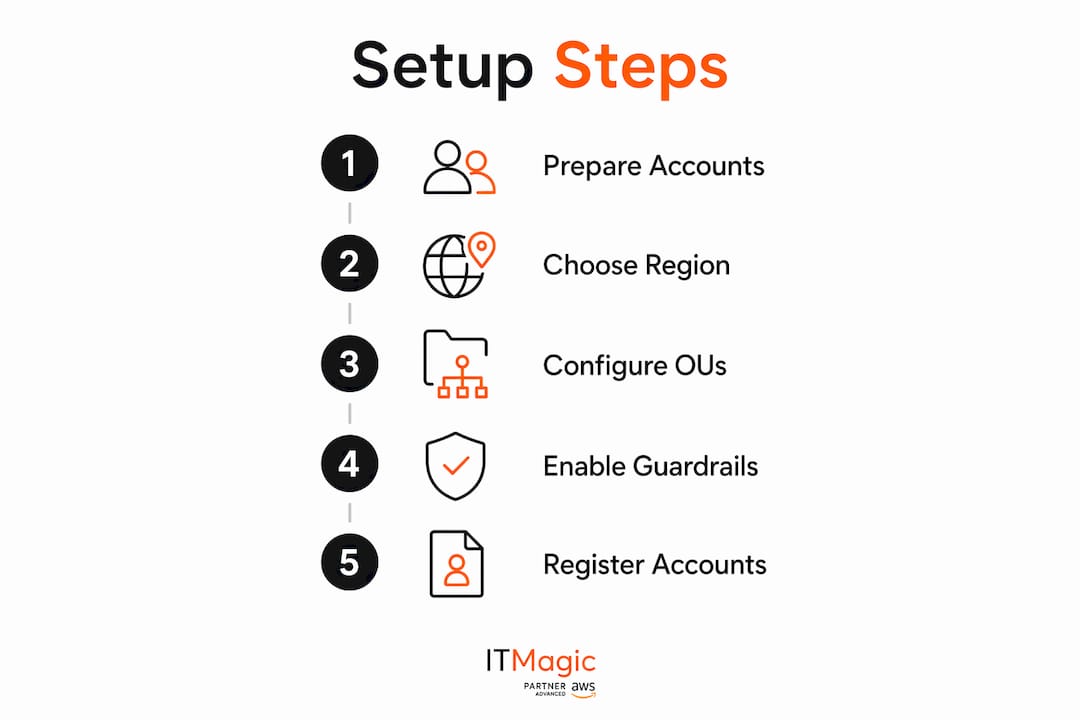
Once the landing zone is running, the work shifts from setup to operations. Register existing accounts into Control Tower so they inherit SCPs and Config rules. Create your Workloads OU and Infrastructure OU if you did not configure them during setup. Establish a baseline VPC configuration in Account Factory so every new account gets consistent networking. Review the Control Tower dashboard weekly for drift alerts and compliance status. Finally, document your OU structure and guardrail decisions so future architects understand why each choice was made.
Prerequisites before you start
Before launching, confirm these requirements are met:
- A dedicated management account with no existing workloads
- Administrator IAM credentials (not root user) for the management account
- Two unique email addresses for the log archive and audit accounts, not previously associated with any AWS account
- Sufficient service quotas in the management account for S3, EC2, SNS, VPC, CloudFormation, CloudTrail, CloudWatch, Config, IAM, and Lambda
- A clear home Region decision based on where your primary production workloads will run
- An existing AWS Organizations setup only if you plan to use the controls-only deployment path in landing zone 4.0
IT-Magic handles Control Tower setup end to end

Setting up AWS Control Tower correctly the first time saves months of remediation later. IT-Magic is an AWS Advanced Tier Services Partner with 700+ completed projects since 2010, and Control Tower landing zone design is core to what we do. We handle OU architecture, guardrail configuration, Account Factory automation, and cost forecasting as a single engagement, so your team does not have to piece it together from documentation alone. Whether you are starting from scratch or integrating Control Tower into an existing Organizations setup, we scope the work to your environment and compliance requirements. Contact IT-Magic to get a scoped assessment and start with a governance foundation that holds up at scale.
FAQ
What is AWS Control Tower?
AWS Control Tower is a managed service that automates the setup of a secure, governed multi-account AWS environment called a landing zone, enforcing governance through SCPs and AWS Config rules across all accounts.
How much does AWS Control Tower cost?
AWS Control Tower itself has no additional charge, but the underlying services it activates, including AWS Config, CloudTrail, CloudWatch Logs, GuardDuty, and S3 audit storage, generate usage-based costs that typically add 3–8% to your AWS spend in the first three months.
What are the main limitations of AWS Control Tower?
The home Region cannot be changed after setup, manual modifications to Control Tower-managed resources cause configuration drift that breaks automated compliance, and governance controls apply only to enrolled accounts within governed OUs.
How do you create an AWS Control Tower landing zone?
Sign in to the management account, navigate to the Control Tower console, confirm your home Region, provide email addresses for the log archive and audit accounts, configure your OUs and controls, then choose Set up landing zone. Provisioning takes approximately 30 minutes.
Key Takeaways
AWS Control Tower setup requires three designated accounts, an irreversible home Region decision, and careful OU design before a single workload runs.
| Point | Details |
|---|---|
| Three mandatory accounts | Management, log archive, and audit accounts must be designated before setup begins. |
| Home Region is permanent | Choose the Region where most production workloads reside; changing it later requires major re-architecture. |
| Expect a cost uplift | Control Tower activates services that typically add 3–8% to AWS spend in the first three months, driven primarily by AWS Config evaluations, CloudTrail logs, GuardDuty, and S3 audit storage. |
| Avoid configuration drift | Never manually modify Control Tower-managed resources; drift disables automated governance and compliance checks. |
| IT-Magic for end-to-end setup | IT-Magic designs and implements Control Tower landing zones as a scoped engagement for startups, fintech, and enterprise clients. |
Recommended
- AWS cloud operations tutorial: optimize and scale smart
- Cloud architecture: A practical guide for scalable AWS
- AWS Well-Architected Framework: Secure, Efficient Cloud Foundations
- The CTO’s guide to securing AWS infrastructure for scale
Alexander founded IT-Magic, an AWS Advanced Tier Services Partner delivering DevOps, cloud architecture, and managed services since 2010. He holds:
- AWS Certified Solutions Architect – Professional
- AWS Certified DevOps Engineer – Professional
- AWS Certified Security – Specialty
- AWS Certified Advanced Networking – Specialty
Talk to a certified AWS team trusted by INTERTOP, Foxtrot, Pandora, and J.Hilburn.
Get a free consultation


