

TL;DR:
- Reducing EKS costs by 50 to 60 percent involves rightsizing pods, automating node provisioning, and using Spot and Savings Plans effectively. Proper resource requests, node consolidation with Karpenter, and workload diversification significantly lower your bill, while network and storage optimizations tackle hidden charges. Following a sequenced approach ensures sustainable savings and avoids locking in unnecessary capacity.
Following a structured optimization sequence, engineers can reduce EKS costs by 50–60%, with large clusters saving roughly $50,000 per month. AWS Elastic Kubernetes Service billing spans compute, storage, networking, and cluster management fees. Each layer hides waste that compounds quickly at scale. The techniques covered here, including Kubernetes Vertical Pod Autoscaler (VPA), Karpenter, AWS Savings Plans, and Graviton instances, address every layer in the order that produces the greatest return. Apply them in sequence and each step amplifies the one before it.
Why right-sizing pod resource requests is the foundation of reducing EKS costs
Overprovisioned pod resource requests are the single biggest driver of wasted compute spend in EKS. When a pod requests 2 vCPUs but uses 0.3 on average, the scheduler reserves that capacity on a node. The node fills up with phantom reservations, forcing the cluster to spin up additional nodes that are also underutilized.

The fix is to set requests based on observed usage, not theoretical peaks. Set requests at the 90th percentile of actual consumption, measured over at least two weeks of production traffic. This approach captures realistic load without leaving pods starved during genuine spikes.
One real cluster reduced average CPU utilization from 18% to 65% after rightsizing. That shift cut node count by 33% and dropped monthly compute costs by $15,600. The node reduction alone justified the engineering time spent on measurement.
Kubernetes VPA in recommendation mode is the practical tool for this work. It watches live pod metrics and surfaces suggested request values without automatically restarting pods. Teams can review the recommendations, validate them against their SLOs, and apply changes during the next deployment cycle.
Key rightsizing steps:
- Run VPA in recommendation mode for at least 14 days before changing any requests.
- Separate CPU and memory analysis. Memory overprovisioning is often worse than CPU because it blocks scheduling more aggressively.
- Set resource limits above requests by a fixed ratio (2x is a common starting point) to allow burst headroom.
- Revisit requests after every major traffic change or feature release.
Pro Tip: Use Prometheus and Grafana to visualize the gap between requested and actual resource usage per namespace. Namespaces with a gap above 50% are your highest-priority rightsizing targets.
How does Karpenter improve node efficiency and lower expenses?
Running this on your own AWS setup? IT-Magic is an AWS Advanced Tier Partner — we audit, fix, or fully manage it for you.
Get a free consultationKarpenter is an open-source node provisioner that selects the exact EC2 instance type a pending pod needs, rather than scaling up a fixed node group. Traditional Cluster Autoscaler adds nodes from a predefined pool, which often results in oversized instances with stranded capacity. Karpenter queries the full EC2 catalog and picks the cheapest instance that fits the pod’s actual request.
The consolidation feature is where Karpenter earns its place in a cost-reduction program. Consolidation alone cuts costs by 15–30% before any pricing changes. It continuously evaluates whether running workloads can be packed onto fewer nodes, then drains and terminates underutilized instances automatically.
Implementing Karpenter in an existing cluster follows a clear sequence:
- Install Karpenter via Helm and configure IAM roles for node provisioning.
- Define a NodePool resource specifying allowed instance families, architectures (amd64 and arm64), and capacity types (On-Demand and Spot).
- Set disruption budgets to control how aggressively Karpenter consolidates during business hours.
- Migrate one node group at a time, starting with stateless workloads, to validate behavior before full rollout.
- Monitor node churn and pod scheduling latency for 48 hours after each migration phase.
Pro Tip: Enable Karpenter’s drift detection feature. It automatically replaces nodes running outdated AMIs or instance types that no longer match your NodePool spec, keeping your fleet current without manual intervention.
Karpenter also handles Spot interruption notices natively. When AWS signals a Spot reclaim, Karpenter begins draining the node and provisioning a replacement before the two-minute window closes. This behavior removes most of the operational risk that teams associate with Spot instances.
What are Spot instances and how do they cut compute costs safely?
Spot instances are spare EC2 capacity sold at a discount of 60–90% versus On-Demand pricing. That discount is real and consistent for most instance families. The trade-off is that AWS can reclaim a Spot instance with a two-minute warning when capacity is needed elsewhere.
The risk is manageable when you match Spot to the right workload types:
- Stateless web services that restart cleanly and reconnect to databases without data loss.
- Batch processing jobs where a failed task retries automatically.
- CI/CD build runners that are inherently ephemeral and disposable.
- Machine learning training jobs that checkpoint progress and resume from the last saved state.
- Queue consumers that release messages on failure so another worker picks them up.
Workloads that should stay on On-Demand include stateful databases, leader-elected controllers, and anything that holds distributed locks.
Diversification is the core risk management technique. Configure your Karpenter NodePool to accept 10–15 different instance types across multiple Availability Zones. When one instance type faces capacity pressure, Karpenter falls back to another automatically. A cluster running m5.xlarge, m5a.xlarge, m6i.xlarge, and m6a.xlarge across three AZs rarely sees simultaneous reclamation across all types.
For a deeper look at structuring Spot workloads, the IT-Magic guide on cutting AWS costs with Spot covers instance selection and fallback configuration in detail.
Why Graviton instances and Savings Plans drive further savings
AWS Graviton processors deliver 20–40% better price-performance than equivalent x86 instances. The m7g, c7g, and r7g families are the current generation targets for general-purpose, compute-optimized, and memory-optimized workloads respectively. Most containerized applications compile and run on arm64 without code changes, since Docker and most language runtimes support multi-architecture builds natively.
Identifying compatible workloads takes one afternoon. Pull your container images, check whether they have arm64 variants published, and run a staging deployment on a Graviton node. Applications that pass staging are ready for production migration.
Savings Plans complement Graviton by locking in discounted rates for predictable baseline compute. AWS Compute Savings Plans offer up to 72% cost reductions for steady-state workloads compared to On-Demand pricing. The key points for purchasing:
- Buy only after rightsizing and autoscaling are in place. Purchasing before those steps locks wasted capacity into a 1–3 year commitment.
- Start with a 1-year term to preserve flexibility while you validate your rightsized baseline.
- Cover only your minimum baseline. Let Spot and On-Demand handle variable load above that floor.
- Use Compute Savings Plans over EC2 Instance Savings Plans for EKS, since Compute plans apply across instance families and regions.
Avoid purchasing Savings Plans before completing rightsizing. Locking in oversized capacity defeats the entire purpose of the commitment discount.
How does network and storage architecture affect your EKS bill?
Network and storage charges are the hidden line items that grow silently while teams focus on compute. Cross-AZ data transfer is the most common culprit. Every time a pod in us-east-1a calls a service in us-east-1b, AWS charges for that traffic. Topology-aware routing reduces cross-AZ charges by 30–50% by preferring endpoints in the same zone. Kubernetes topologySpreadConstraints and pod affinity rules enforce this at the scheduler level.
NAT Gateway fees are the second major hidden cost. Every request from a pod to an AWS service like S3 or DynamoDB passes through the NAT Gateway and incurs a data processing charge. Adding VPC endpoints routes that traffic through the AWS backbone instead. Each VPC endpoint costs roughly $7.20 per month, which is far cheaper than NAT Gateway fees for clusters making frequent AWS API calls.
| Area | Before optimization | After optimization |
|---|---|---|
| Cross-AZ traffic | Default routing, all zones | Topology-aware routing, same-zone preferred |
| AWS service traffic | Through NAT Gateway | Through VPC endpoints |
| EBS volume type | gp2 (3 IOPS/GB) | gp3 (3,000 IOPS baseline) |
| Orphaned resources | Unused PVCs and load balancers accumulate | Regular audit and deletion |
Storage optimization follows the same logic. Migrating EBS volumes from gp2 to gp3 cuts storage costs by 20% while improving baseline IOPS from a variable 3 IOPS per GB to a flat 3,000 IOPS regardless of volume size. The migration requires zero downtime. Beyond volume type, run a monthly audit to delete orphaned Persistent Volume Claims and unused Application Load Balancers. Both accumulate charges invisibly after workloads are removed.
Key Takeaways
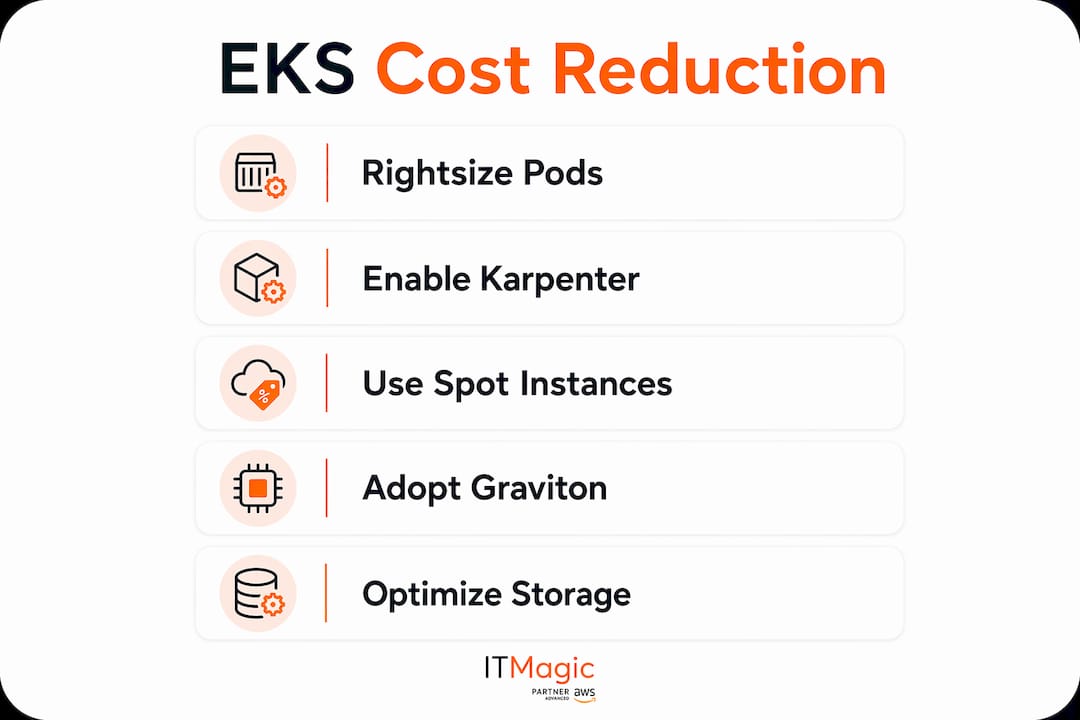
Reducing EKS expenses requires a sequenced approach: rightsizing pods first, then automating node provisioning, then applying pricing instruments like Spot and Savings Plans.
| Point | Details |
|---|---|
| Rightsize pods first | Set CPU and memory requests at the 90th percentile of actual usage to eliminate stranded node capacity. |
| Use Karpenter for provisioning | Karpenter’s consolidation feature cuts costs by 15–30% by eliminating underutilized nodes automatically. |
| Match Spot to stateless workloads | Spot instances save 60–90% on compute for fault-tolerant, restartable workloads with proper instance diversification. |
| Buy Savings Plans last | Purchase compute commitments only after rightsizing and autoscaling are complete to avoid locking in waste. |
| Fix network and storage charges | VPC endpoints, topology-aware routing, and gp3 volumes eliminate hidden fees that compound at scale. |
The order matters more than any single tool
I’ve reviewed dozens of EKS cost audits over the years, and the pattern is consistent. Teams that jump straight to Savings Plans or Reserved Instances without rightsizing first end up paying for capacity they don’t use. The commitment locks in the waste for one to three years. That’s not a savings plan. That’s a penalty.
The sequence is the strategy. Rightsize pods, then let Karpenter consolidate nodes, then introduce Spot for stateless workloads, then migrate to Graviton where your images support it, and only then look at Savings Plans. Each step reduces your baseline before you commit to it.
One thing I see teams overlook consistently is Kubernetes version management. Drifting into EKS Extended Support raises the cluster fee from $73 per month to $438 per month per cluster. That’s $365 per cluster per month for doing nothing. Infrastructure-as-Code defaults can accidentally enroll clusters in Extended Support. Explicitly set the support type to STANDARD in your Terraform or CloudFormation templates and add a version upgrade reminder to your quarterly engineering calendar.
Cost optimization is an ongoing engineering discipline, not a one-time project. Treat it as continuous work with monthly reviews, automated alerting on spend anomalies, and cost visibility embedded in your team’s dashboards. The clusters that stay cheap are the ones where someone is always watching.
— Oleksandr
IT-Magic’s approach to EKS cost management
Running a cost-efficient EKS environment at scale requires more than applying a checklist once. It requires continuous monitoring, Infrastructure-as-Code discipline, and the experience to know which levers to pull first for your specific workload mix.

IT-Magic has delivered AWS cost optimization engagements for 300+ clients since 2010, including fintech and enterprise teams running complex EKS environments. As an AWS Advanced Tier Services Partner, IT-Magic’s certified engineers audit your cluster configuration, identify the highest-impact savings opportunities, and implement changes without disrupting production. Teams that want expert help with Kubernetes performance and cost can work directly with IT-Magic’s DevOps specialists to build a sustainable cost governance program.
FAQ
How much can I realistically save on EKS costs?
Following a full optimization sequence from pod rightsizing through Savings Plans, teams typically save 50–60% on total EKS spend. Large clusters have reported monthly savings of roughly $50,000 after completing all steps.
What is the first step to lower EKS expenses?
Rightsizing pod resource requests is the first and most impactful step. Setting CPU and memory requests at the 90th percentile of actual usage eliminates stranded node capacity and reduces the number of nodes the cluster needs to run.
Are Spot instances safe to use in EKS production environments?
Spot instances are safe for stateless, fault-tolerant workloads like web services, batch jobs, and CI/CD runners. Diversifying across 10–15 instance types and multiple Availability Zones, combined with Karpenter’s automatic fallback, makes interruptions rare and recoverable.
When should I buy AWS Savings Plans for EKS?
Buy Savings Plans only after rightsizing and autoscaling are fully in place. Purchasing before those steps locks oversized capacity into a 1–3 year commitment and eliminates the financial benefit of the discount.
What hidden charges should I watch for in EKS?
Cross-AZ data transfer fees, NAT Gateway data processing charges, gp2 EBS storage costs, and orphaned load balancers are the most common hidden charges. Topology-aware routing, VPC endpoints, and gp3 volume migration address each of these directly.
Recommended
- AWS EKS explained: streamline Kubernetes for scalable success
- AWS cost reduction strategies: proven steps for cloud savings
- Migrating to Kubernetes on AWS: A Practical 2026 Guide
- ECS on AWS: Scale containers reliably in 2026
Alexander founded IT-Magic, an AWS Advanced Tier Services Partner delivering DevOps, cloud architecture, and managed services since 2010. He holds:
- AWS Certified Solutions Architect – Professional
- AWS Certified DevOps Engineer – Professional
- AWS Certified Security – Specialty
- AWS Certified Advanced Networking – Specialty
Talk to a certified AWS team trusted by INTERTOP, Foxtrot, Pandora, and J.Hilburn.
Get a free consultation


