

TL;DR:
- Containers are lightweight, fast, and ideal for microservices and CI/CD pipelines.
- Effective orchestration with tools like Kubernetes automates scaling, failover, and deployment.
- Success depends on aligning container use with business needs, proper security, and operational practices.
Containers are not just a lighter way to run virtual machines. That misconception has led countless engineering teams to adopt containers for the wrong reasons and then wonder why the promised speed never materialized. Containers fundamentally change how software is built, shipped, and operated, and when used correctly, they become the backbone of fast, reliable, and scalable DevOps. This guide cuts through the noise and gives CTOs and engineering leaders a clear, practical framework for getting real value from containers in modern cloud environments.
Table of Contents
- How containers power modern DevOps
- Containers vs. alternatives: VMs, serverless, and when to choose what
- Orchestrating containers: Kubernetes and real-world scaling
- Performance, cost, and security: What CTOs must know
- What most guides miss: Getting real ROI from containers in DevOps
- Get expert help to accelerate your containerized DevOps
- Frequently asked questions
Key Takeaways
Running this on your own AWS setup? IT-Magic is an AWS Advanced Tier Partner — we audit, fix, or fully manage it for you.
Get a free consultation| Point | Details |
|---|---|
| Containers accelerate DevOps | They enable faster, more reliable CI/CD and deployment cycles by providing lightweight, consistent environments. |
| Choose the right platform | Compare containers, VMs, and serverless options based on workload predictability, cost, and scaling requirements. |
| Kubernetes unlocks real scale | Orchestration with Kubernetes or ECS is essential for maintaining resilience, efficiency, and growth in production DevOps. |
| Know the performance trade-offs | Containers offer minimal CPU/memory overhead but can add disk and network overhead if misconfigured. |
| ROI requires strategy | Container success comes from automation, culture alignment, and smart adoption, not just technology choices. |
How containers power modern DevOps
The first thing to understand is what separates containers from virtual machines at a technical level. A VM includes a full operating system, its own kernel, and all the overhead that comes with it. A container is different. Containers share the host OS kernel, making them lightweight and fast-starting compared to VMs, which is exactly why they excel in CI/CD and microservices architectures. A container can spin up in milliseconds. A VM takes minutes. That gap matters enormously at scale.
This speed changes how containers fit into CI/CD pipelines. Every commit can trigger a new container build, run tests in an isolated environment, and push a verified image through to production, all within minutes. Teams that previously released software weekly start shipping multiple times per day. The feedback loop tightens, bugs surface faster, and engineers spend less time debugging environment mismatches.
Containers also pair naturally with microservices. Instead of deploying one monolithic application, teams break functionality into independent services, each running in its own container. Services can be updated, scaled, or rolled back independently. This is how DevOps for secure scaling becomes practical rather than theoretical.
Here is what engineering leaders should watch for when containers underperform:
- Misconfigured resource limits: Containers without CPU and memory limits compete with each other and cause unpredictable failures.
- Bloated images: Large Docker images slow down build and pull times, negating the speed advantage.
- Shared secrets in images: Credentials baked into container images create serious security exposure.
- No health checks: Without proper health checks, orchestrators cannot detect and replace failed containers.
- Missing logging pipelines: Ephemeral containers disappear after a crash, taking logs with them unless you route them to a centralized system first.
Pro Tip: Most container failures in production trace back to misconfigured isolation or missing resource limits, not to any fundamental flaw in the container model itself. Audit your pod specs and Dockerfile configs before blaming the platform.
Containers vs. alternatives: VMs, serverless, and when to choose what
Understanding where containers win and where they fall short is what separates good technology decisions from expensive mistakes. Containers outperform VMs for DevOps speed and scalability but offer less hardware-level isolation. Serverless, on the other hand, becomes cheaper when your average utilization drops below 30 to 40 percent or your traffic is highly spiky, while containers are the better fit for predictable, sustained workloads.
The table below captures the most important dimensions for decision-making:
| Dimension | Containers | VMs | Serverless |
|---|---|---|---|
| Startup time | Milliseconds | Minutes | Milliseconds |
| Resource overhead | Low | High | Near zero |
| Isolation level | Process-level | Full kernel | Full (managed) |
| Horizontal scaling | Fast, manual or auto | Slower, heavier | Automatic |
| Cost model | Pay for running nodes | Pay for provisioned VMs | Pay per invocation |
| Best workload | Predictable, long-running | Legacy, regulated | Spiky, event-driven |
| Ops complexity | Medium to high | Medium | Low to medium |
Choosing between containers, VMs, and serverless is not a philosophical debate. It is an engineering decision based on your specific workload shape, team capabilities, and cost tolerance. There is rarely a single right answer for an entire organization.
Here is a practical framework for choosing your deployment model based on workload patterns:
- Map your workload type. Is it long-running and predictable, or spiky and event-driven? Predictable workloads almost always favor containers over serverless on cost alone.
- Check your compliance requirements. Heavily regulated environments, particularly PCI DSS or HIPAA workloads, often require stronger isolation. VMs or dedicated instances may be necessary for specific components even when the broader system uses containers.
- Assess team depth. Kubernetes has a steep learning curve. If your team lacks orchestration experience, starting with ECS container strategies on AWS reduces operational complexity while still delivering container benefits.
- Model your cost at scale. Run your expected container count and request volume through your cloud provider’s pricing calculator before committing. Many teams underestimate the node cost of running large Kubernetes clusters at low utilization.
- Evaluate your migration path. Legacy monoliths rarely containerize cleanly. Plan for a phased approach, starting with stateless services, and save stateful workloads for later once your team has built container operational muscle.
Understanding cloud-based DevOps cost savings requires looking past sticker prices and modeling actual utilization, because the biggest cost lever in container environments is bin packing efficiency, not instance type selection.
Orchestrating containers: Kubernetes and real-world scaling
Running a few containers manually is straightforward. Running hundreds or thousands in production, with zero-downtime deployments, automatic failover, and efficient resource utilization, requires orchestration. Kubernetes orchestrates containers for automated scaling, self-healing, rollouts, bin packing, and service discovery, which is why it has become the default production-grade platform for container workloads.
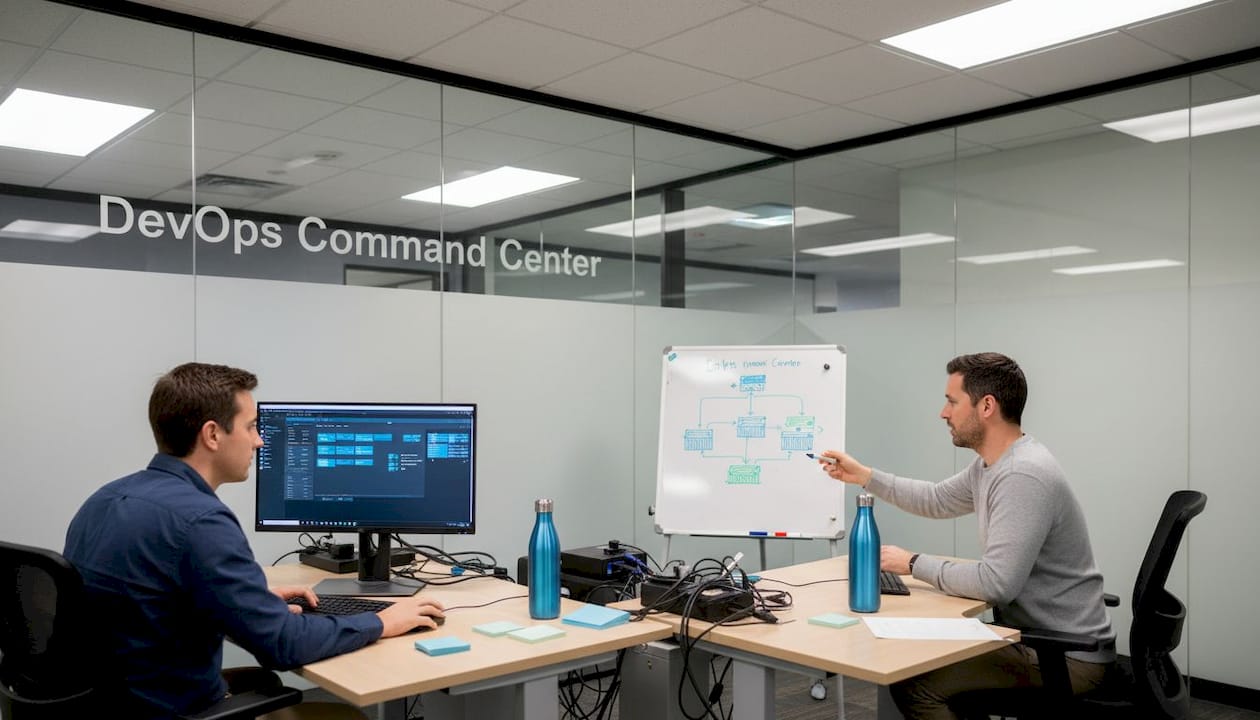
What does orchestration actually solve? Consider what happens without it. A container crashes at 2 AM. Someone has to detect the failure, restart the container, and verify the service is healthy. With Kubernetes, the control plane detects the failure within seconds and replaces the pod automatically. Rollouts that previously required manual coordination and downtime become rolling updates with configurable thresholds for acceptable pod availability. Resource bin packing means Kubernetes schedules workloads onto nodes efficiently, reducing wasted compute spend.
The real-world evidence for orchestration at scale is compelling. Netflix, one of the most demanding distributed systems in the world, uses Docker and Kubernetes for its microservices architecture. A detailed technical deep-dive from the Netflix engineering team revealed that their containerd migration exposed significant CPU architecture impacts on high-concurrency container launches, with AMD and newer Intel processors showing 20 to 30 percent better performance under specific tuning conditions. That finding alone illustrates how deeply infrastructure decisions intersect with container performance at scale.
The table below outlines what Kubernetes manages automatically versus what remains your responsibility:
| Concern | Kubernetes handles | Your team handles |
|---|---|---|
| Container restarts | Automatic via liveness probes | Probe configuration |
| Scaling | HPA and VPA policies | Threshold and metric definition |
| Rolling deployments | Built-in rollout strategies | Deployment YAML configuration |
| Service discovery | CoreDNS and Services | Service naming and networking policy |
| Secret management | Secrets API | Secret rotation and access control |
| Node failures | Pod rescheduling | Node group sizing and capacity |
Pro Tip: Your orchestrator choice should match your team’s skills and your cloud provider’s managed services. Running self-managed Kubernetes on AWS when Amazon EKS or ECS is available adds operational burden with little upside for most engineering teams. Start managed, optimize later.
Teams scaling containers with ECS on AWS often find it the faster path to production compared to setting up Kubernetes from scratch, particularly when the team is newer to orchestration. ECS integrates natively with IAM, ALB, and CloudWatch, reducing the glue code that Kubernetes requires. Cloud-native approaches on AWS often mean picking the managed service that reduces operational surface area, not the one with the most features.
Performance, cost, and security: What CTOs must know
Container performance is often discussed in optimistic terms. The reality is more nuanced. Research-backed performance benchmarks show that containers add 0 to 3 percent CPU and memory overhead compared to bare metal, which is negligible for most workloads. Disk I/O is a different story: the overlayfs filesystem layer adds 7 to 14 percent overhead, though this can be mitigated by using bind mounts for I/O-intensive paths. Network bridging is the biggest cost, introducing 20 to 50 percent latency overhead, which drops dramatically when switching to host networking for latency-sensitive services.
The data below summarizes the key performance considerations engineering leaders should track:
| Resource type | Overhead range | Mitigation strategy |
|---|---|---|
| CPU and memory | 0 to 3% | Minimal; set accurate resource requests |
| Disk I/O (overlayfs) | 7 to 14% | Use bind mounts for hot data paths |
| Network (bridge mode) | 20 to 50% | Switch to host networking for latency-sensitive workloads |
| Cold start latency | Variable | Pre-pull images, use slim base images |
Security is where many teams take unnecessary risks. The AWS migration performance results from production environments show that security misconfigurations, not performance bottlenecks, are what most commonly derail container initiatives. Here are the security issues your engineering teams must address before going to production:
- Run containers as non-root users. Most base images default to root. Override this in your Dockerfile or pod security policy.
- Scan images continuously. Use tools like Amazon ECR’s built-in scanning or Trivy in your CI pipeline to catch known vulnerabilities before images reach production.
- Apply network policies. By default, pods in Kubernetes can communicate freely. Enforce namespace-level network policies to restrict lateral movement.
- Use read-only root filesystems. Lock down the container filesystem where possible to prevent runtime tampering.
- Rotate secrets regularly. Secrets stored in environment variables are readable by anyone with exec access. Use AWS Secrets Manager or Vault with short-lived credentials.
- Enable admission controllers. Tools like OPA Gatekeeper or Kyverno enforce policies at the cluster level, blocking non-compliant workloads before they run.
Cost control in container environments comes down to three levers: right-sizing requests and limits, using spot or preemptible instances for stateless workloads, and implementing autoscaling properly. Teams that set their resource requests too high end up paying for idle compute. Teams that set them too low cause OOM kills and erratic behavior. Getting this balance right is an iterative process that requires real production metrics, not estimates.
What most guides miss: Getting real ROI from containers in DevOps
After working with hundreds of clients across fintech, retail, and enterprise since 2010, we have seen a consistent pattern. Container initiatives that fail almost never fail because of technology. They fail because teams containerize without solving the underlying process and culture problems first. You can wrap a broken deployment process in Docker and it will still be broken, just slightly faster.
The teams that extract real ROI share a few habits. They start with a clear business problem: reduce deployment risk, cut infrastructure costs by 30 percent, or enable the team to ship twice as fast. They do not start with “we should be using Kubernetes.” The technology choice follows the business need, not the other way around.
We have also learned that simplification before optimization is non-negotiable. Every time a team tries to containerize a legacy monolith and modernize it simultaneously, the project stalls. Containerizing the app as-is first, stabilizing operations, and then breaking it apart gives teams the breathing room they need. Practical DevOps implementation always looks more conservative in the early stages than the final architecture suggests.
The trap we see most often is “containerize everything.” Stateful databases, legacy ETL jobs, and tightly coupled batch processes are genuinely poor fits for containers. Forcing them into containers to achieve architectural consistency creates more operational complexity than it eliminates. Pick your battles. Not every service needs to be in a container on day one.
The teams that win treat containers as one tool in a larger automation and culture shift, not as the destination itself. Investing in automated testing, trunk-based development, and observability alongside container adoption compounds the results. The container is just the packaging. The pipeline, the culture, and the automation are what deliver the value.
Get expert help to accelerate your containerized DevOps
Knowing the theory is one thing. Executing it in production without costly missteps is another challenge entirely.

At IT-Magic, we have helped more than 300 clients design and operate container environments on AWS since 2010, from ECS-based microservices for fintech startups to large-scale Kubernetes support for enterprises navigating PCI DSS compliance. We do not develop software. We build the infrastructure, automation, and operational practices that make your engineering teams faster and your systems more reliable. If you are working through container adoption, orchestration complexity, or need to bring down your AWS cost optimization after rapid growth, our certified AWS DevOps engineers are ready to help you move forward with clarity and confidence.
Frequently asked questions
How do containers improve CI/CD pipelines in DevOps?
Containers package runtime environments and dependencies together, so build and test environments are identical across every stage of the pipeline. Because containers share the host OS kernel, they start in milliseconds, which makes fast, repeatable deployments practical at any scale.
What is the main advantage of using Kubernetes with containers?
Kubernetes automates the hardest parts of running containers in production. Kubernetes orchestrates containers for automated scaling, self-healing after failures, controlled rollouts, and efficient bin packing across available nodes.
Do containers cost more than VMs or serverless for typical startups?
For predictable, sustained workloads, containers are typically more cost-efficient than VMs because of lower overhead. Serverless is cheaper when average utilization stays below 30 to 40 percent or traffic is highly spiky and unpredictable.
What are common container security risks in DevOps?
Misconfigured isolation, running containers as root, outdated base images, and unencrypted network traffic are the most frequent security failures. Network bridge overhead in container environments also creates exposure points that need policy-enforced controls to manage effectively.
Recommended
- AWS DevOps explained: accelerate delivery and scale securely
- DevOps in cloud: drive agility and 72% cost savings
- ECS in DevOps: The Key to Scalable, Cost-Effective AWS
- Cloud-Native DevOps Explained: Accelerate Delivery and Cut Costs
Alexander founded IT-Magic, an AWS Advanced Tier Services Partner delivering DevOps, cloud architecture, and managed services since 2010. He holds:
- AWS Certified Solutions Architect – Professional
- AWS Certified DevOps Engineer – Professional
- AWS Certified Security – Specialty
- AWS Certified Advanced Networking – Specialty
Talk to a certified AWS team trusted by INTERTOP, Foxtrot, Pandora, and J.Hilburn.
Get a free consultation


