

TL;DR:
- Cloud disaster recovery involves replicating IT systems to the cloud and orchestrating their restoration after disruptions. It emphasizes continuous data replication, automated failover, and explicit failback planning, unlike simple backup solutions. Regular testing and a tiered approach balance recovery speed and cost for different workload criticality.
Cloud disaster recovery (cloud DR) is defined as the process of replicating IT infrastructure and data to cloud environments, then orchestrating their restoration after a disruption. Unlike traditional DR, which required expensive idle data centers, cloud DR flips that economics by delivering pay-as-you-go recovery environments accessible to organizations of any size. Providers like AWS, Microsoft Azure, and tools like Veeam and Scality have made this approach the standard for business continuity planning. Understanding cloud DR means understanding three core processes: replication, failover, and failback.
What is cloud disaster recovery and how does it work?
Cloud disaster recovery uses cloud services as recovery destinations to restore business-critical data and IT services after disruptions caused by disasters, cyberattacks, hardware failures, or accidental deletions. The process begins before any incident occurs. Your team continuously replicates production data and system configurations to a cloud environment, so a clean copy is always available.

When a disruption hits, the recovery infrastructure activates through a process called failover. Failover shifts workloads from the failed primary environment to the cloud standby. Once the primary environment is repaired and stable, failback returns operations to their original location. Each phase requires careful coordination, not just data copies.
Recovery time objective (RTO) defines how quickly systems must be back online after a failure. Recovery point objective (RPO) defines how much data loss is acceptable, measured in time. For example, an RPO of one hour means your backup data can be no older than 60 minutes at the moment of failure. These two metrics drive every architectural decision in a cloud DR plan.
What are the core components of a cloud DR plan?
Running this on your own AWS setup? IT-Magic is an AWS Advanced Tier Partner — we audit, fix, or fully manage it for you.
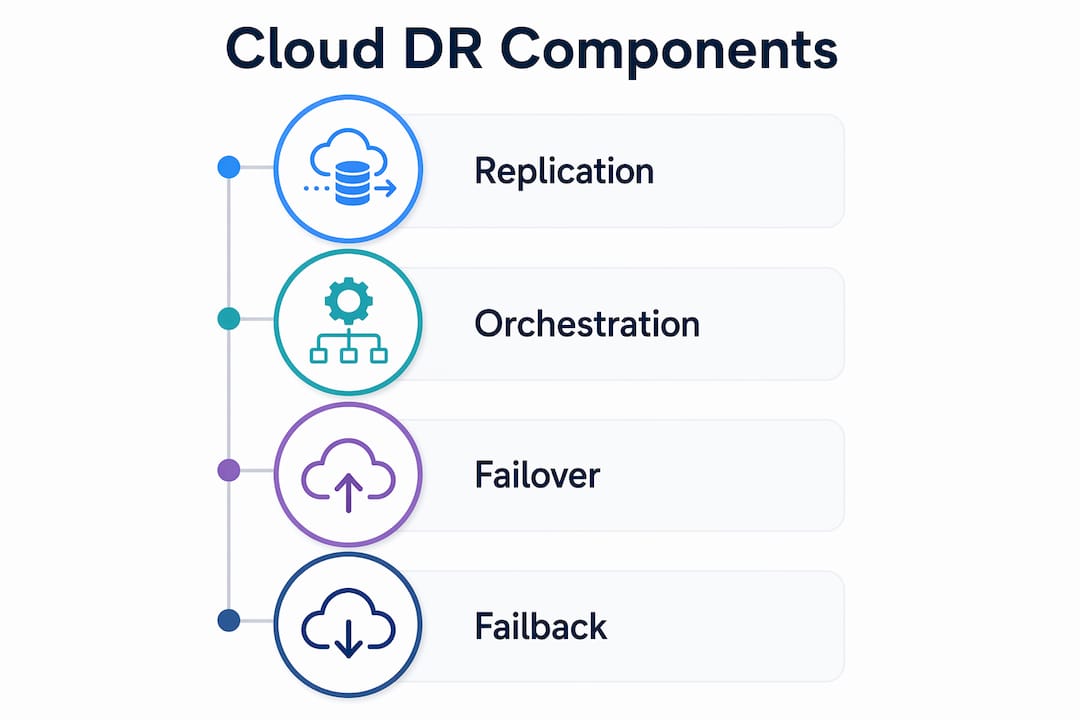
Get a free consultationA cloud DR plan has four operational layers: replication, orchestration, failover, and failback. Each layer must function independently and together.
1. Replication
Data replication copies production data to cloud storage on a continuous, interval, or agentless basis. Continuous replication minimizes RPO to near zero. Interval replication runs on a schedule, such as every 15 minutes, and accepts a small data loss window. Agentless replication works at the hypervisor or storage level without installing software on each server.
2. Orchestration
Automated orchestration using infrastructure-as-code enables consistent provisioning and reduces human error during recovery. Pre-configured templates define exactly which resources spin up, in what order, and with what configurations. Tools like AWS CloudFormation and Terraform are common choices for this layer.
3. Failover
Failover activates the standby environment. Automated failover can complete in minutes when orchestration templates are pre-tested. Manual failover introduces human decision points that extend RTO. Most mature DR plans use automated failover with human approval gates for critical systems.
4. Failback
Failback is often the hardest operational phase. Returning to the primary environment requires syncing all changes made during the cloud DR period, validating data consistency, and restoring systems in the correct order. Without explicit failback planning and testing, organizations risk data inconsistency and extended downtime.
Pro Tip: Test failback separately from failover. Most teams practice failover regularly but skip failback drills. That gap is where real outages get extended.
Network bandwidth also affects replication speed. Large data volumes require dedicated WAN pathways or optimized network connections to meet RPO targets. Plan your network capacity before you set your RPO commitments.
How do hot, warm, and cold cloud DR models compare?
Recovery models vary by standby temperature: hot, warm, and cold. Each represents a different tradeoff between cost, recovery speed, and operational complexity.
| Model | Recovery speed | Cost | Complexity | Best for |
|---|---|---|---|---|
| Hot | Minutes | Highest | High | Mission-critical systems, financial services |
| Warm | Hours | Moderate | Moderate | Business-critical apps with flexible RTO |
| Cold | Days | Lowest | Low | Non-critical data, archival workloads |
Hot DR runs a fully live parallel environment at all times. Your standby mirrors production in real time. Failover takes minutes because everything is already running. The cost reflects that: you pay for a full duplicate environment continuously.
Warm DR keeps standby infrastructure provisioned but not fully active. Virtual machines exist but are stopped. Data replicates on a schedule. Recovery takes hours, not minutes, because systems need to start and validate before accepting traffic.
Cold DR stores only data backups. Recovery requires rebuilding infrastructure from scratch using stored templates and data. This model costs the least but carries the longest RTO, often measured in days.
Pro Tip: Most organizations benefit from a tiered approach. Run hot DR for your payment processing or authentication systems, warm DR for internal tools, and cold DR for compliance archives. Paying for hot DR across every workload wastes budget.
Choosing a model comes down to two questions: what is the maximum acceptable downtime for this system, and what does that downtime cost the business per hour? When the cost of downtime exceeds the cost of hot DR, hot DR is the right choice.
How does cloud DR differ from cloud backup solutions?
Cloud backup and cloud disaster recovery are related but not interchangeable. Cloud DR extends beyond backup to include failover procedures, defined RTO and RPO targets, and recovery testing and validation. Backup is one component of a DR plan, not the plan itself.
The distinction matters operationally. A cloud backup solution stores copies of your data. A cloud DR plan answers the question: “If production fails right now, how do we restore operations, and how fast?” Those are different problems.
Here is what cloud DR includes that backup alone does not:
- Orchestrated failover: Automated activation of recovery infrastructure in the correct sequence
- Application-level readiness: Confirming that applications, not just data, are functional after recovery
- Communication plans: Defined escalation paths and stakeholder notifications during an incident
- Recovery testing: Scheduled drills that validate RTO and RPO targets against real system behavior
- Defined RTO and RPO: Formal commitments that drive architecture decisions
Relying only on native backup tools creates silos and incomplete visibility, jeopardizing recovery effectiveness without orchestration and testing. Many teams discover this gap only during an actual incident. A backup that has never been restored in a test environment is an assumption, not a guarantee.
Pro Tip: Check your cloud backup practices against your RTO commitments. If you have never timed a full restore, you do not know your actual RTO.
What are best practices for cloud DR implementation and testing?
Effective cloud DR implementation follows a clear sequence: design, automate, test, and refine. Skipping any step creates gaps that appear during real incidents.
1. Define RTO and RPO per workload
Not every system needs the same recovery targets. Start by classifying workloads by business impact. Payment systems, authentication services, and customer-facing APIs typically require aggressive RTO and RPO targets. Internal reporting tools can tolerate longer recovery windows.
2. Automate with infrastructure-as-code
Pre-configured templates speed up failover and make repeated testing feasible. AWS CloudFormation, Terraform, and Pulumi all support this approach. Automation removes human error from the most stressful moments in an incident.
3. Test recovery, not just replication
Validated restores and orchestrated failover are critical for effective cloud DR. Replication running successfully does not confirm that recovery will work. Schedule full recovery drills at least quarterly. Measure actual RTO and RPO against your targets during each drill.
4. Validate at the application level
RTO and RPO objectives must be met at the application level, not just at the infrastructure level. A database server that starts successfully but serves corrupted data has not met its recovery objective. Include application health checks and functional tests in every recovery drill.
5. Plan and test failback explicitly
Without planning and testing failback, the risk of data inconsistency and prolonged outages increases significantly. Document the exact sequence for returning to primary systems. Test it in a non-production environment before you need it in a real incident.
Pro Tip: Use cloud resilience best practices as a checklist when auditing your DR plan annually. Requirements change as your architecture evolves.
Monitor your DR environment continuously. Replication lag, storage capacity, and network throughput all affect whether your plan will work when called upon. Posture management tools that alert on replication failures give you time to fix problems before they become incidents.
Key Takeaways
Cloud disaster recovery requires replication, orchestration, validated testing, and explicit failback planning to deliver reliable business continuity. Backup alone does not satisfy these requirements.
| Point | Details |
|---|---|
| Cloud DR vs. backup | Cloud DR includes orchestrated failover and recovery testing; backup stores data copies only. |
| RTO and RPO targets | Define recovery objectives per workload based on business impact, not a single standard for all systems. |
| Model selection | Hot DR suits mission-critical systems; warm and cold models reduce cost for less time-sensitive workloads. |
| Automation is required | Infrastructure-as-code templates reduce human error and make repeated failover testing practical. |
| Test failback separately | Failback is the most error-prone phase; schedule dedicated drills to validate data consistency and restore order. |
Why most cloud DR plans fail before they are ever tested
After working with dozens of organizations on AWS infrastructure, I have seen the same pattern repeat. A team sets up replication, confirms data is flowing to S3 or a secondary region, and declares their DR plan complete. Then an actual incident happens, and the recovery takes three times longer than expected. The data was there. The plan was not.
The gap is almost always at the application layer. Infrastructure comes back online, but application dependencies are out of order. A service tries to connect to a database that has not finished initializing. A configuration file points to a primary endpoint that no longer exists. These are not exotic failure modes. They are predictable, and they only surface during real recovery attempts or thorough drills.
The other underestimated problem is organizational. DR plans go stale. Architecture changes, teams change, and the runbook from 18 months ago describes a system that no longer exists. I recommend treating your DR plan like production code: version it, review it on a schedule, and assign ownership to a named person.
Failback deserves its own section in every DR plan. Most teams treat it as an afterthought. Getting back to primary after a cloud failover is operationally harder than the failover itself because you are syncing a changed dataset back to a repaired environment under pressure. Plan it, document it, and test it before you need it.
The organizations that handle incidents well are not the ones with the most sophisticated tooling. They are the ones that have run the drill enough times that recovery feels familiar.
— Oleksandr
How IT-Magic supports cloud DR for Kubernetes environments
Kubernetes adds complexity to cloud disaster recovery. Stateful workloads, persistent volume claims, and multi-cluster configurations require DR planning that goes beyond standard VM replication.

IT-Magic has delivered infrastructure and DR architecture for 300+ clients as an AWS Advanced Tier Services Partner. Our team manages Kubernetes environments for enterprise clients running EKS and ECS, including failover configuration, automated recovery testing, and failback orchestration. If your cloud DR plan does not account for containerized workloads, there is a gap worth addressing. IT-Magic can assess your current setup and build a recovery architecture that meets your actual RTO and RPO targets. Reach out to discuss your environment.
FAQ
What is cloud disaster recovery in simple terms?
Cloud disaster recovery is the process of copying your IT systems and data to a cloud environment, then restoring them quickly after a failure. It covers replication, failover, and failback, not just data storage.
How does cloud DR differ from traditional disaster recovery?
Traditional DR required expensive idle physical data centers maintained at full cost regardless of use. Cloud DR uses pay-as-you-go infrastructure, making enterprise-grade recovery accessible without the capital expense.
What are RTO and RPO in cloud disaster recovery?
RTO (recovery time objective) is the maximum acceptable time to restore systems after a failure. RPO (recovery point objective) is the maximum acceptable data loss measured in time. Both must be validated at the application level, not just the infrastructure level.
Is cloud backup the same as cloud disaster recovery?
No. Cloud backup stores copies of data. Cloud DR includes orchestrated failover, application-level recovery validation, defined RTO and RPO targets, and communication plans. Backup is one component of a complete DR strategy.
How often should organizations test their cloud DR plan?
Full recovery drills should run at least quarterly. Each drill should measure actual RTO and RPO against defined targets and include failback testing, not just failover.
Recommended
- What Is Backup in Cloud? A 2026 IT Guide
- Cloud Resilience Explained for IT Leaders in 2026
- How to Improve Cloud Resilience in 2026
- What Is Cloud Risk Management: A 2026 Guide for Leaders
Alexander founded IT-Magic, an AWS Advanced Tier Services Partner delivering DevOps, cloud architecture, and managed services since 2010. He holds:
- AWS Certified Solutions Architect – Professional
- AWS Certified DevOps Engineer – Professional
- AWS Certified Security – Specialty
- AWS Certified Advanced Networking – Specialty
Talk to a certified AWS team trusted by INTERTOP, Foxtrot, Pandora, and J.Hilburn.
Get a free consultation


